Lock/Unlock
Bangkok Bank Debit Card/Travel Card
For debit cards and travel cards cardholders (applicable only to new customers or customers requesting replacement cards from July 9, 2026 onwards).
For enhanced security!
All new and replacement Bangkok Bank debit cards and travel cards issued through any channel from July 9, 2026 onwards will have their spending in all transaction types (except spending via EDC) set as “locked”. If you wish to use your card in other transaction types, you can unlock the spending 24 hours a day via Bangkok Bank Mobile Banking or by Bangkok Bank Call Center 1333 (valid for debit cards and digital debit cards with a physical card only.)
Control Card Spending According to Your Needs

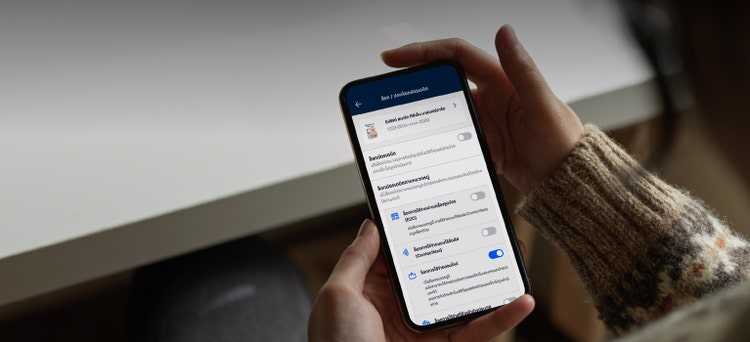
Lock & Unlock spending via EDC machine

Lock & Unlock spending via the Contactless feature

Lock & Unlock online spending

Lock & Unlock overseas spending
From July 9, 2026 onwards, all newly issued debit cards and replacement cards will have their spending via contactless, online, and overseas set as “Locked” as a default.
You can “Lock & Unlock” your spending via Bangkok Bank Mobile Banking 24 hours a day.From July 9, 2026 onwards, all newly issued debit cards and replacement cards will have their spending via contactless, online, and overseas set as “Locked” as a default.
Two ways you can “Lock & Unlock” your card 24 hours a day:
1: Bangkok Bank Call Center via Interactive Voice Response (IVR), following the shortcuts below:
-
Call Bangkok Bank Call Center 1333
-
Select language
-
Press *13 (star followed by 13) to change the card status and spending limit according to transaction type
-
Select the type of transaction:
- Press 1 for online spending
- Press 2 for spending via an EDC machine
- Press 3 for spending via the Contactless feature
- Press 4 for overseas spending
- Enter your 16-digit debit card number
- Enter the 6-digit debit card PIN
2: Bangkok Bank Mobile Banking (available one day after a successful debit card application at a Bangkok Bank branch)
Note:
- Digital debit cardholders using only the virtual card can manage their debit card spending (Lock & Unlock) via Bangkok Bank Mobile Banking only.
- Debit and digital debit cardholders using only the physical card can manage their debit card spending (Lock & Unlock) via Bangkok Bank Mobile Banking and Bangkok Bank Call Center 1333.
From July 9, 2026 onwards, all newly issued debit cards and replacement cards will have their spending via contactless, online, and overseas set as “Locked” as a default.
You can “Lock & Unlock” your spending via Bangkok Bank Mobile Banking 24 hours a day.