Debit Card
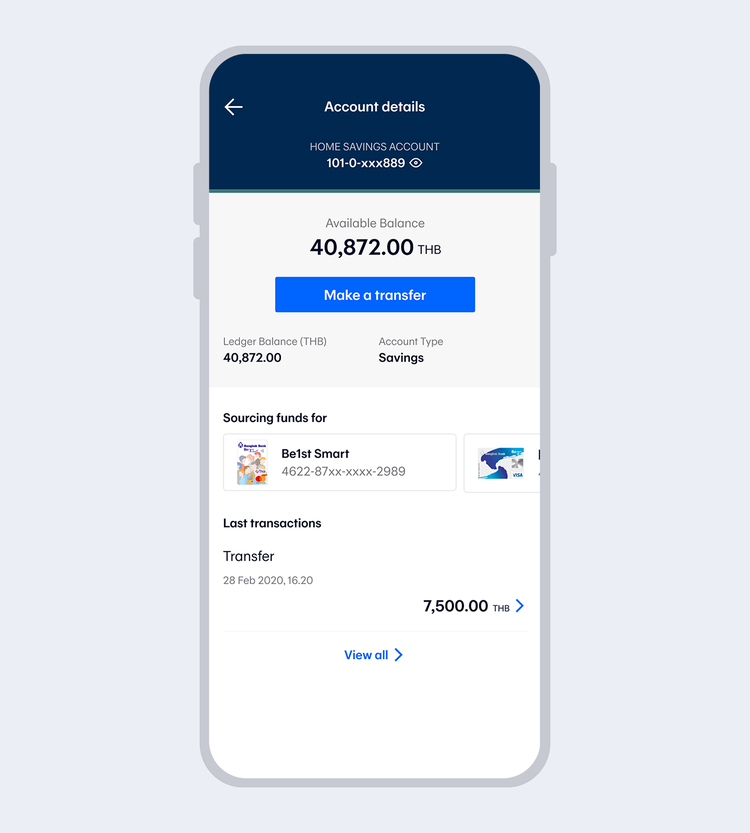
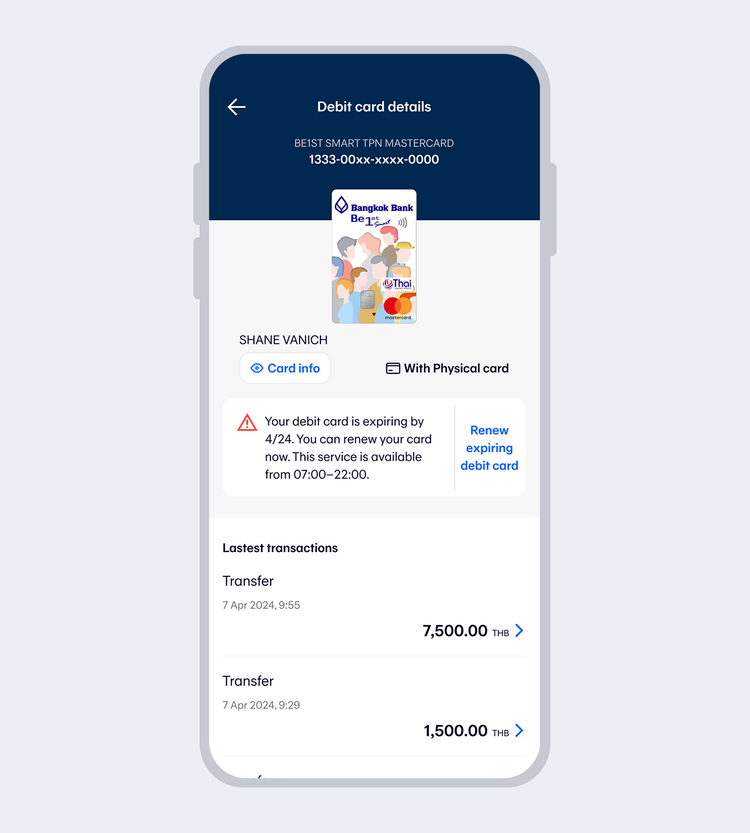
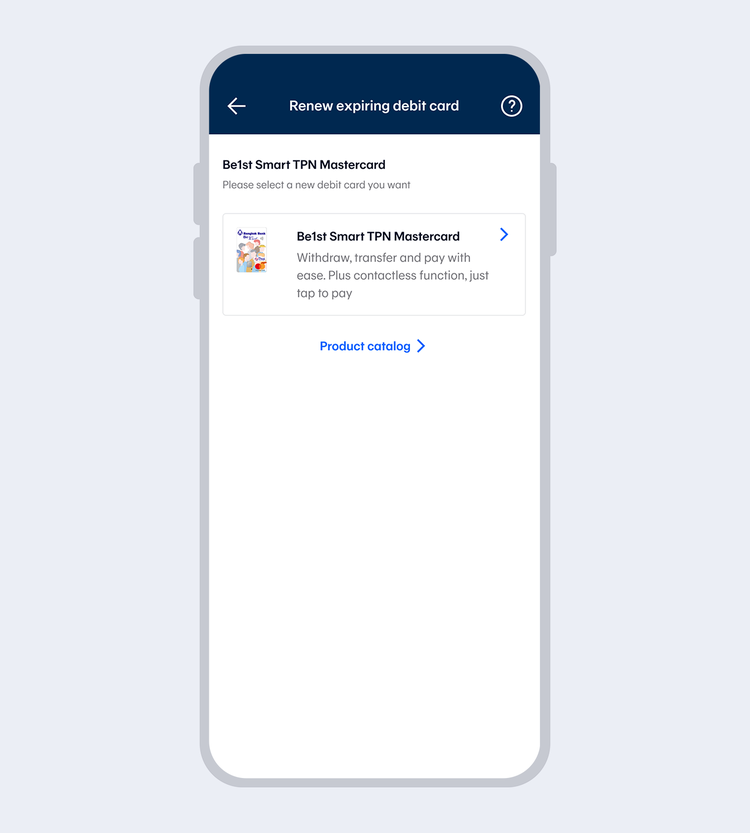
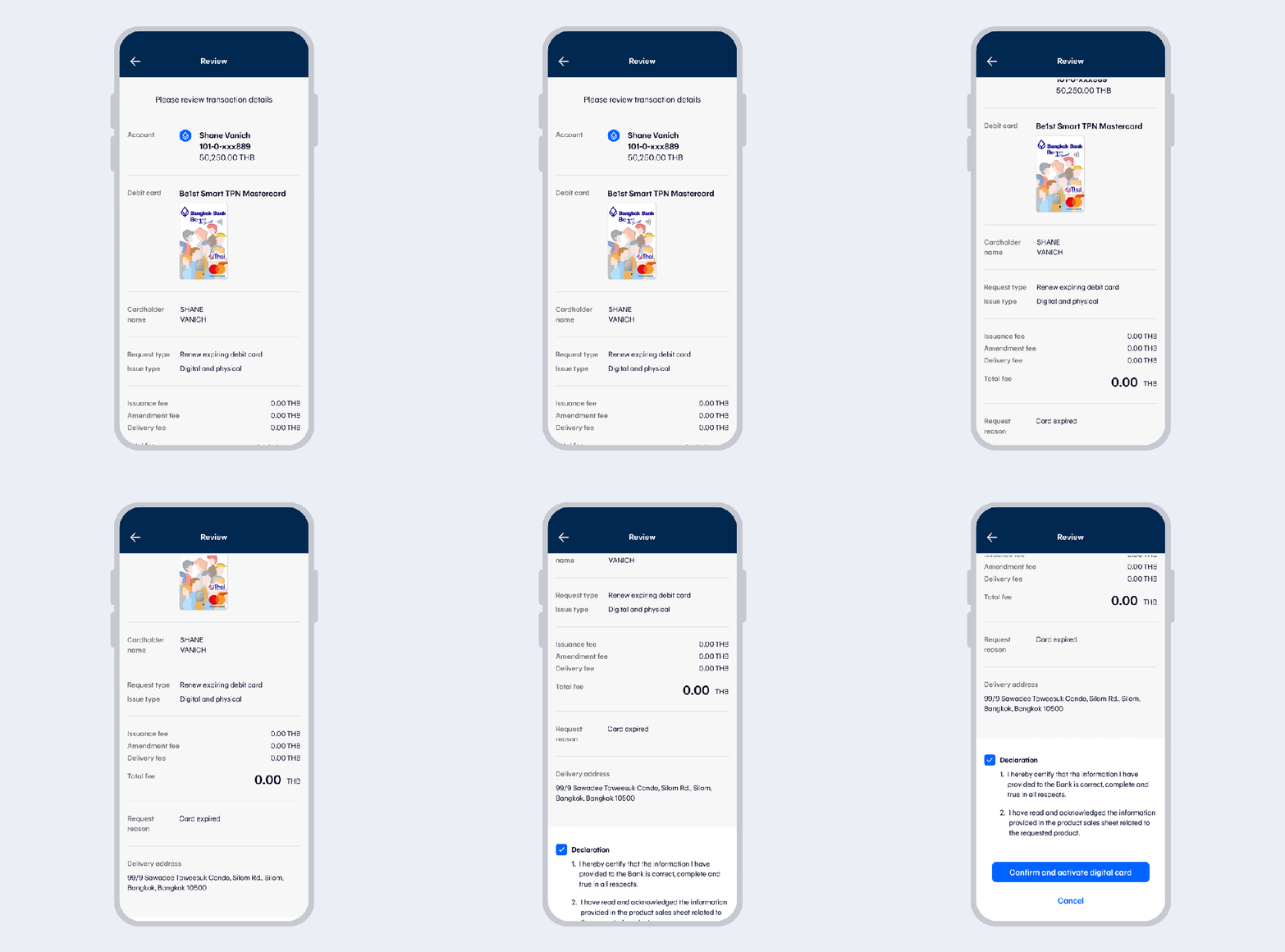
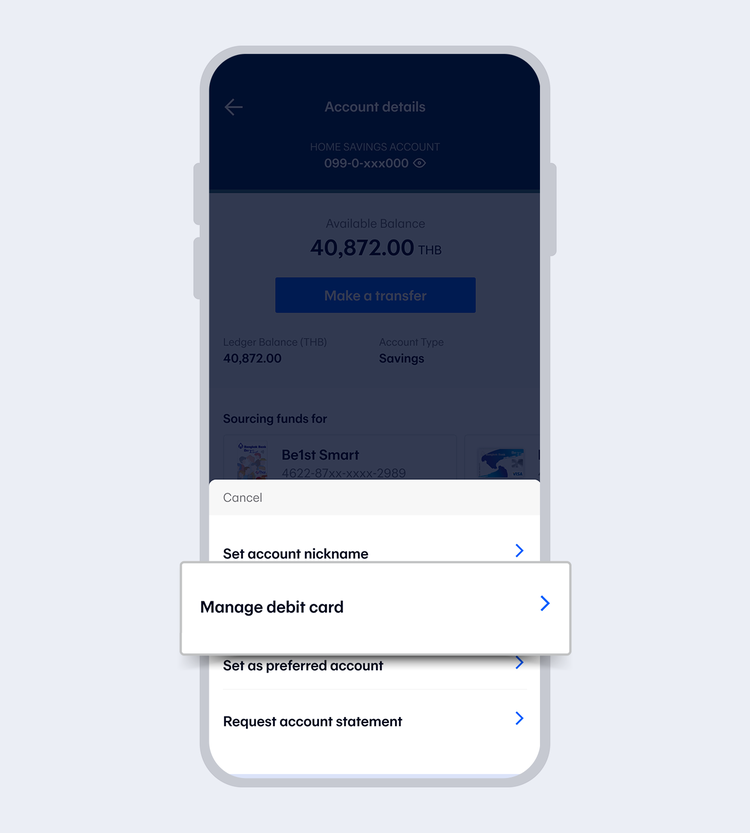
Select "Renew expiring debit card"
You can process the transaction up to 60 days in advance before the debit card expires.
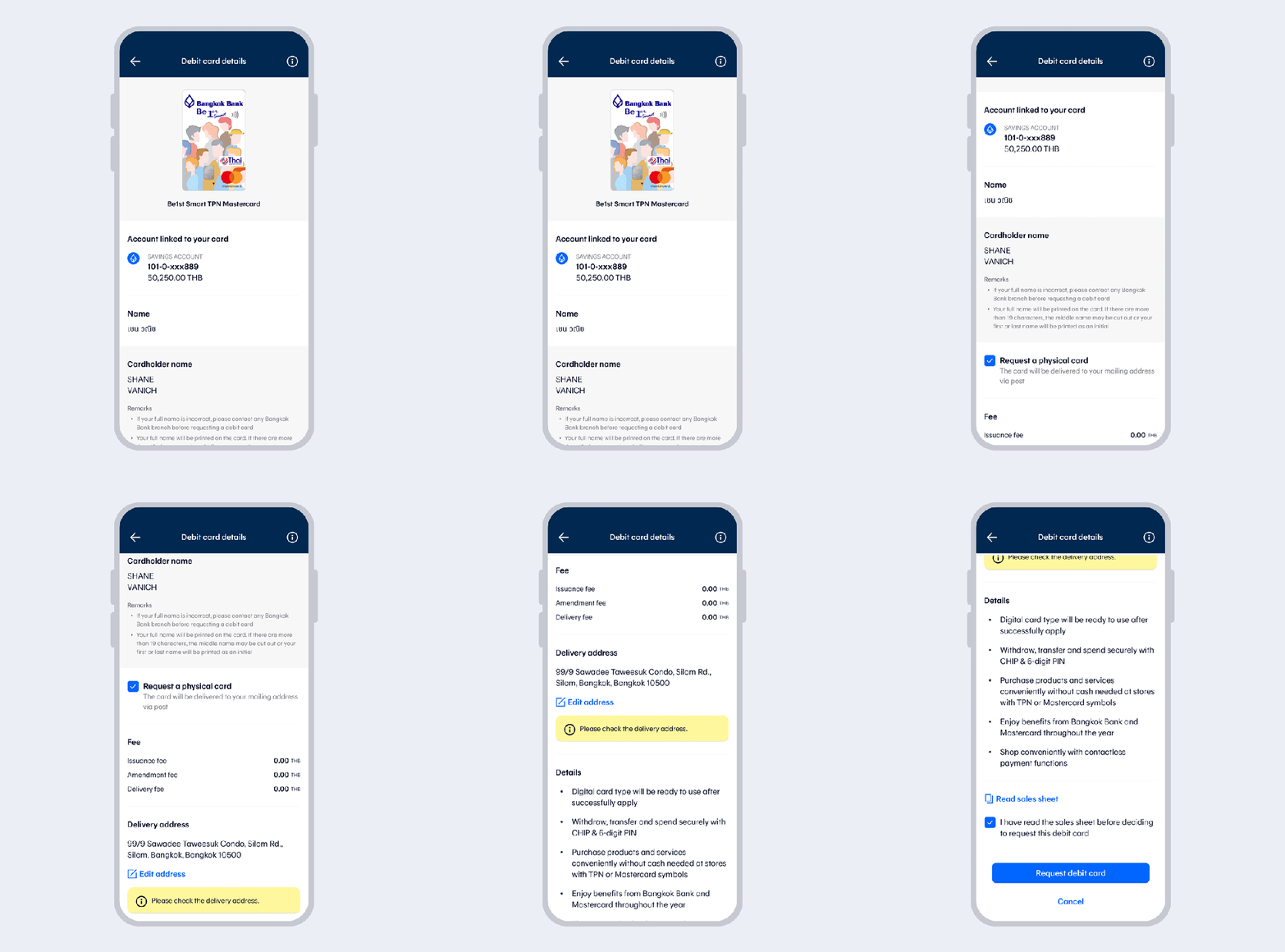
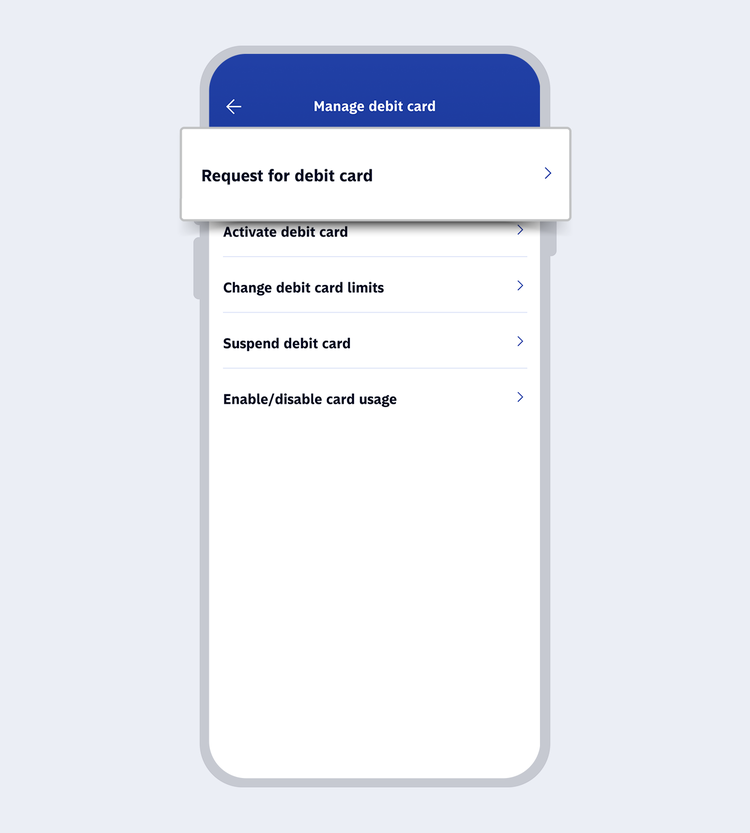
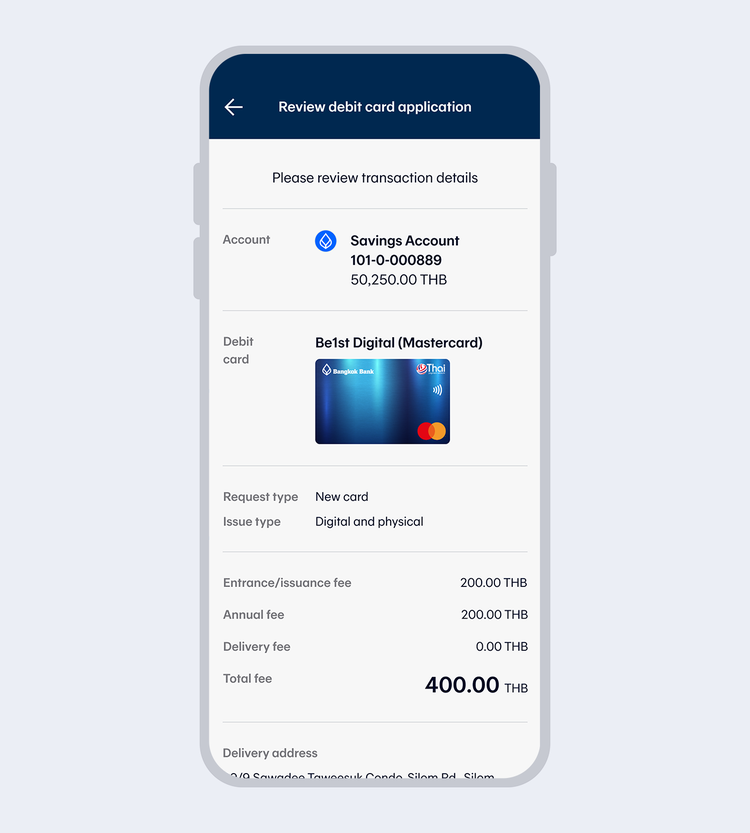
Check debit card details, select "Request debit card". Then read the terms and conditions and select "I agree".
If changing the card from a digital debit card to a combination physical and digital debit card, there will be a card issuance fee of 100 baht.
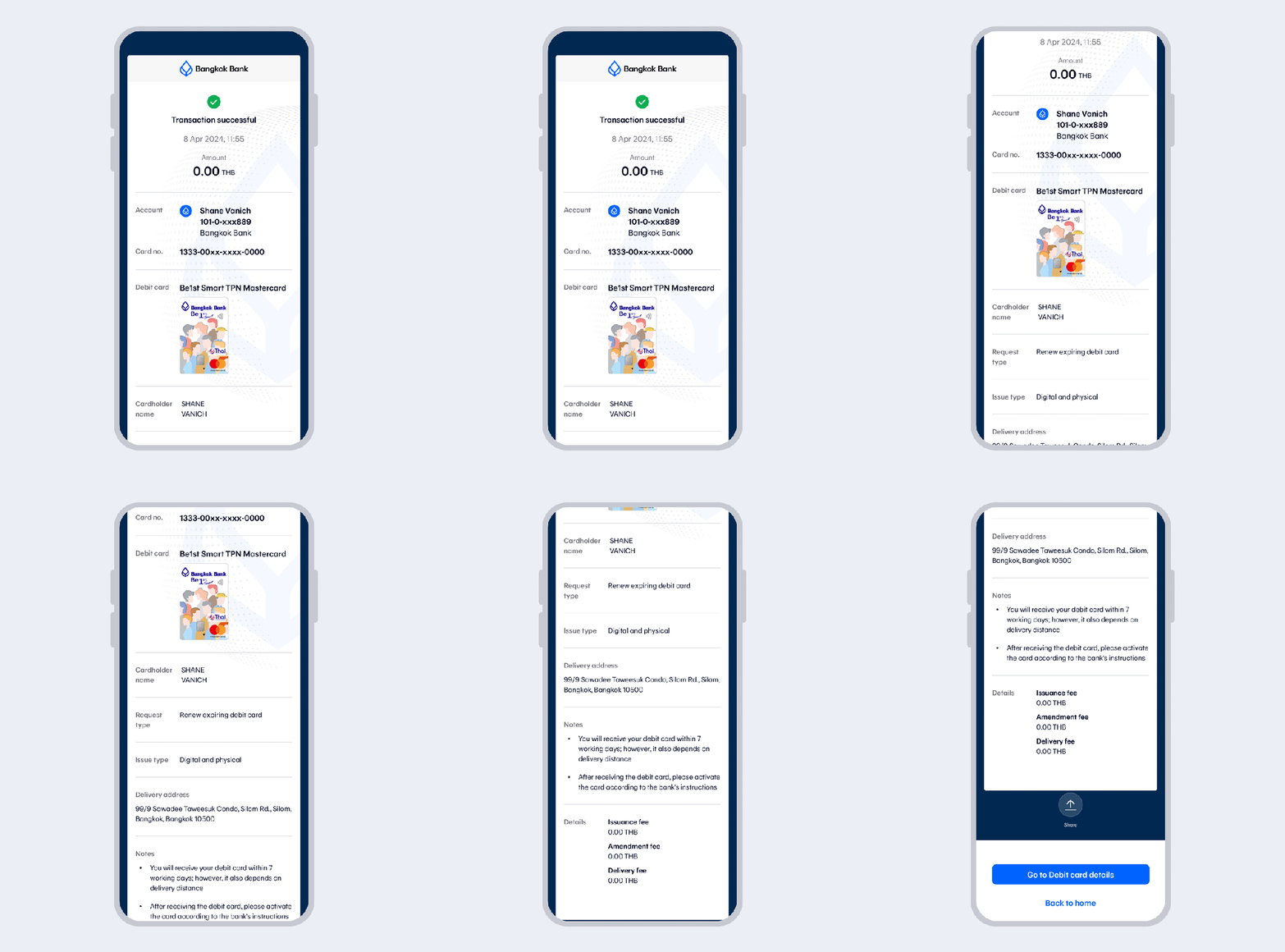
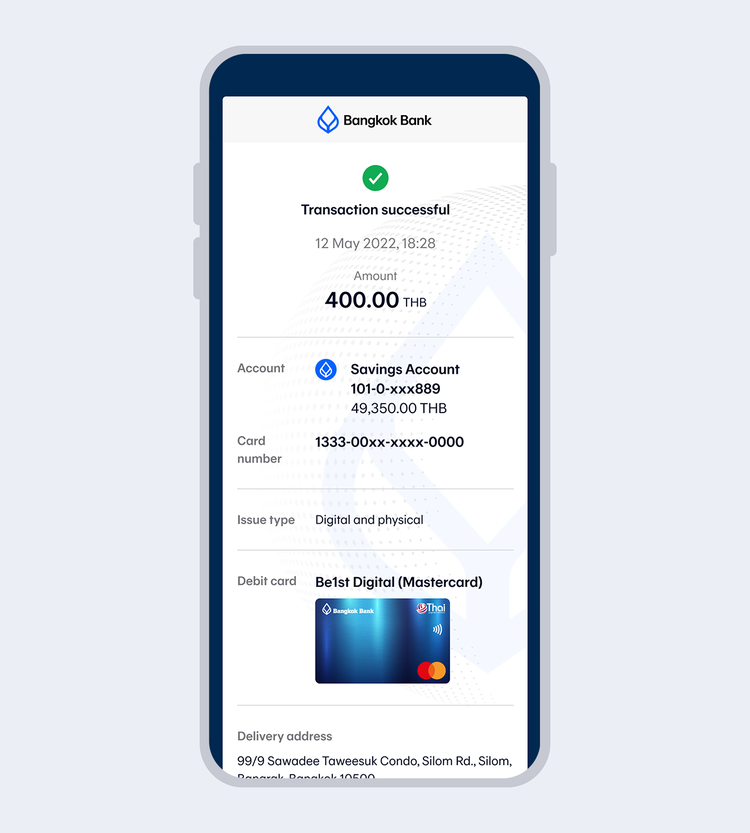
Once the transaction has been completed, you will receive an eSlip and email transaction record.
- You will receive your debit card within 7 working days; however, it also depends on delivery distance.
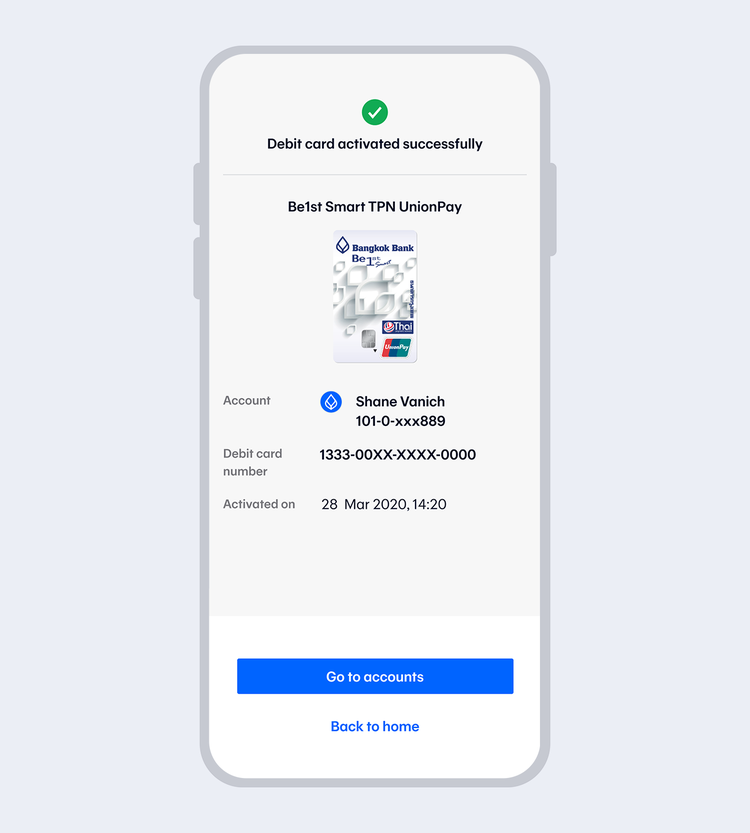
- After receiving the debit card, please activate the card according to the bank's instructions.
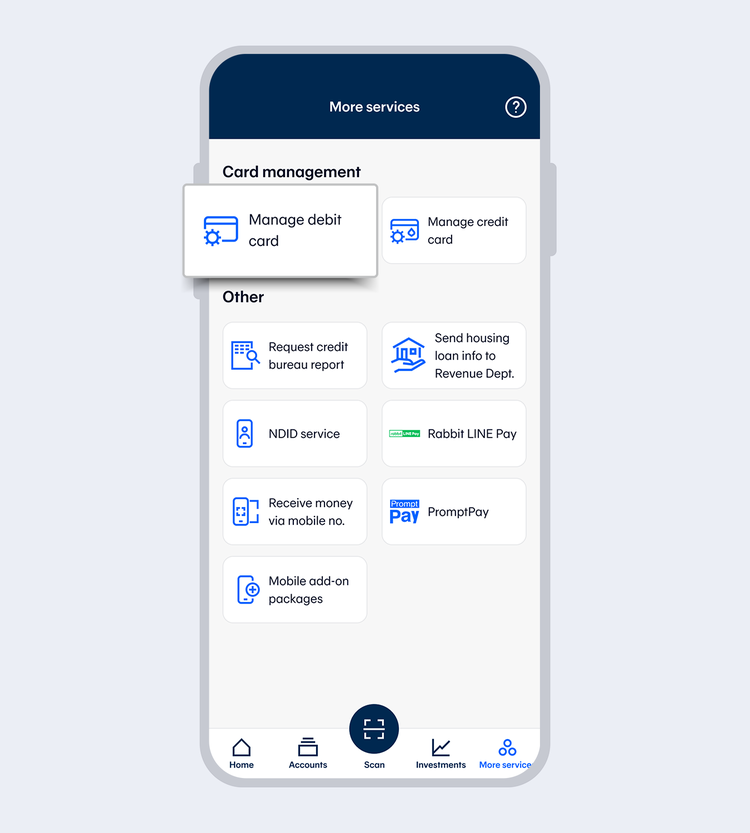
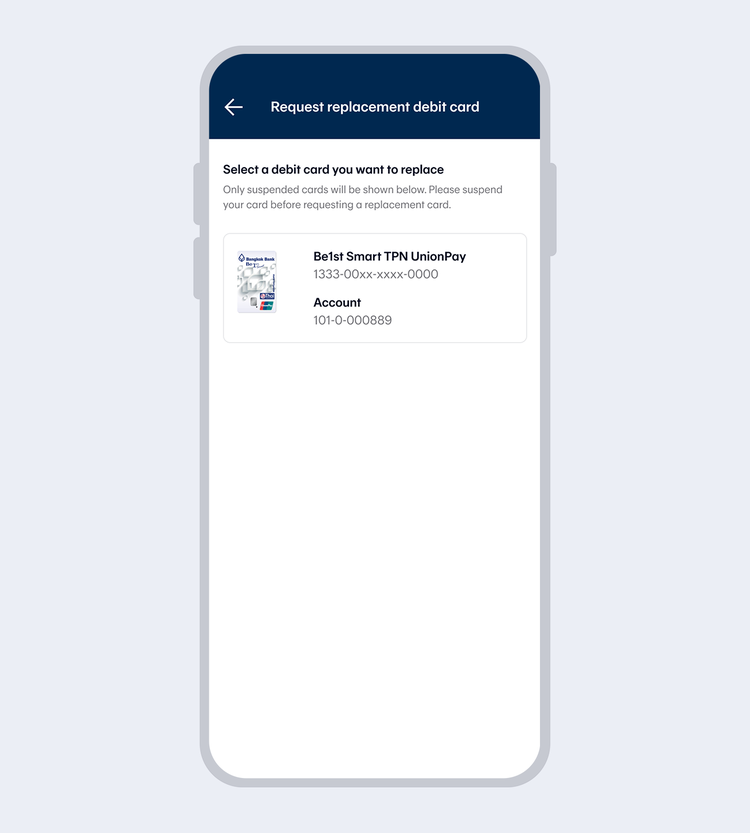
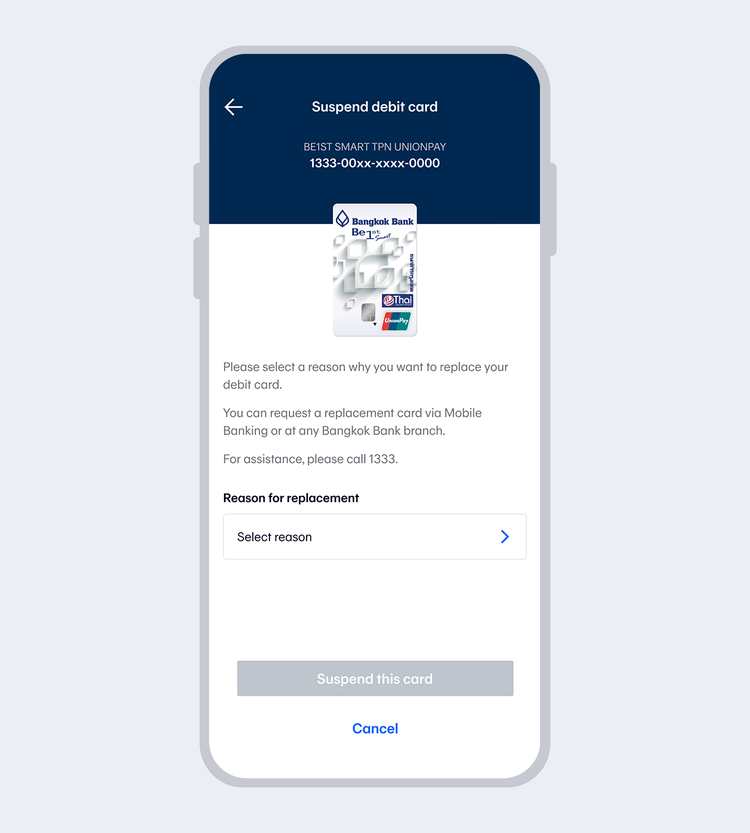
Select the card you want to suspend (The system will
display all debit cards from all accounts added in
Mobile Banking which have been suspended)
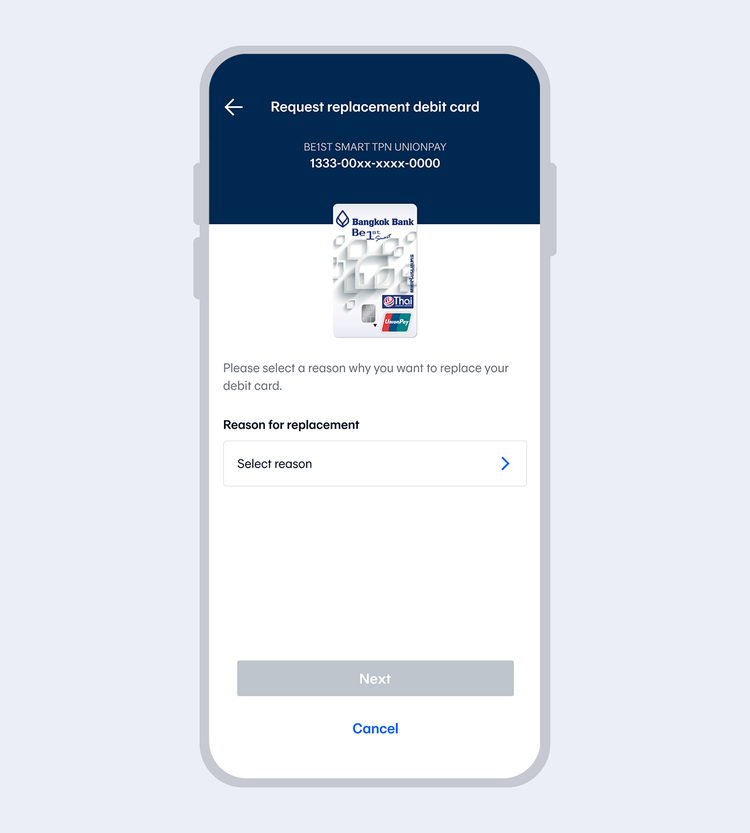
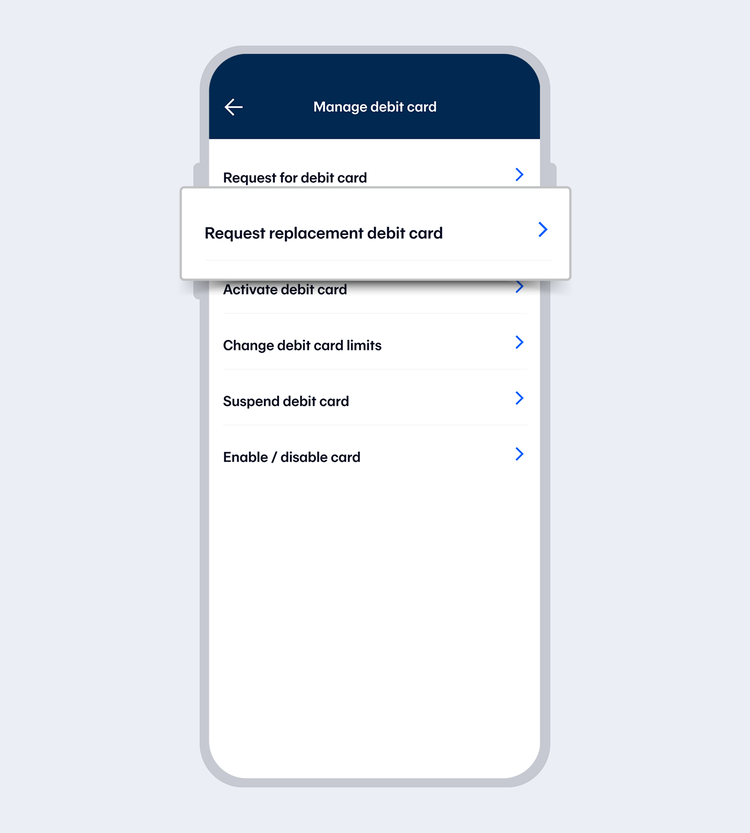
Select the reason for a replacement (card damaged /
card lost / forgot ATM PIN / card retained by ATM /
other) and select “Next”
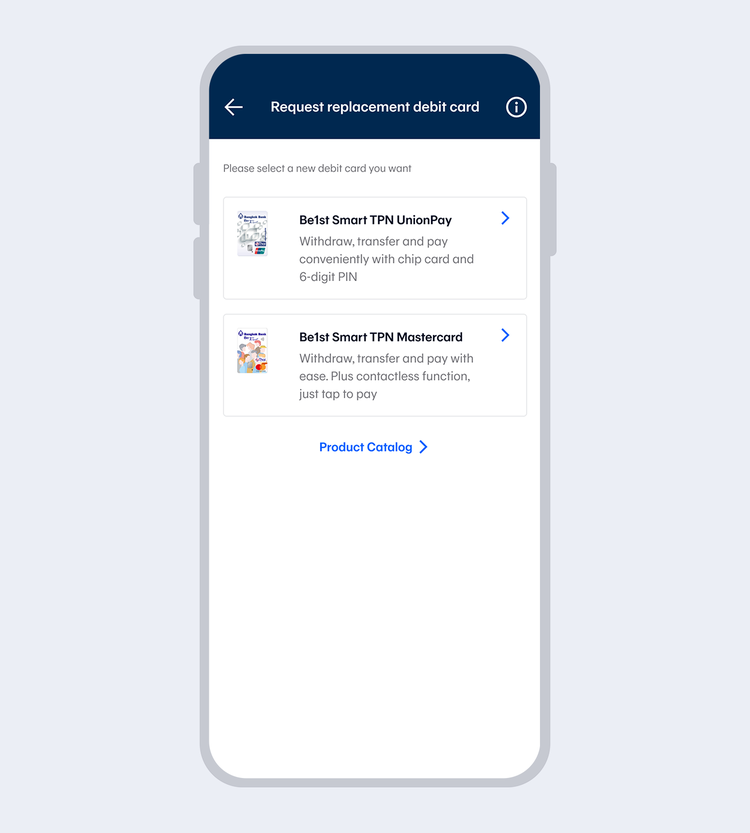
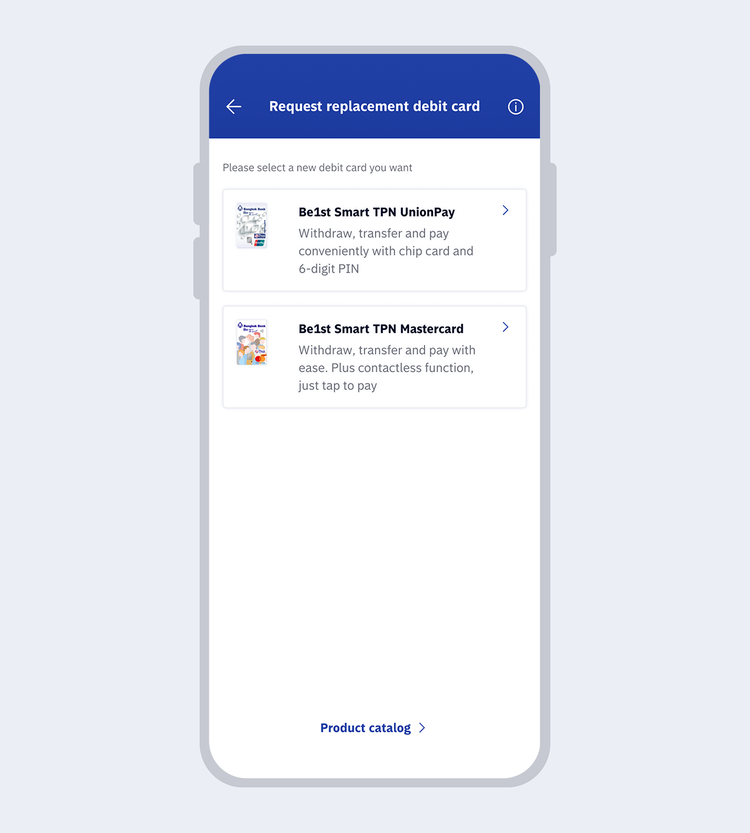
The system will display cards eligible for replacement.
Select a replacement card.
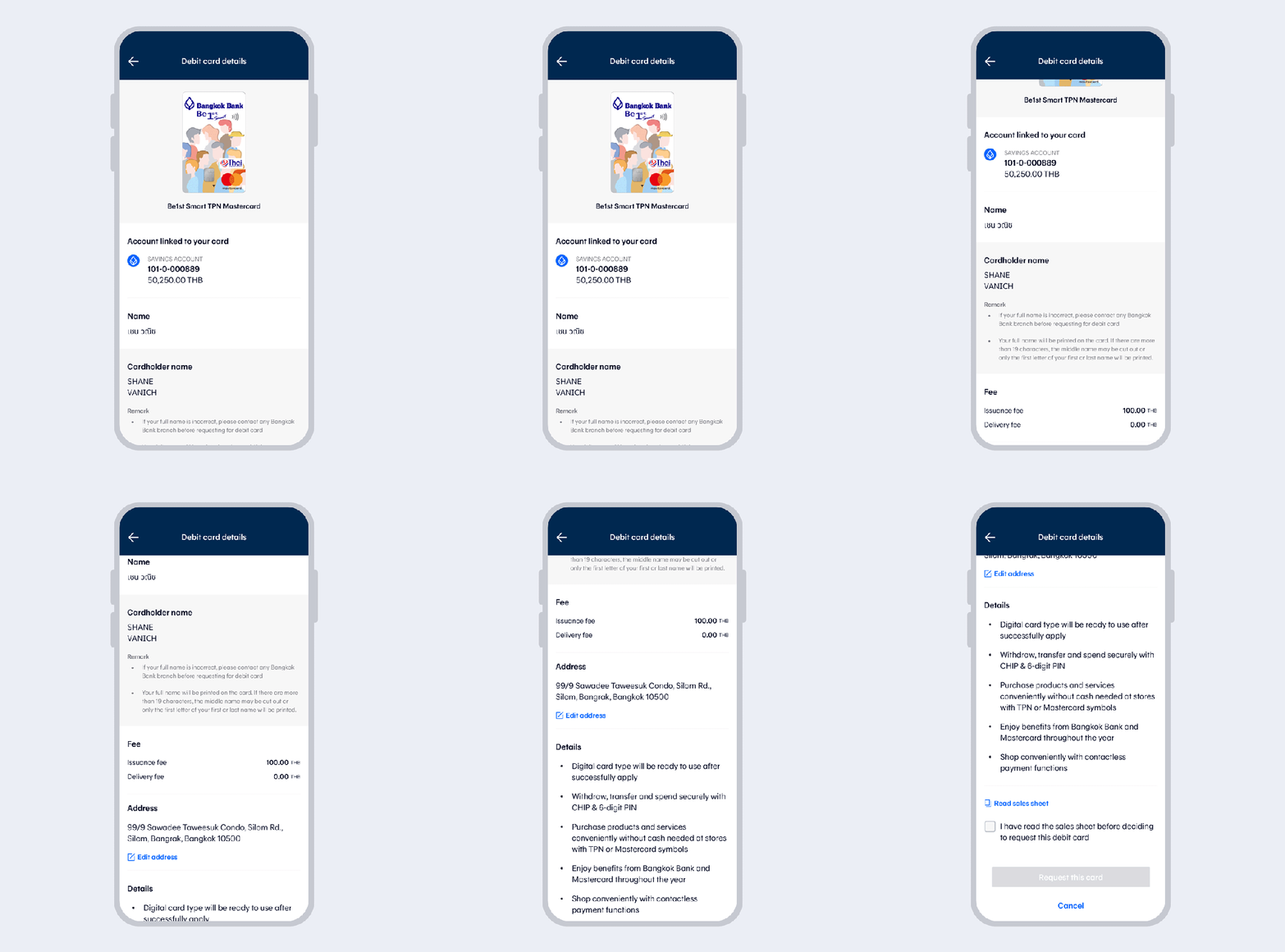
The system will display debit card details (for digital cards, the system will also provide options for requesting a physical card).
Read the sales sheet before requesting a debit card and select “Confirm”.
Select “Request debit card”.
Read the consent (different for each card type).
Read the terms and conditions and then select
“Accept”
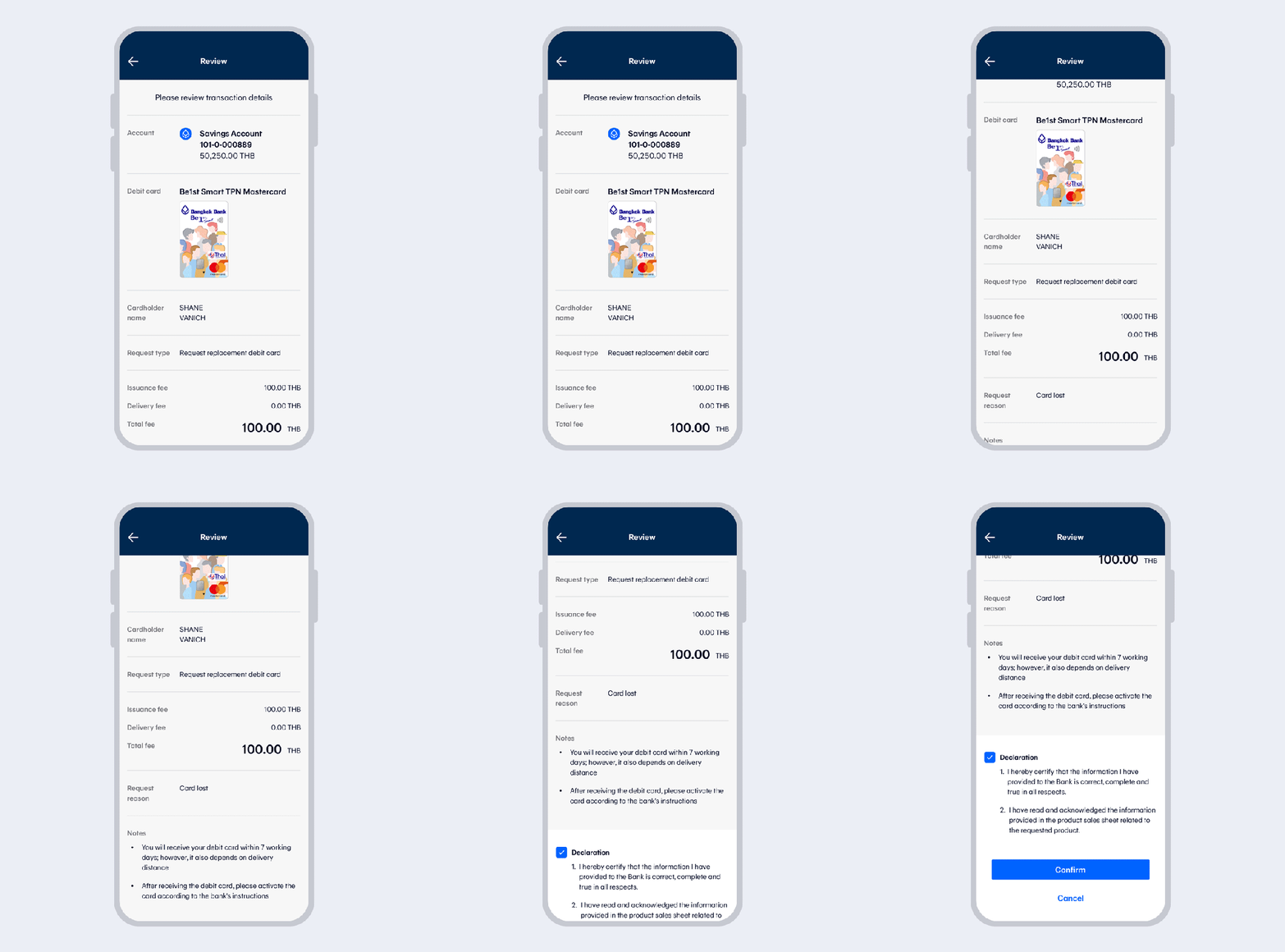
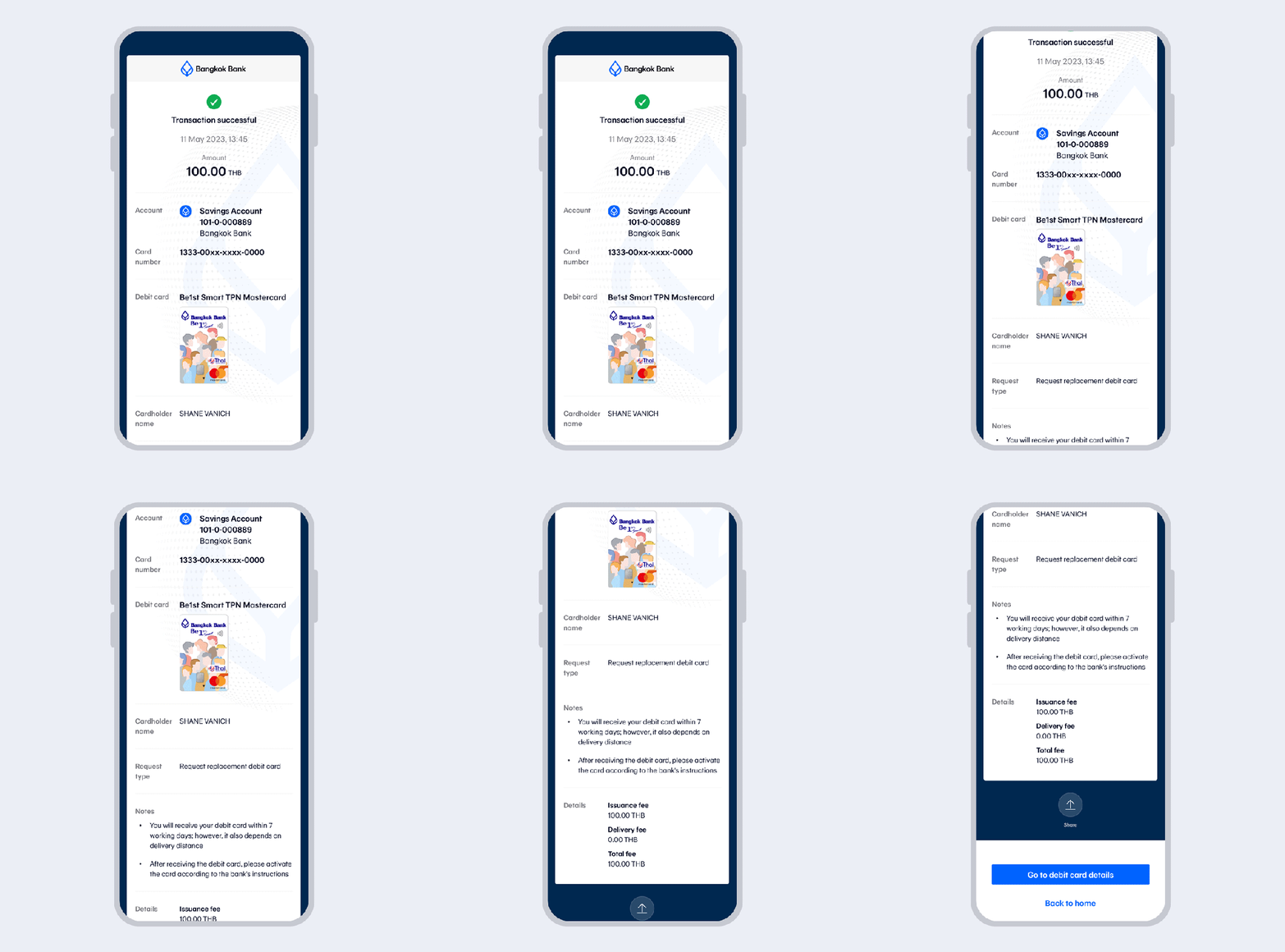
Request for replacement card successful. You will
receive a confirmation email and your card via post
within 3-7 business days.
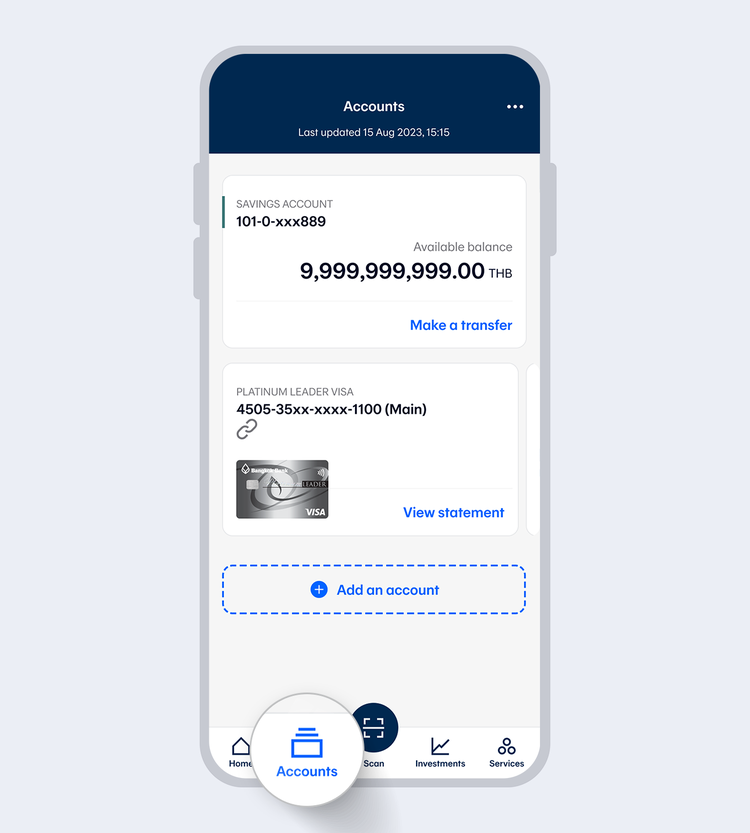
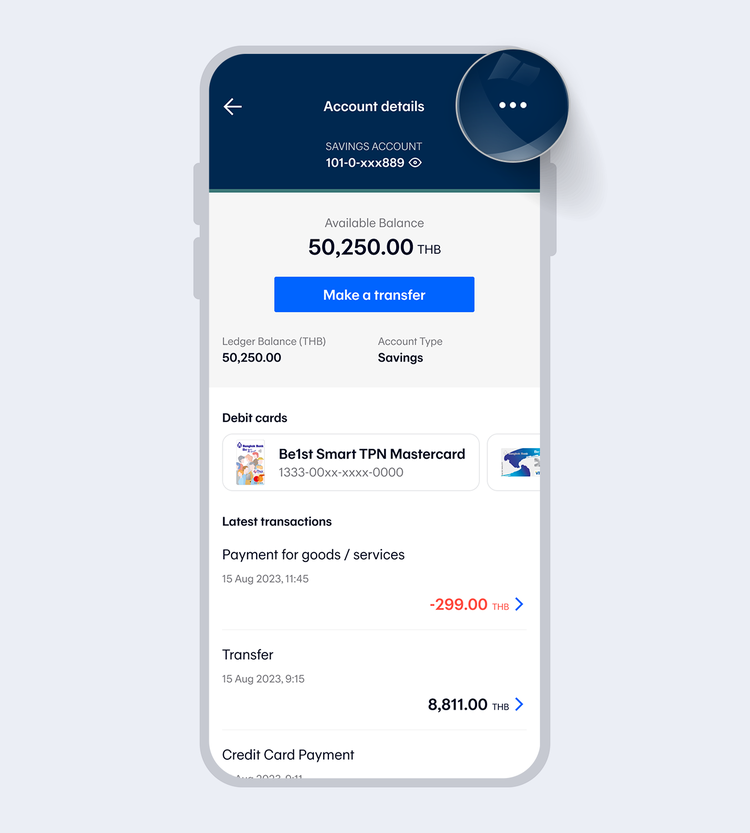
The system will display debit cards in the category of
- Digital Debit Card
- Debit Card
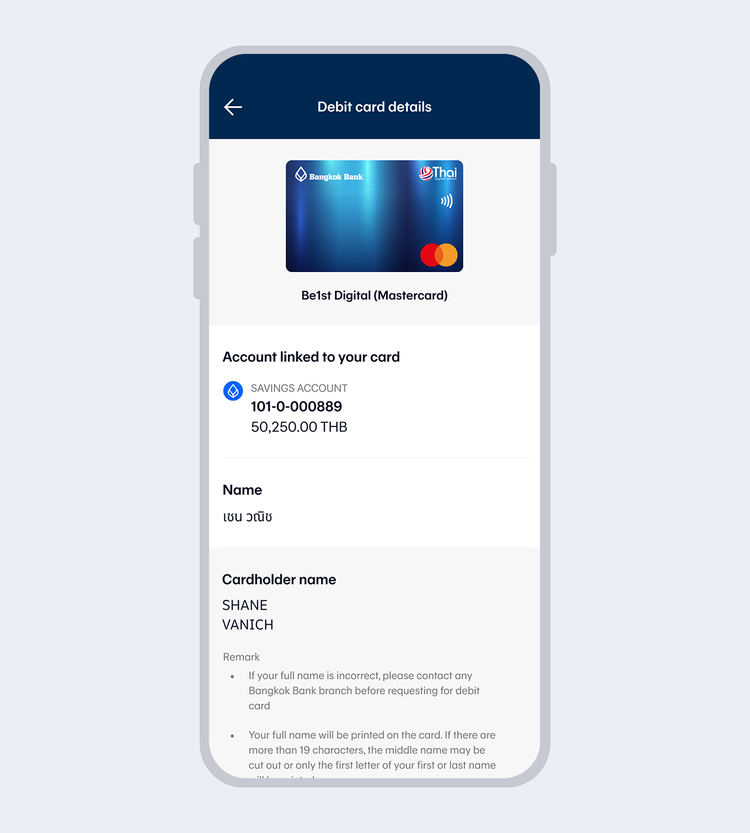
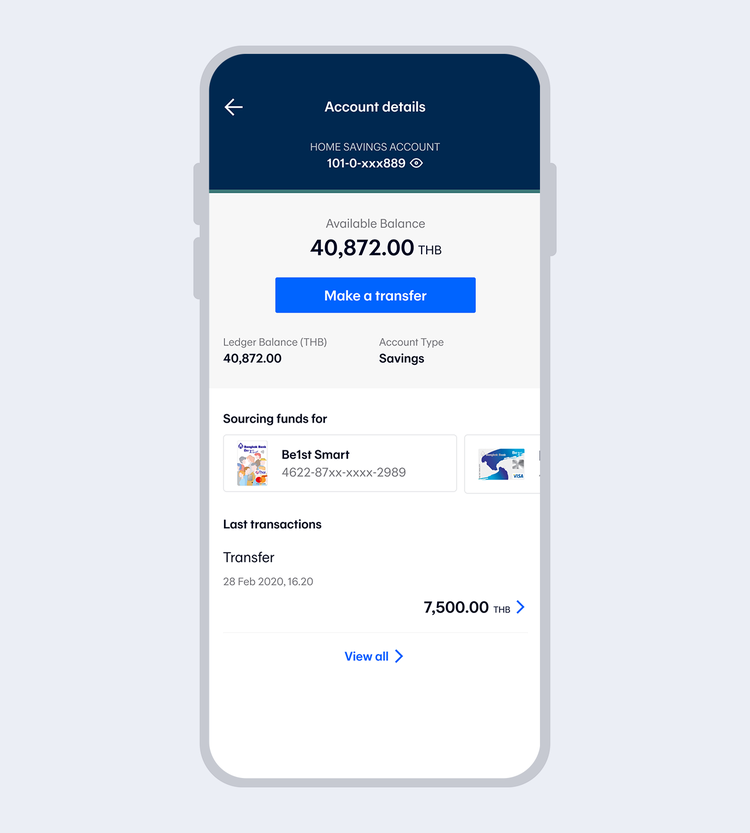
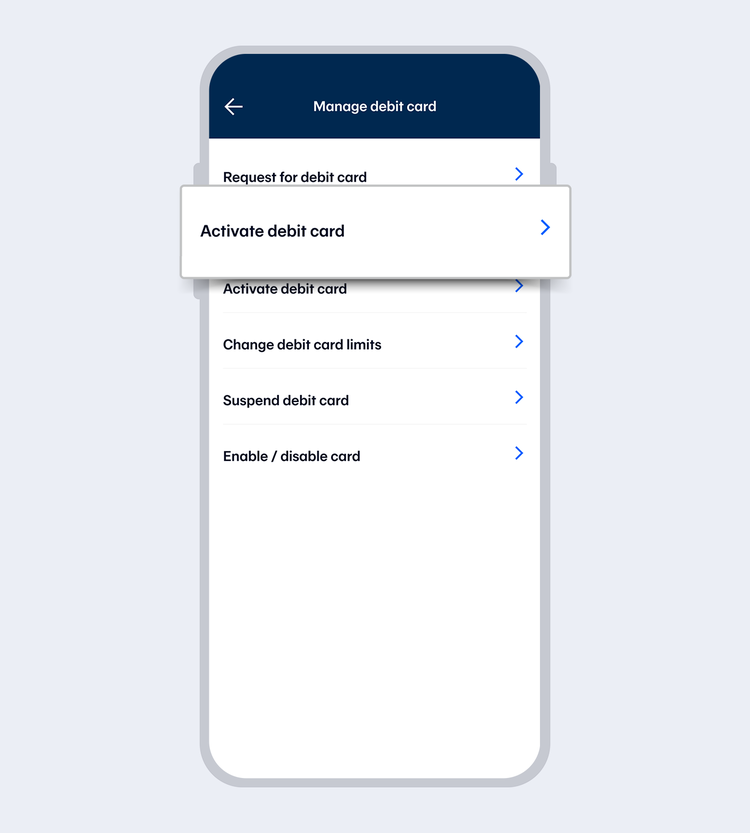
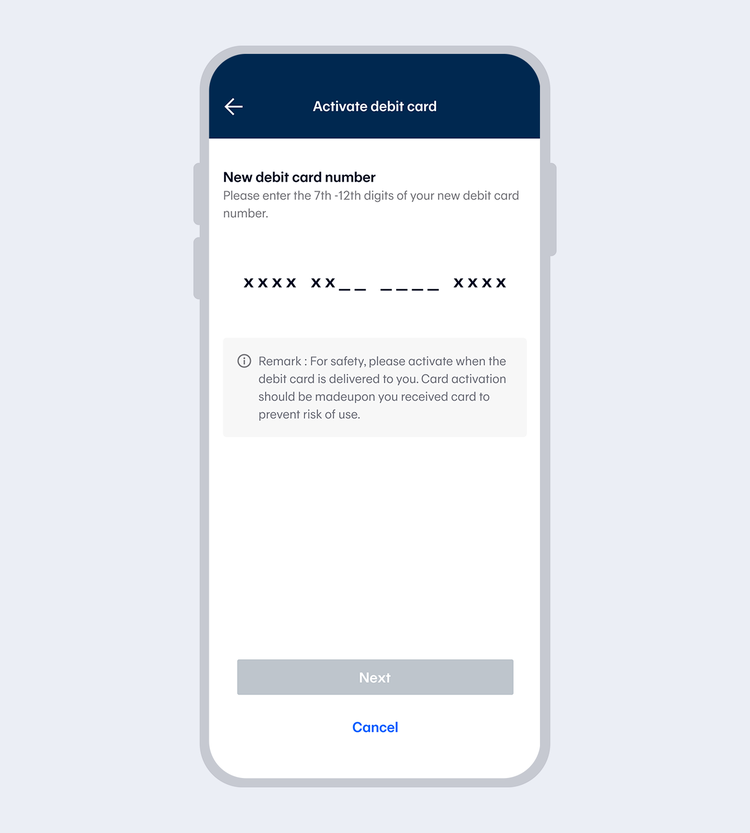
Note: For Be1st Digital physical card, you can see the full card number by selecting the debit card image on the account details page and select “View card info”.
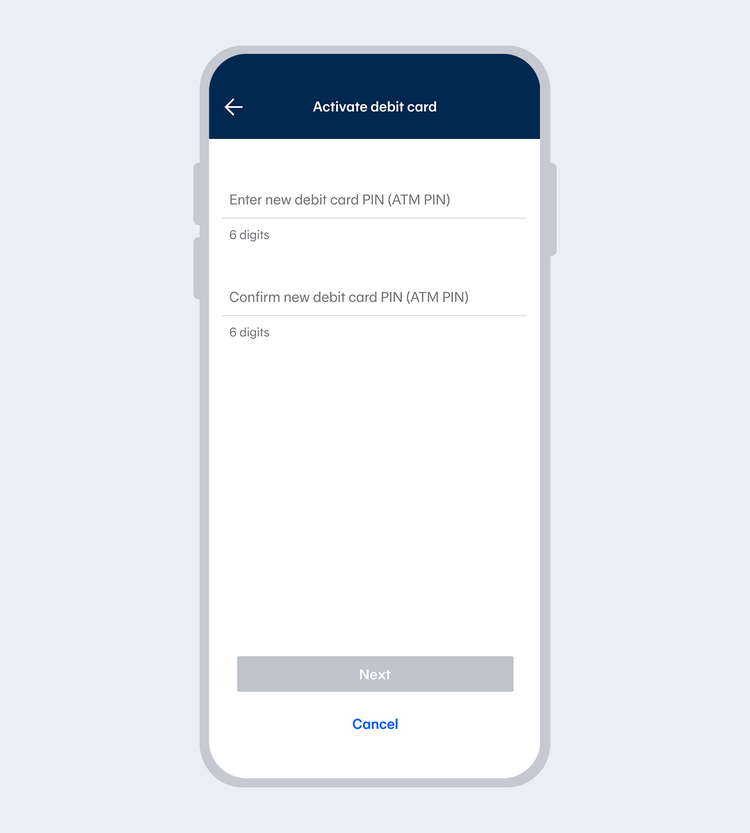
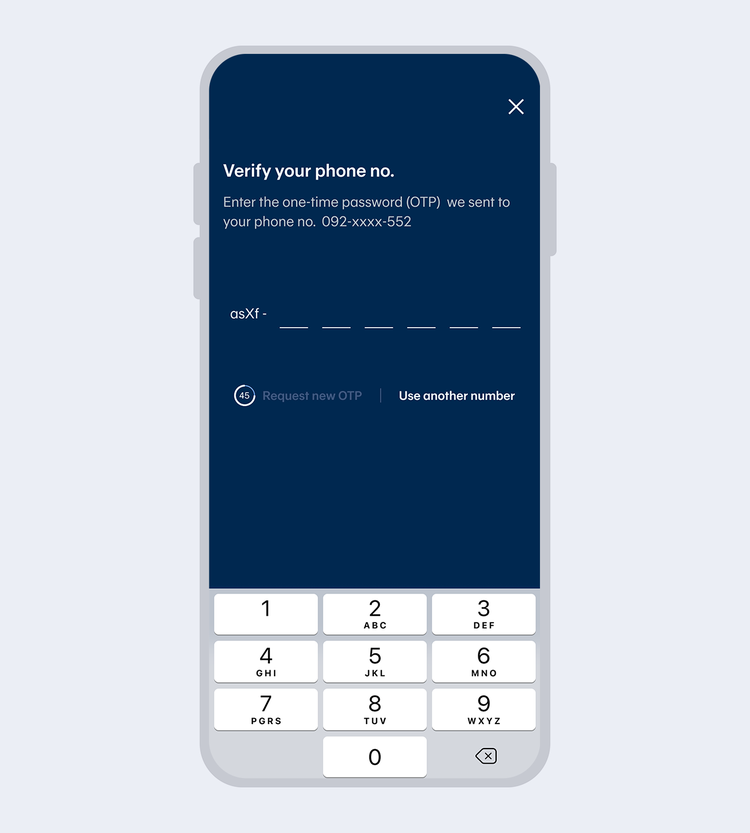
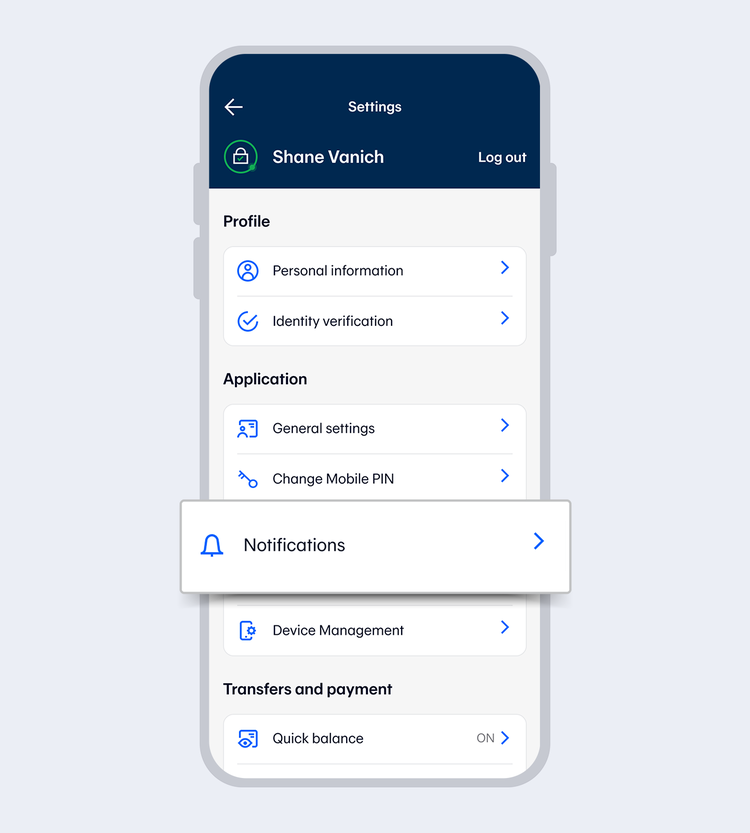
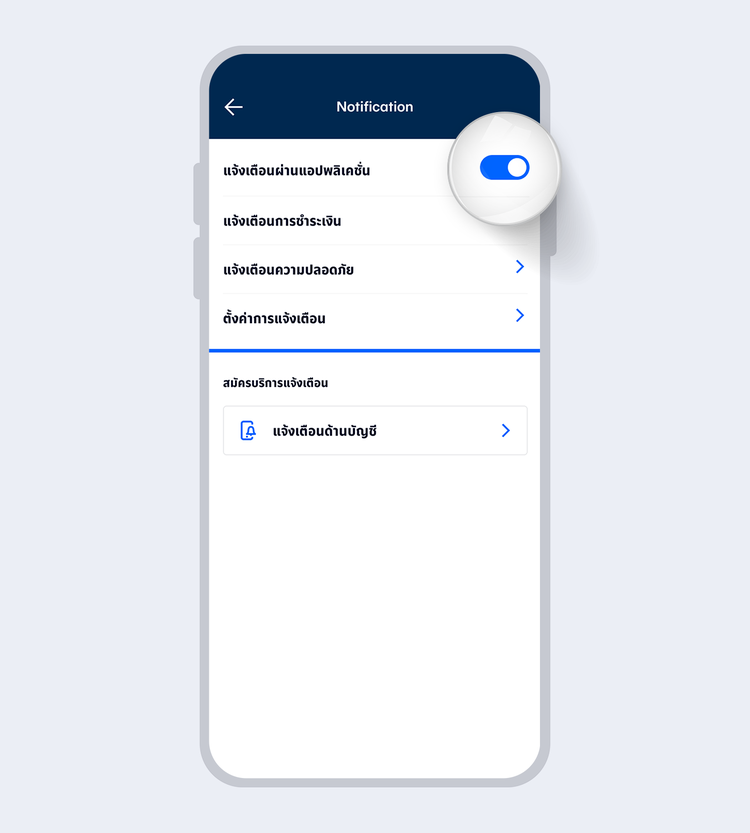
Turn on “Push notifications”
Note: Turning off push notifications means all notifications will be disabled, including debit/credit card spending, rewards redemption, PayAlert and bank announcements