Securities
If you want to invest in high-risk or complex securities, please perform the “Knowledge Assessment” and “Knowledge test”
true
10000
false
showArrowsDots
withDefaultImage
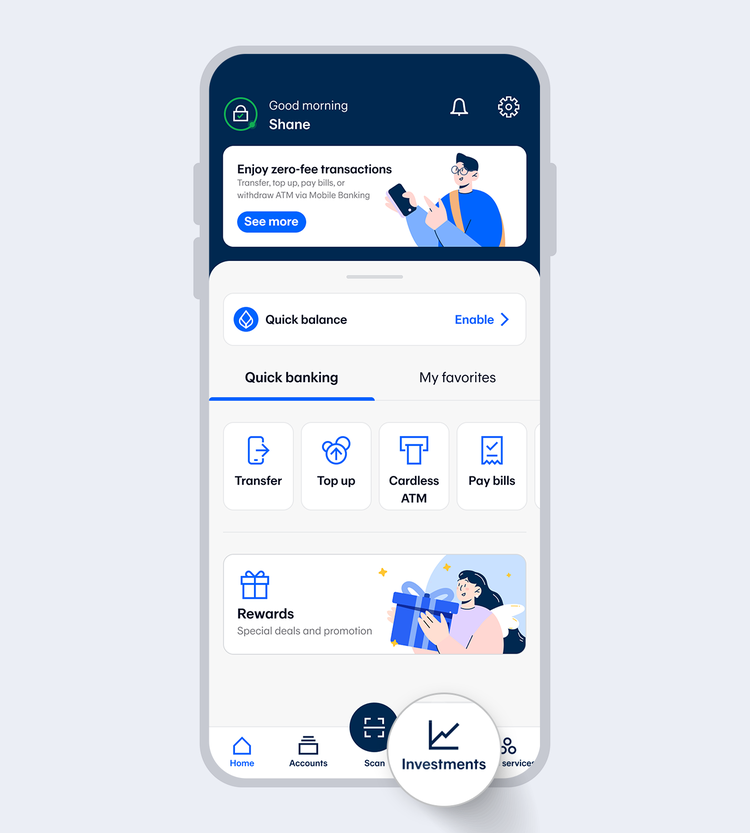
1.
Select "Investments"
2.
Enter your 6-digit Mobile PIN or use Touch ID / Face ID / Fingerprint
showArrowsDots
withDefaultImage
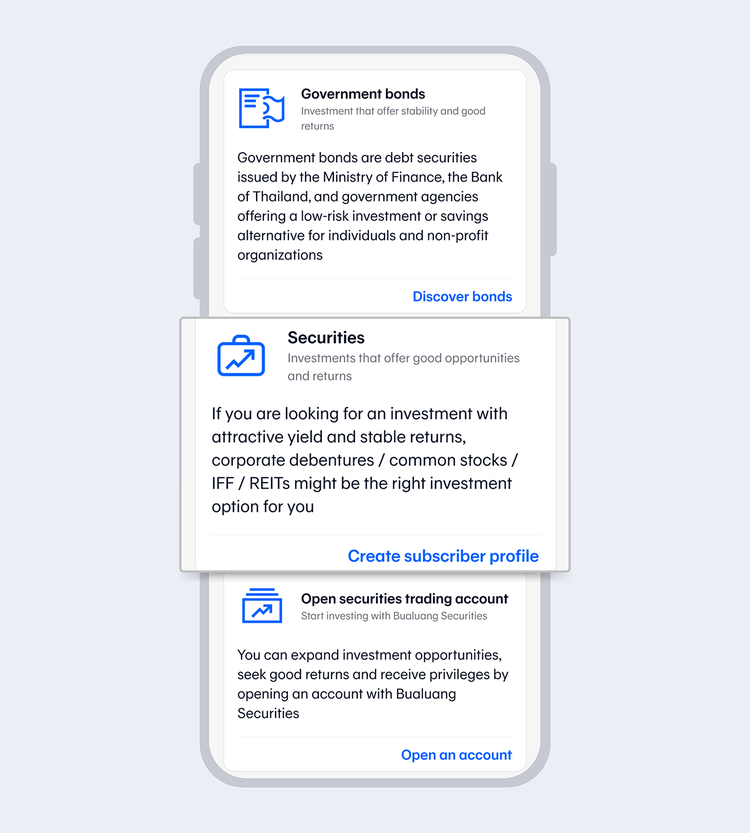
3.
Select "Securities" menu and select "Create subscriber profile"
showArrowsDots
withDefaultImage
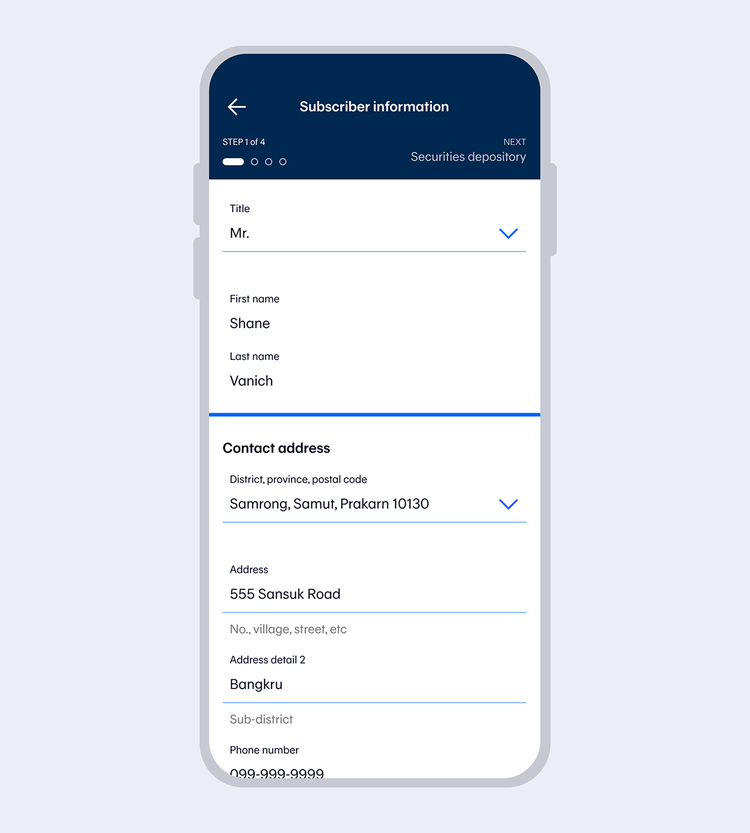
4.
Enter your personal information and select "Next"
showArrowsDots
withDefaultImage
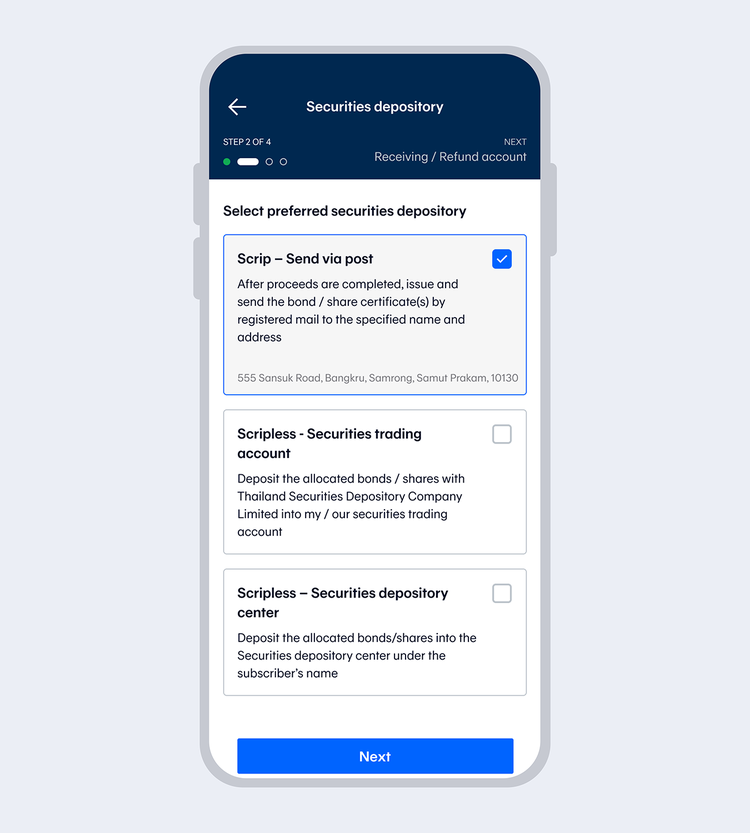
5.
Choose your preferred securities depository and select "Next"
showArrowsDots
withDefaultImage
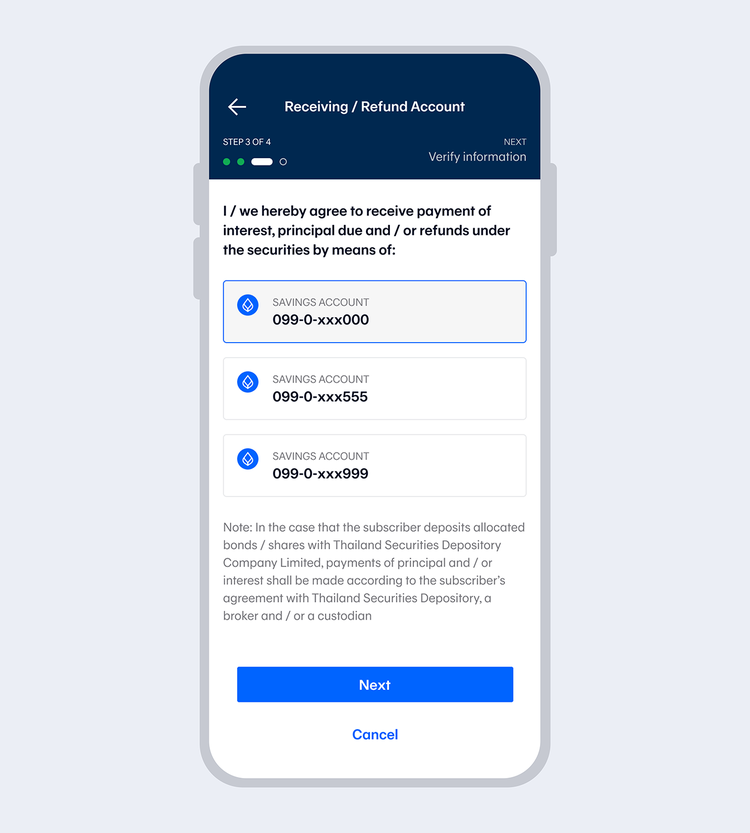
6.
Select your Receiving / Refund account and select "Next"
showArrowsDots
withDefaultImage
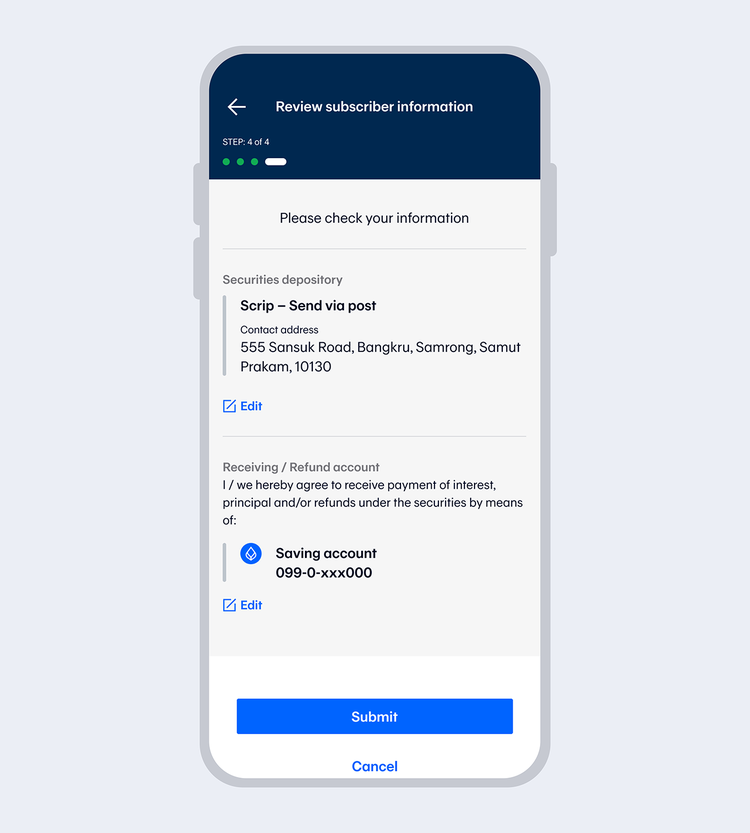
7.
Check your information and select "Submit"
showArrowsDots
withDefaultImage
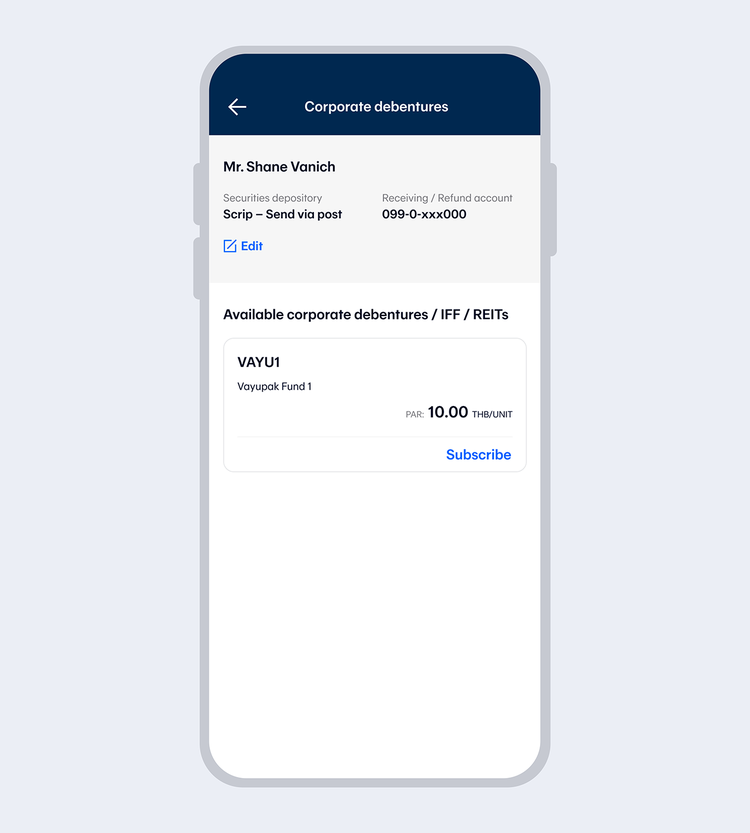
8.
Once the profile is successfully created, you can subscribe for available securities right away.
true
10000
false
showArrowsDots
withDefaultImage
1.
Select "Investments"
2.
Enter your 6-digit Mobile PIN or use Touch ID / Face ID / Fingerprint
showArrowsDots
withDefaultImage
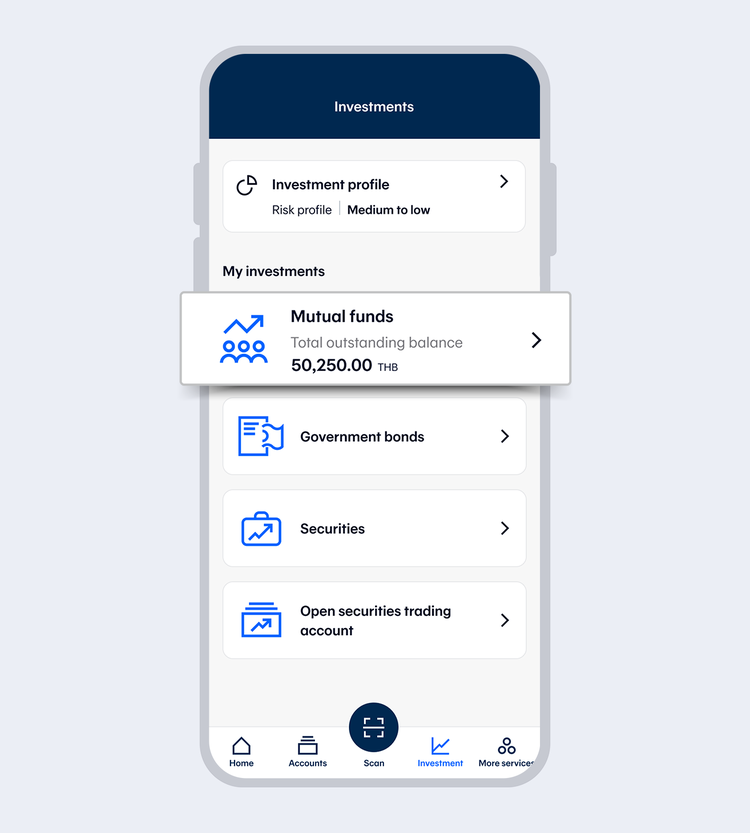
3.
Select "Assessments"
showArrowsDots
withDefaultImage
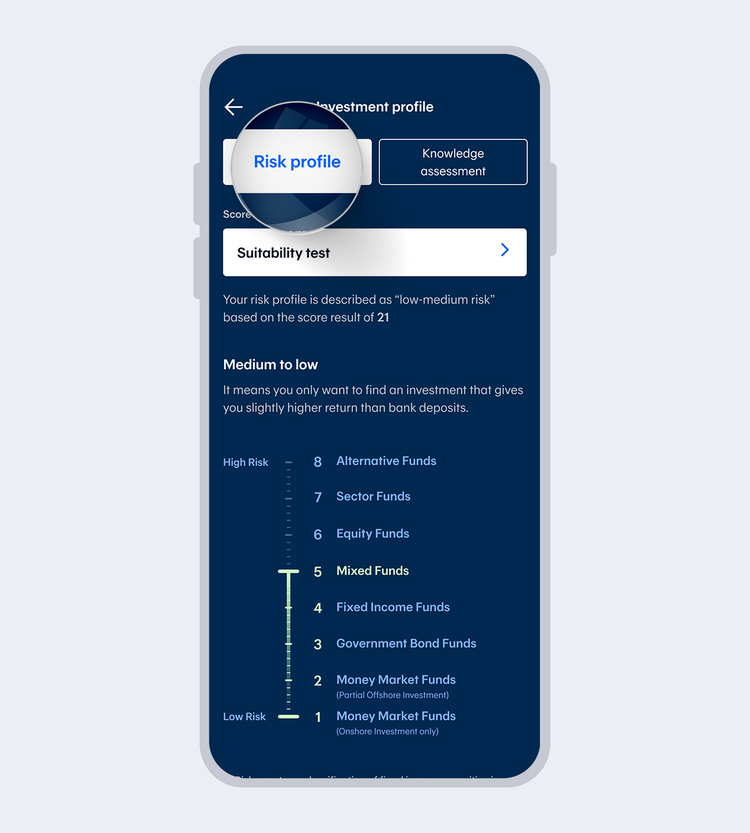
4.
Select "Risk profile" and select "Suitability test"
showArrowsDots
withDefaultImage
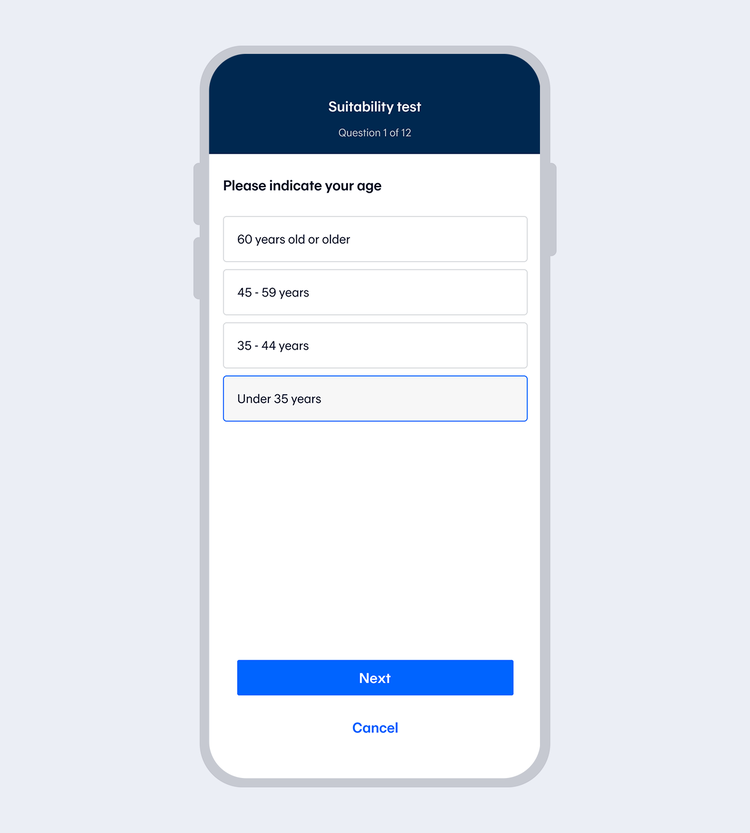
5.
Answer the questions and select "Next" for the next one. Please complete all 12 questions
showArrowsDots
withDefaultImage
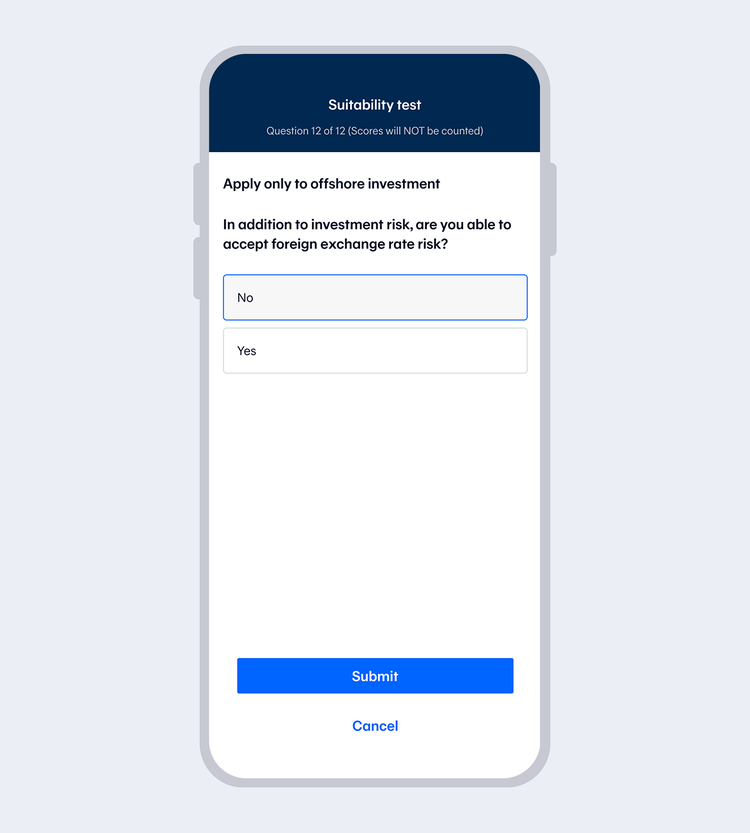
6.
Select "Submit" once you complete all 12 questions and enter your 6-digit Mobile PIN if you access with Touch ID / Face ID / Fingerprint
showArrowsDots
withDefaultImage
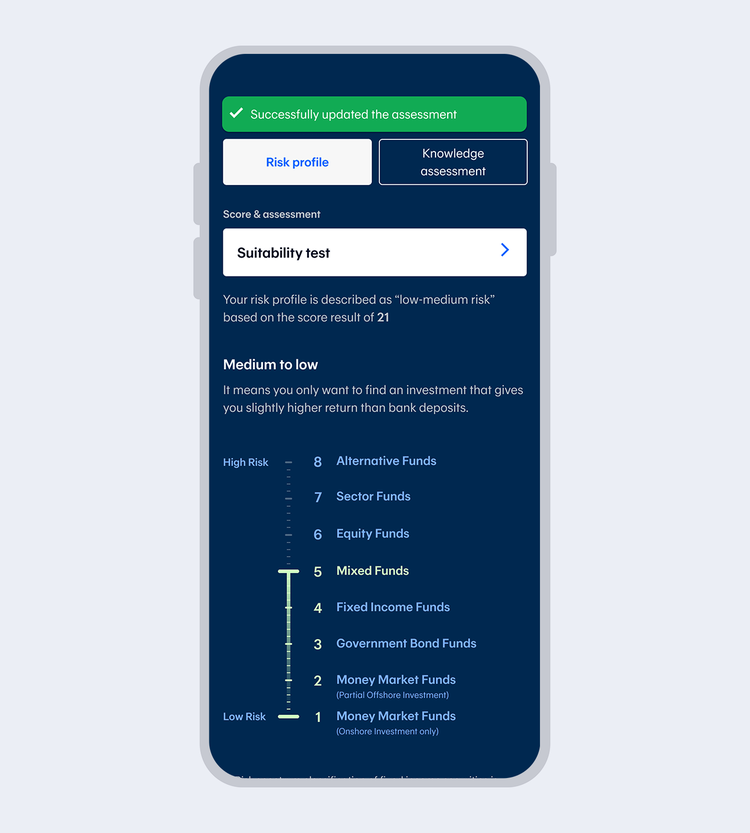
7.
Successfully updated the assessment. The system will display your results.
true
10000
false
showArrowsDots
withDefaultImage
1.
Select "Investments"
2.
Enter your 6-digit Mobile PIN or use Touch ID / Face ID / Fingerprint
showArrowsDots
withDefaultImage
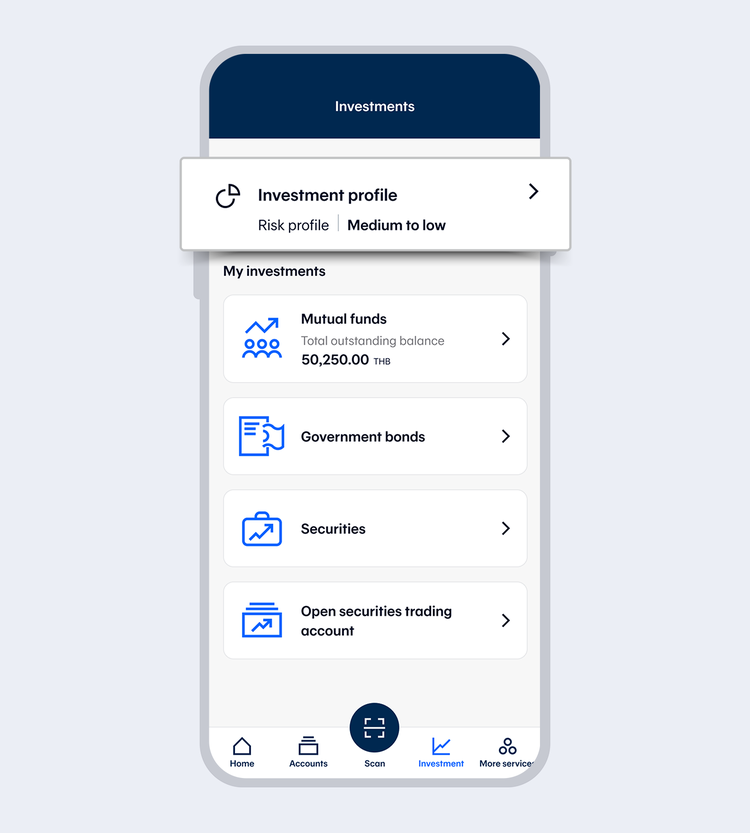
3.
Select "Assessments"
showArrowsDots
withDefaultImage
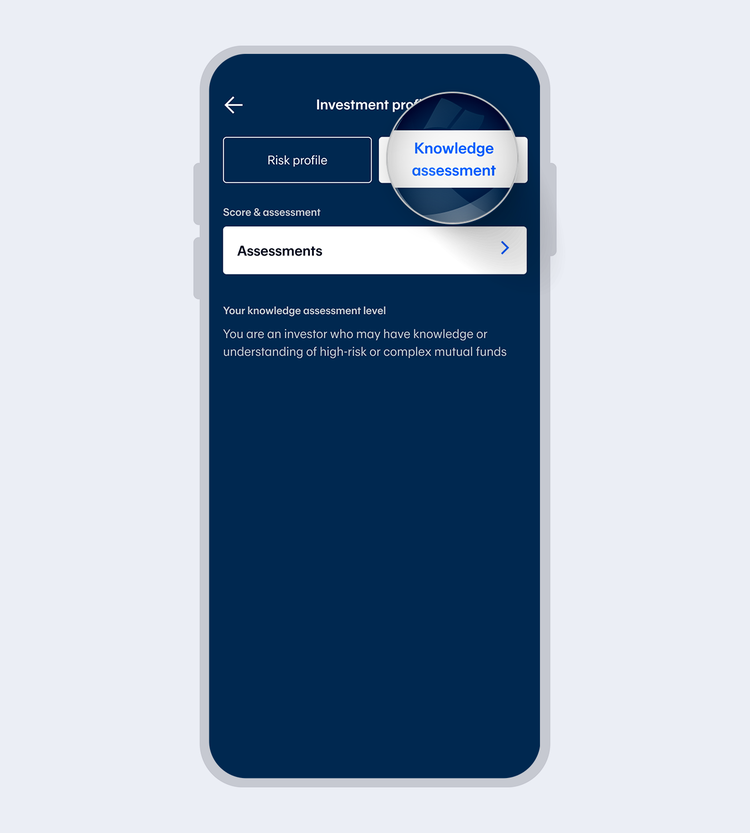
4.
Select "Knowledge assessment" and select "Assessments"
showArrowsDots
withDefaultImage
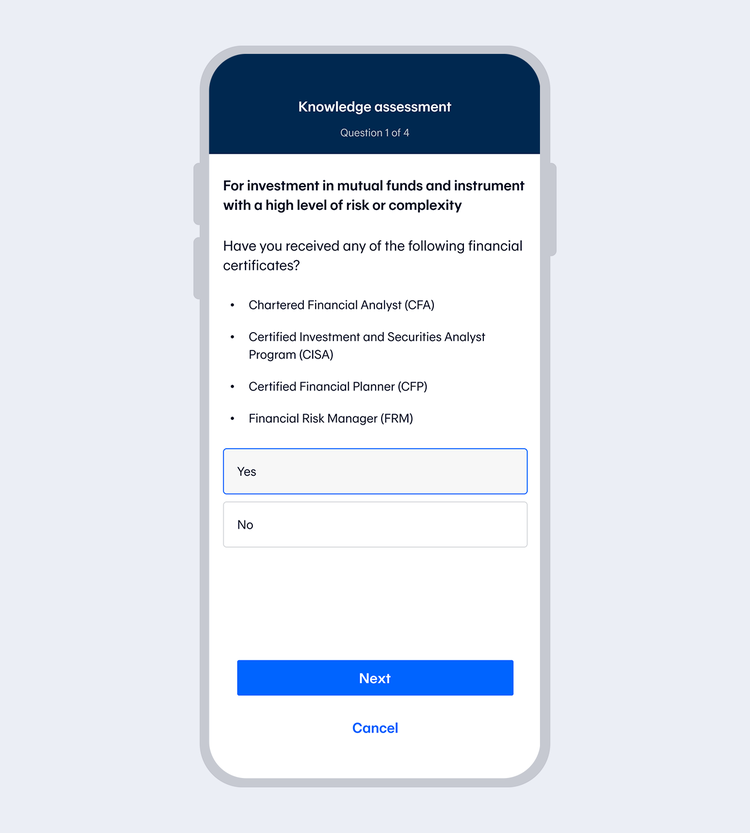
5.
Answer the questions and select "Next" for the next one. Please complete all 4 questions
showArrowsDots
withDefaultImage
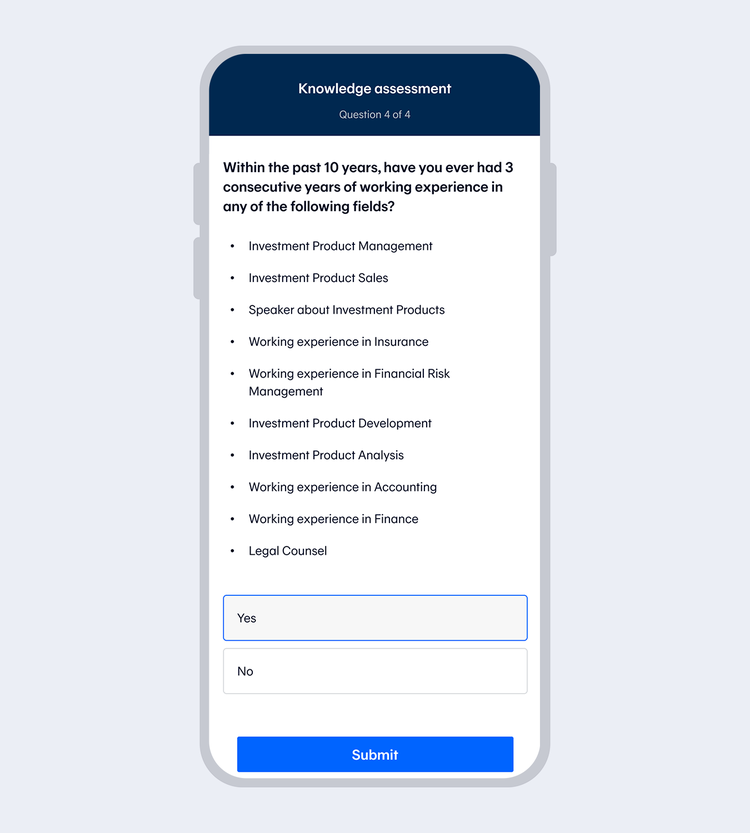
6.
Select "Submit" once you complete all 4 questions and enter your 6-digit Mobile PIN if you access with Touch ID / Face ID / Fingerprint
showArrowsDots
withDefaultImage
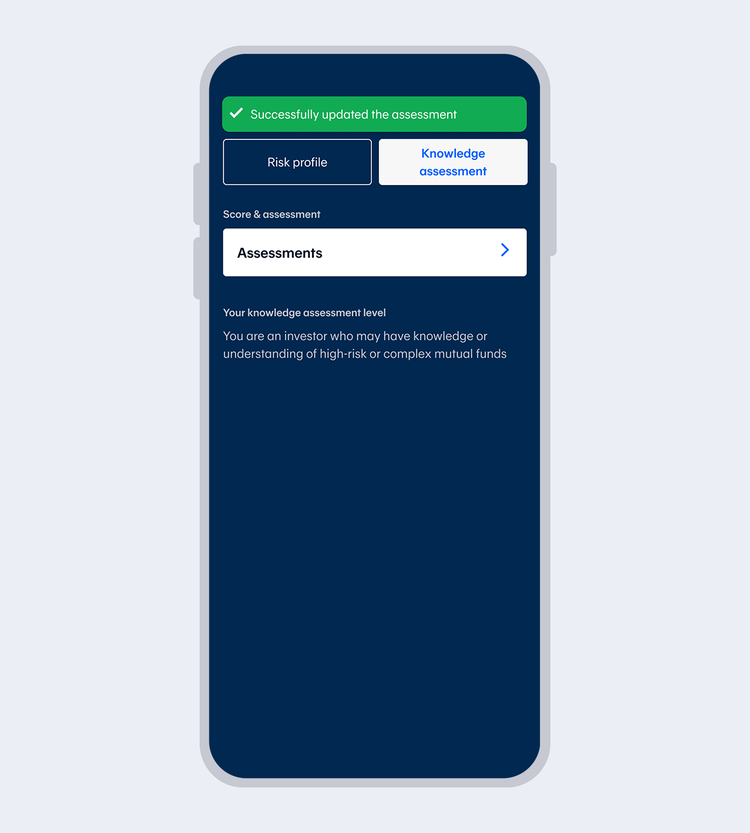
7.
Successfully updated the assessment. The system will display your results.
true
10000
false
showArrowsDots
withDefaultImage
1.
Select "Investments"
2.
Enter your 6-digit Mobile PIN or use Touch ID / Face ID / Fingerprint
showArrowsDots
withDefaultImage
3.
Select "Assessments"
showArrowsDots
withDefaultImage
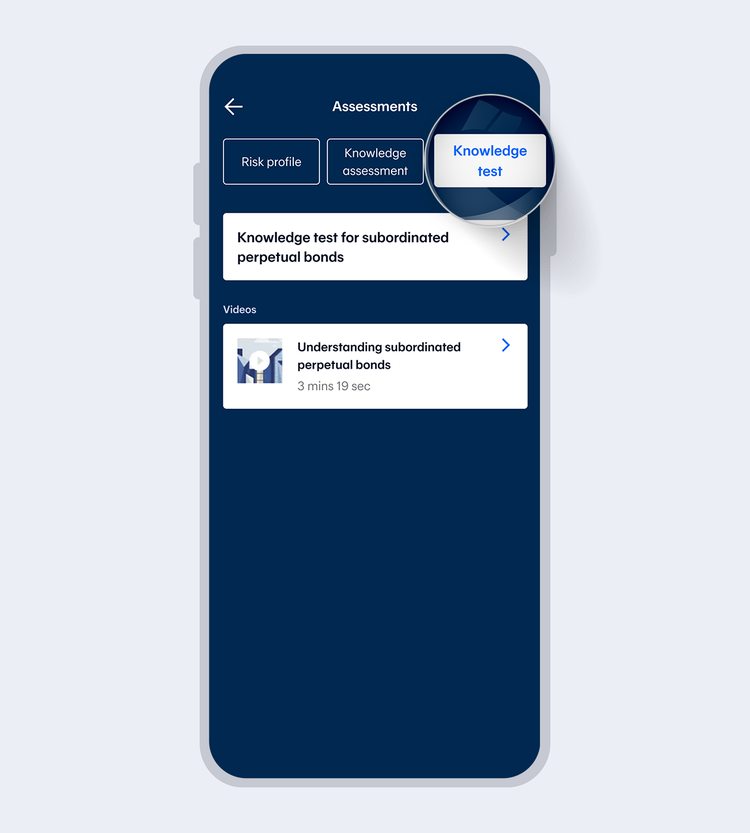
4.
Select "Knowledge test" and select "Knowledge test for subordinated perpetual bonds"
showArrowsDots
withDefaultImage
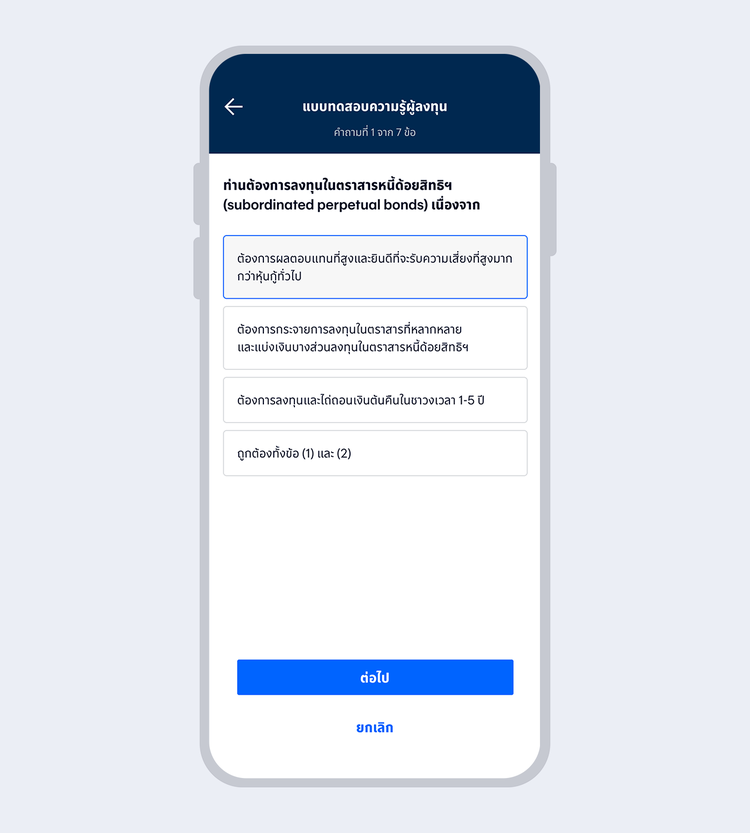
5.
Complete all 7 questions by pressing "Next" to the next item
showArrowsDots
withDefaultImage
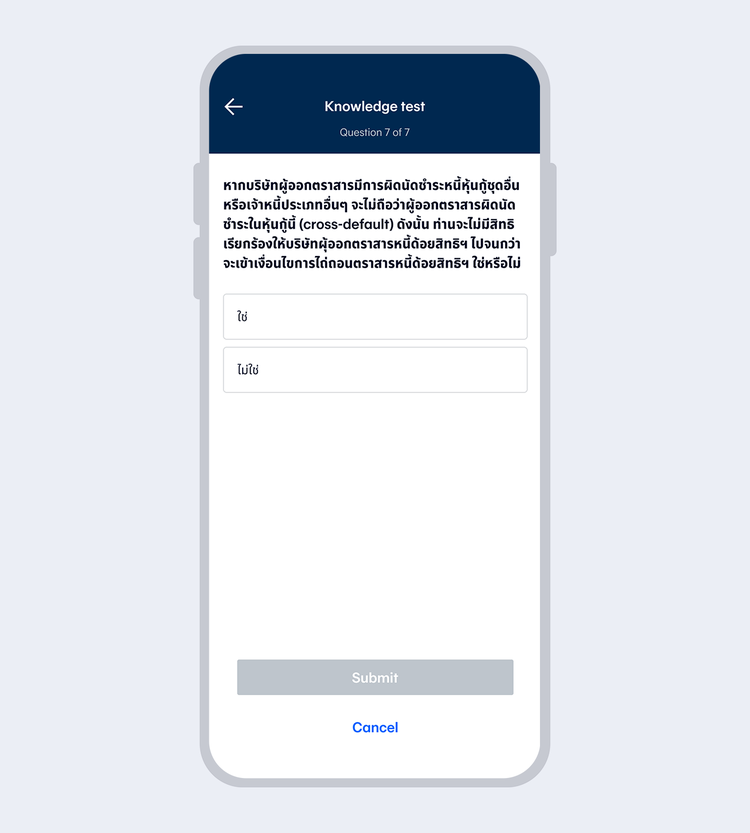
6.
Press "Submit" when completing 7 questions, and Enter your 6-digit Mobile PIN in case of accessing with Touch ID / Face ID / Fingerprint
showArrowsDots
withDefaultImage
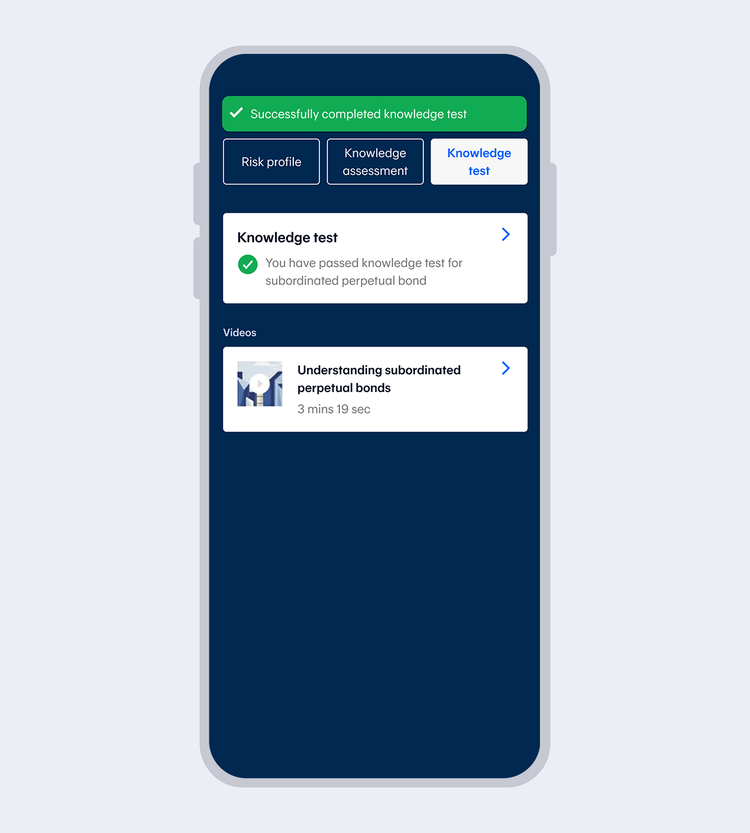
7.
Successfully updated the assessment. Display with the assessment results
true
10000
false
showArrowsDots
withDefaultImage
1.
Select "Investments"
2.
Enter your 6-digit Mobile PIN or use Touch ID / Face ID / Fingerprint
showArrowsDots
withDefaultImage
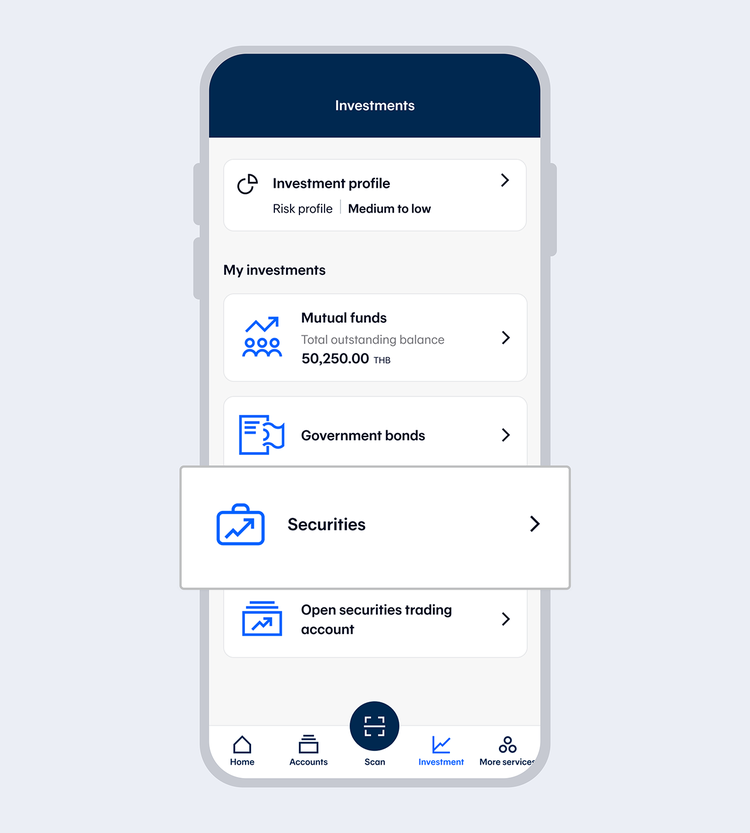
3.
Select "Securities"
showArrowsDots
withDefaultImage
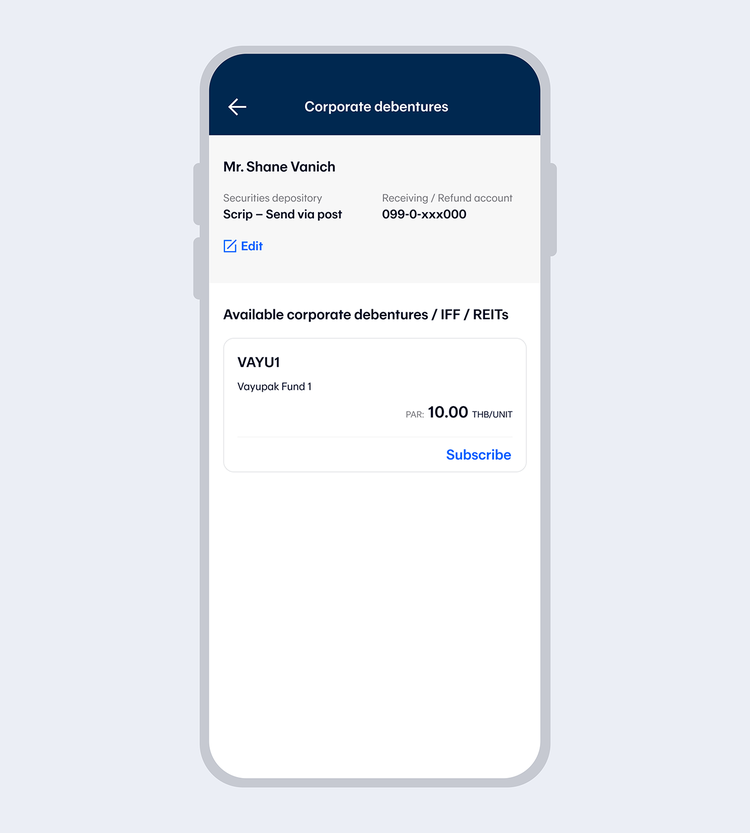
4.
Choose your desired securities and select "Subscribe"
showArrowsDots
withDefaultImage
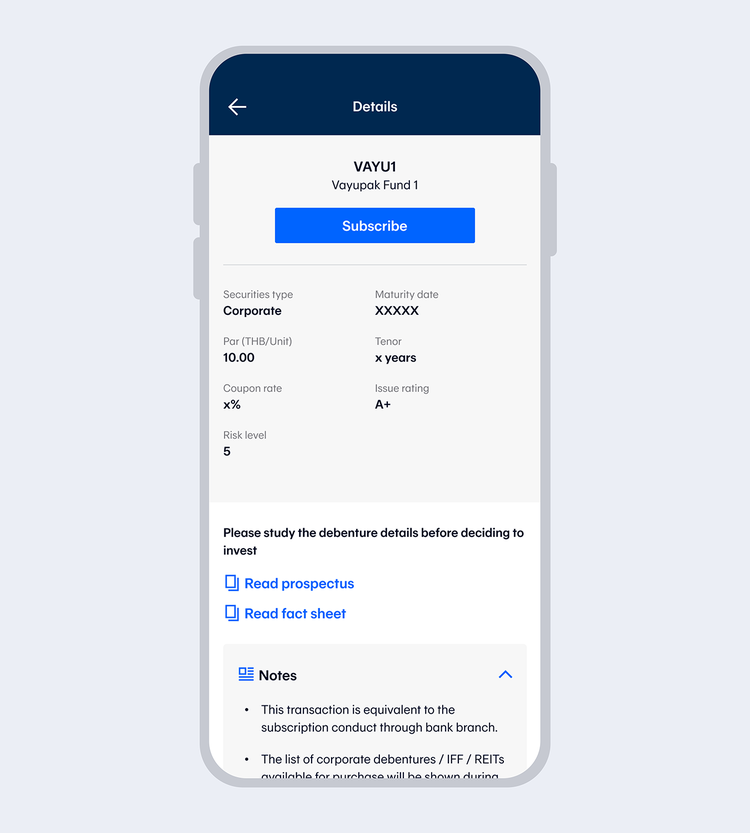
5.
Check details and select "Subscribe" then read Terms and Conditions and select "Accept"
showArrowsDots
withDefaultImage
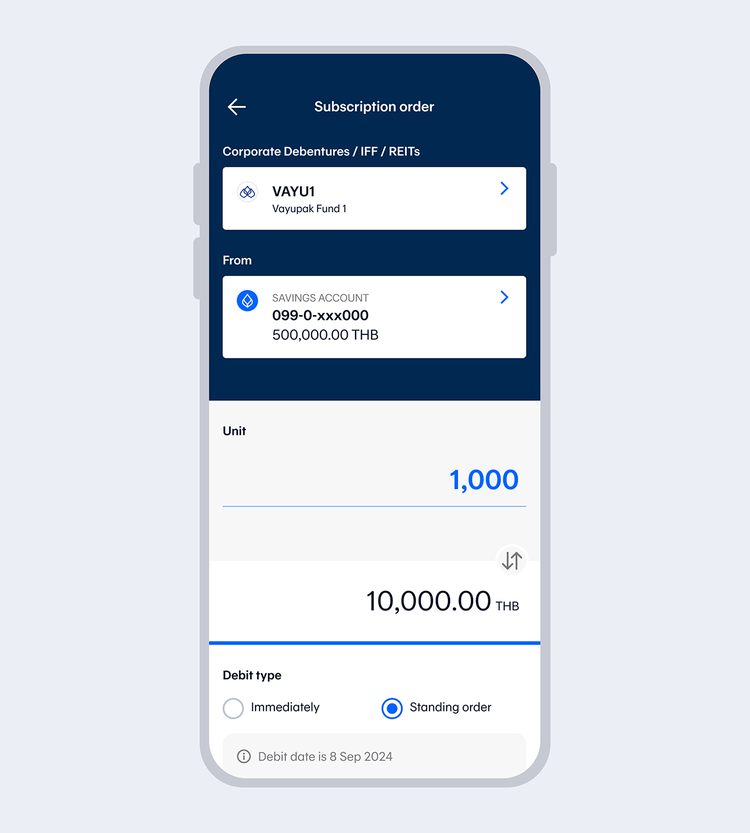
6.
Enter number of units and select "Next"
In the case of a Right Offering, shareholders can select their shareholder registration number, enter number of units and select "Next"
showArrowsDots
withDefaultImage
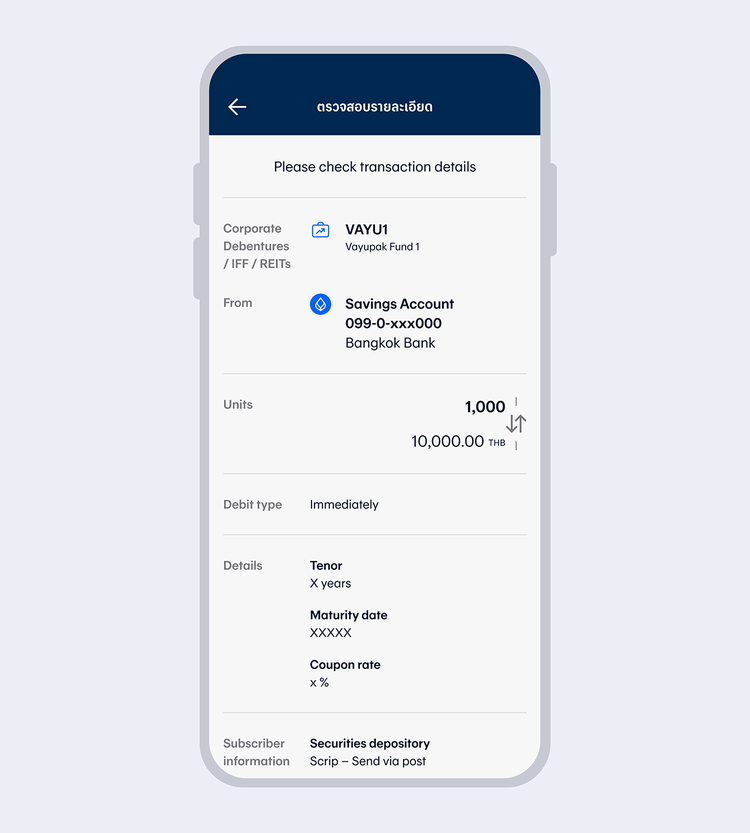
7.
Check transaction details and select "Confirm"
showArrowsDots
withDefaultImage
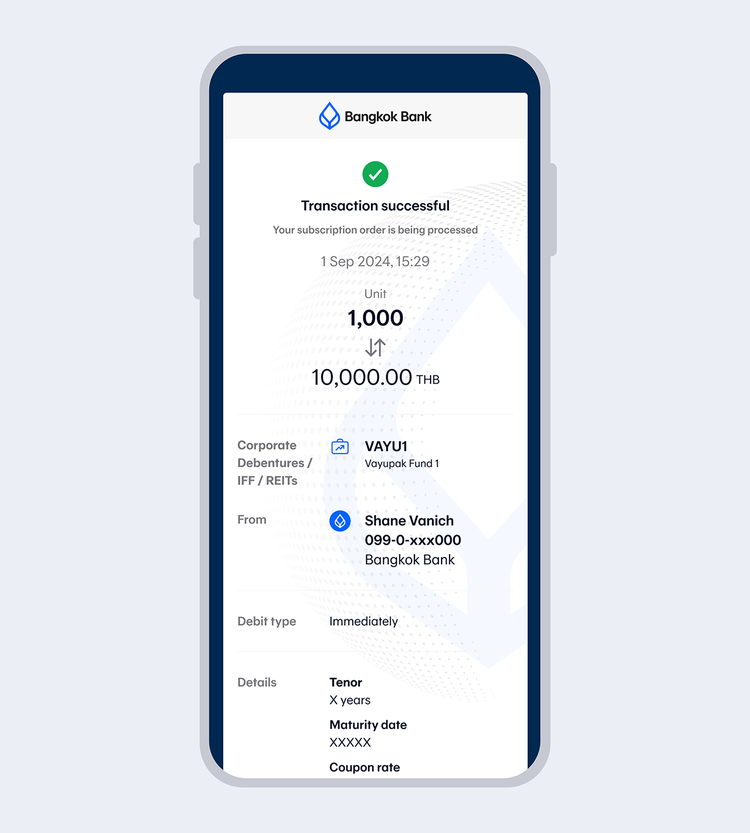
8.
Once the transaction is completed, you will receive your transaction e-slip. You can also share your e-slip.

TOOLS & ASSISTANCE


