Request to open Securities Trading Account
true
5000
false
showArrowsDots
withDefaultImage
1.
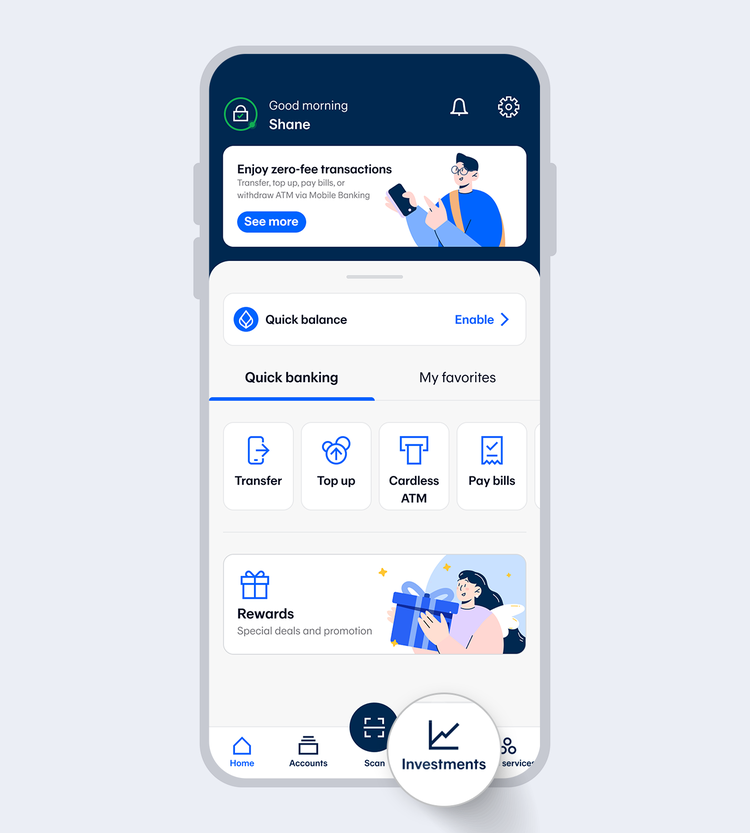
Select "Investments" menu.
showArrowsDots
withDefaultImage
2.
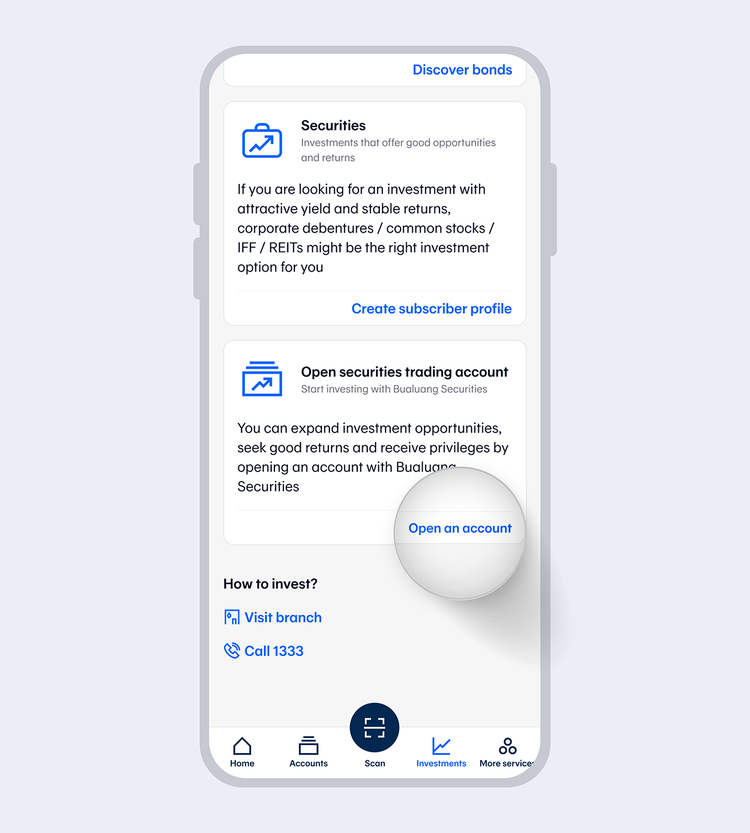
Select "Open an account" securities trading account. Then, read the terms and conditions and select "Accept"
showArrowsDots
withDefaultImage
3.
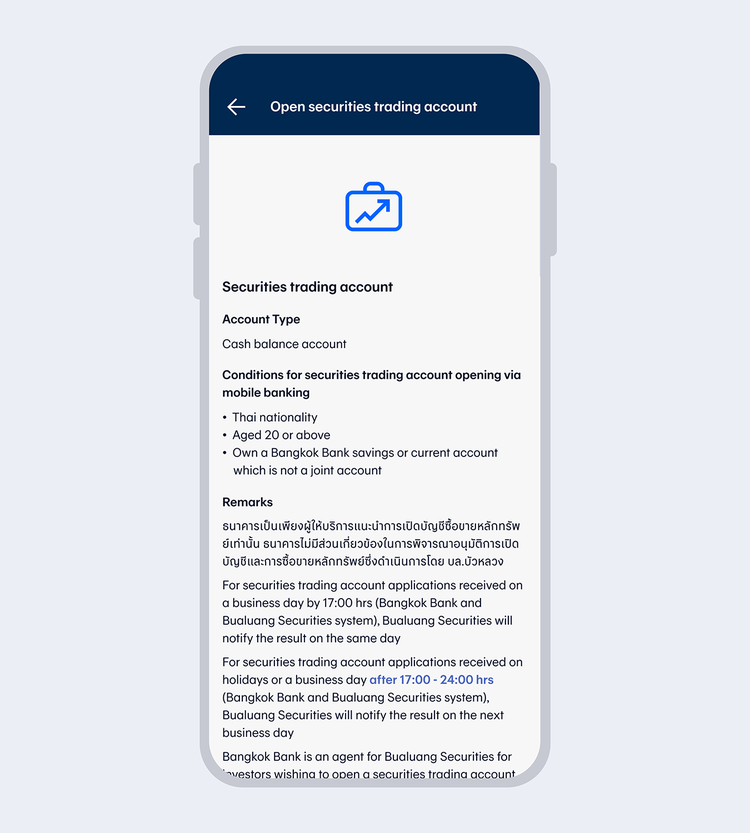
Select "Open an account"
4.
Enter your 6-digit Mobile PIN or use Touch ID/ Face ID/Fingerprint.
showArrowsDots
withDefaultImage
5.
Read the Market Conduct select "Accept" and "Confirm"
6.
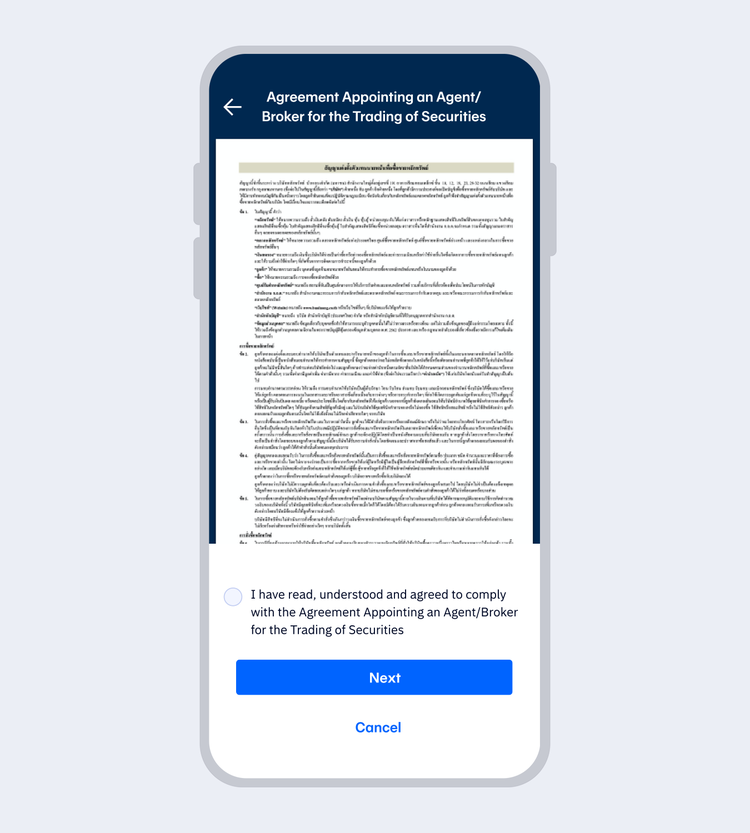
Read the Agreement Appointing an Agent/Broker for the Trading of Securities and select "Next"
showArrowsDots
withDefaultImage
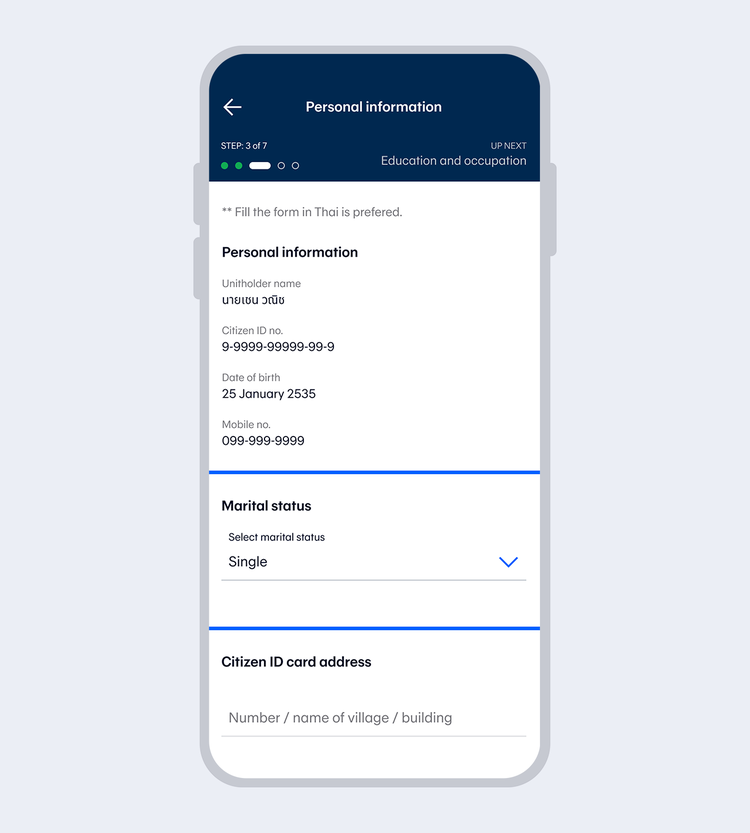
7.
Enter your personal information and select "Next"
showArrowsDots
withDefaultImage
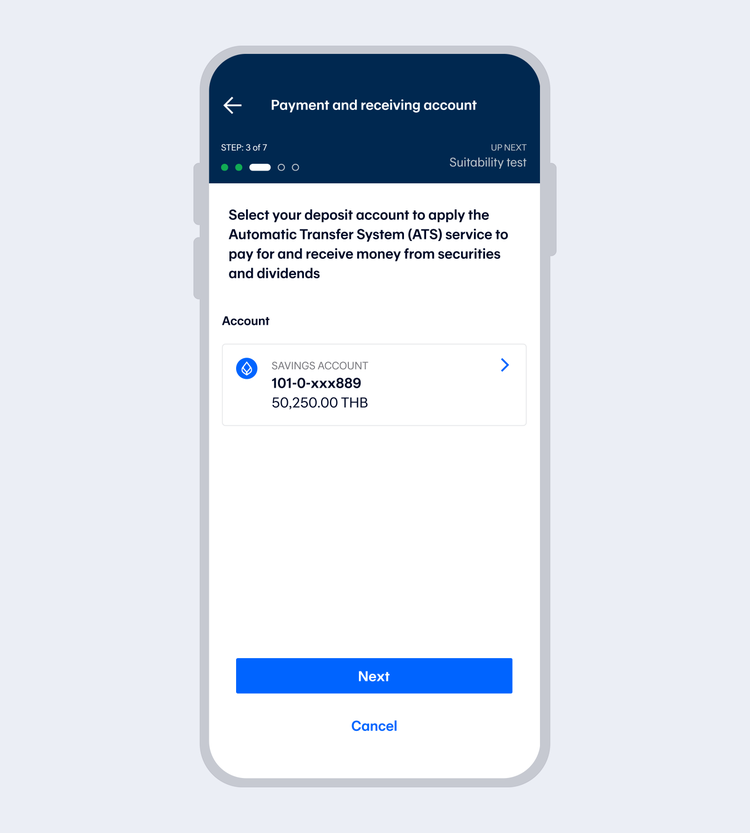
8.
Select your deposit account to apply the Automatic Transfer System (ATS) service to pay for and receive money from securities and dividends, then select "Next"
9.
Complete the Suitability Test and select "Next"
Remark: If you have completed the test before, the system will take you to the next step.
showArrowsDots
withDefaultImage
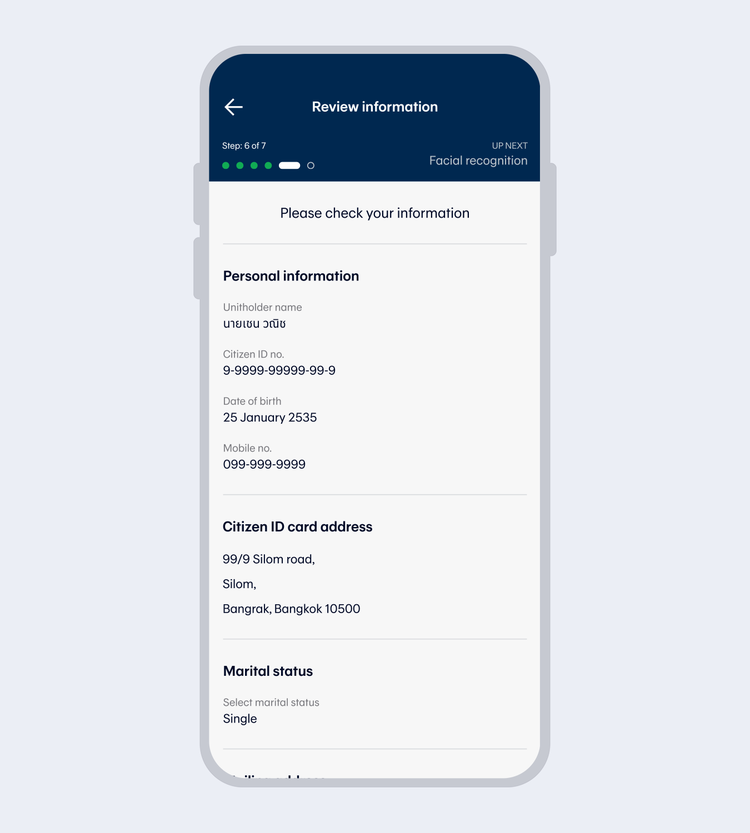
10.
Review the information and select "Next"
showArrowsDots
withDefaultImage
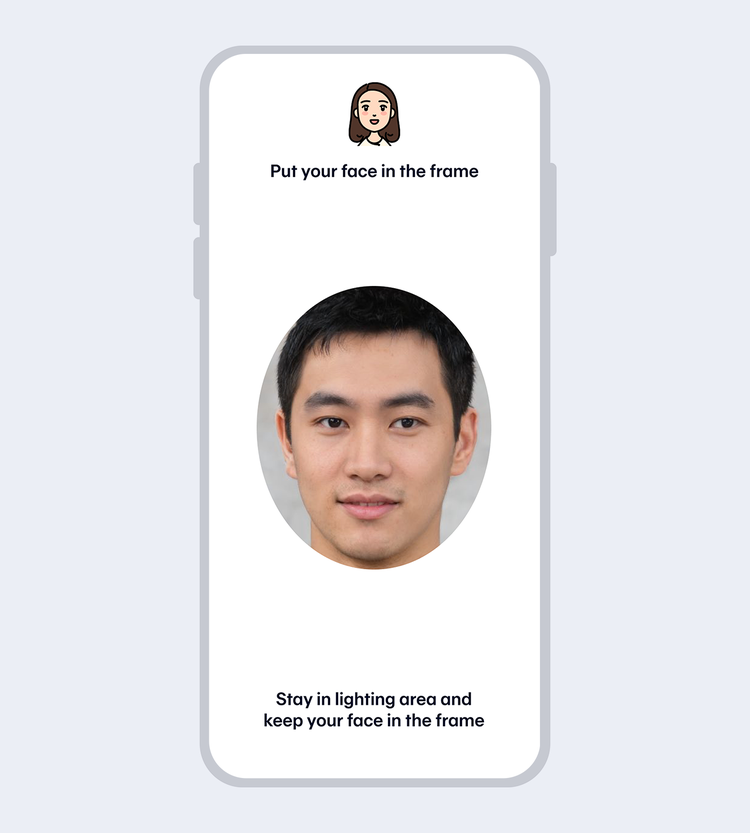
11.
Take a selfie photo to verify your identity with facial recognition, fit your face in the frame and follow the instructions. Next, enter your 6-digit Mobile PIN to confirm your BLS account opening.
showArrowsDots
withDefaultImage
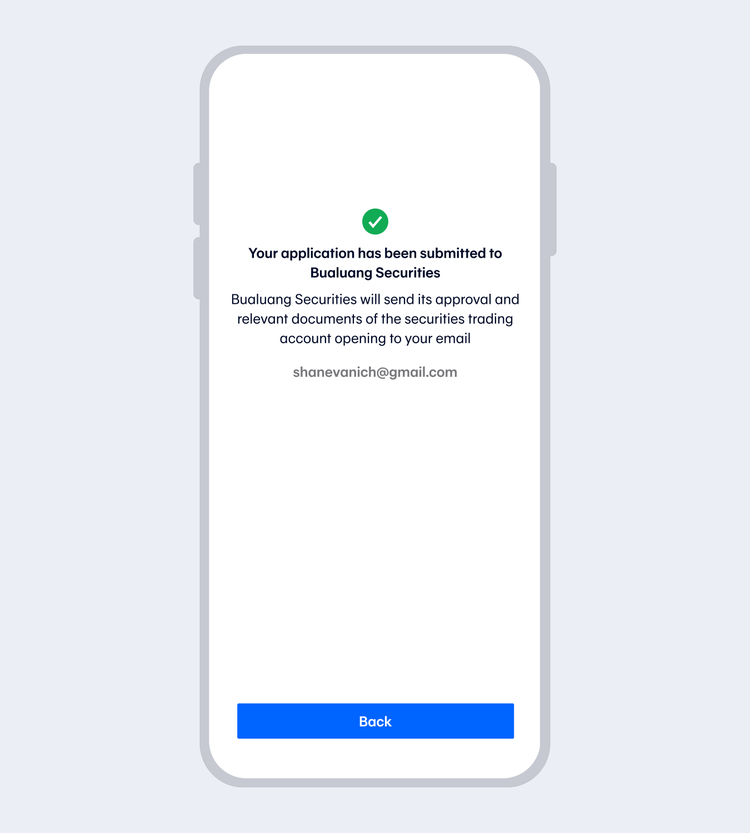
12.
Once the transaction has been completed, you will receive a push notification and an email.

TOOLS & ASSISTANCE


