Scan to Pay with Just a Tap! Easy Payment with Bangkok Bank Mobile Banking Widget
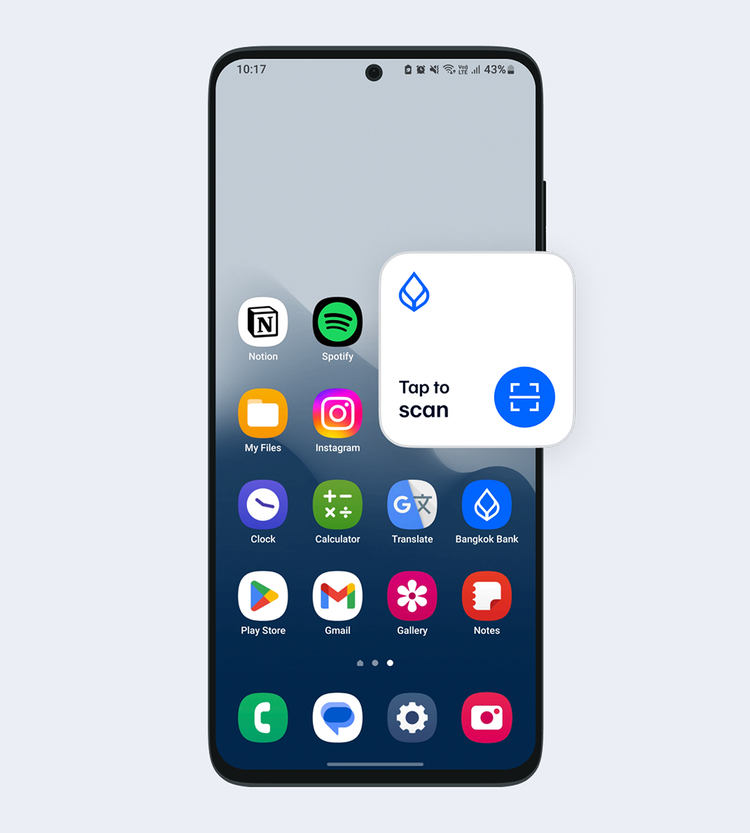
A new feature for iOS and Android users that they can add to their mobile phone. From having to open the app to scan to pay, now tapping Widget once on a mobile screen will enable a quick scan-to-pay. Simply add the "Scan to Pay" Widget for a payment shortcut through Bangkok Bank Mobile Banking.
What is a Widget?
A Widget is an icon that users can set up functions or access information from the frequently used apps without having to open the app. It’s available on both iOS and Android operating system where everyone now can add the "Scan to Pay" Bangkok Bank Mobile Banking Widget.
Where can I add a Widget?
-
On iOS:
- Home Screen
- Lock Screen
- Today View
- On Android:
- Home Screen
- Home Screen
Small tricks on how to use Widget and make faster payment
Enable “Quick Pay Limit” in “Settings” (gear icon in the upper-right corner in the Home page) on Bangkok Bank Mobile Banking app to enable the scan-to-pay within a QuickPay limit instantly without having to enter a Mobile PIN. You can set a maximum QuickPay limit up to 5,000 baht per day.
Steps to scan to pay with Widget
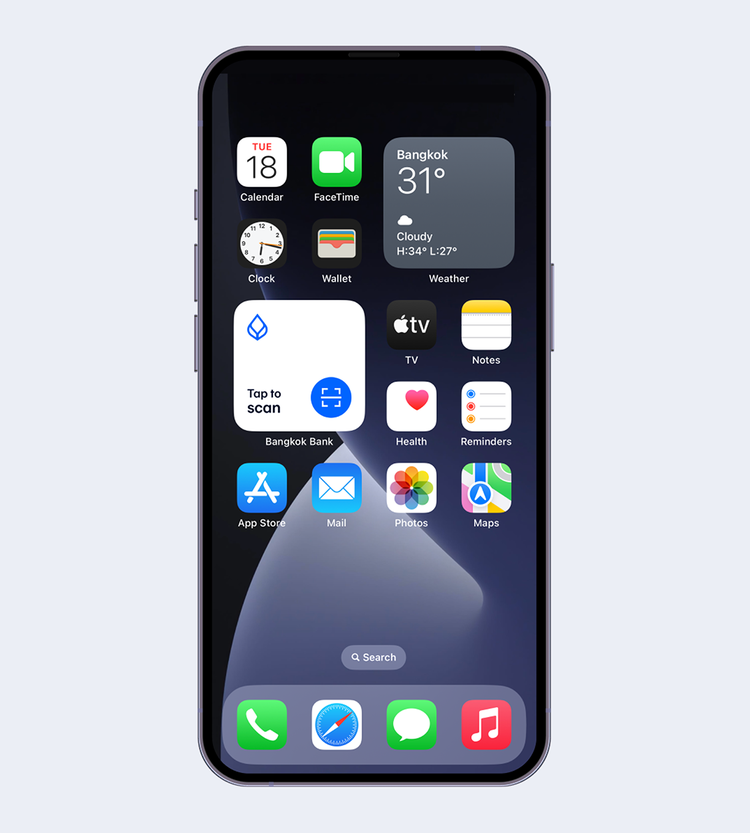
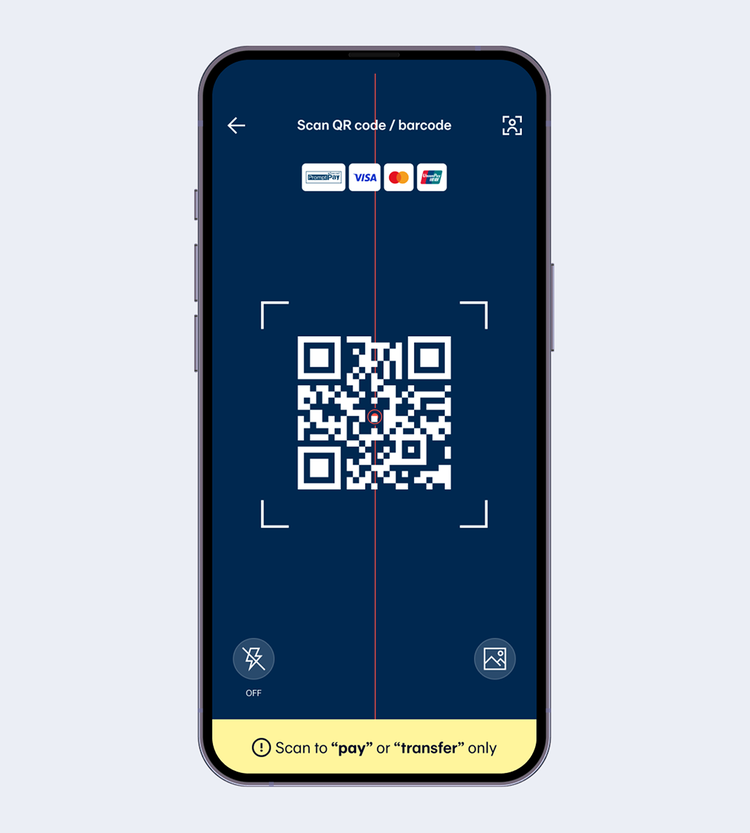
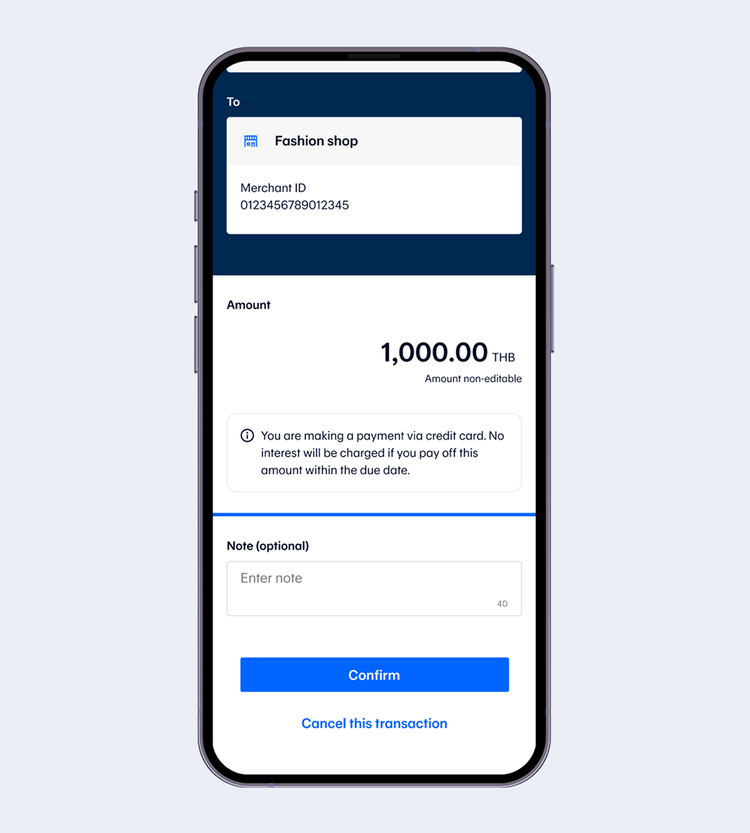
Review the transaction details and select “Confirm”.
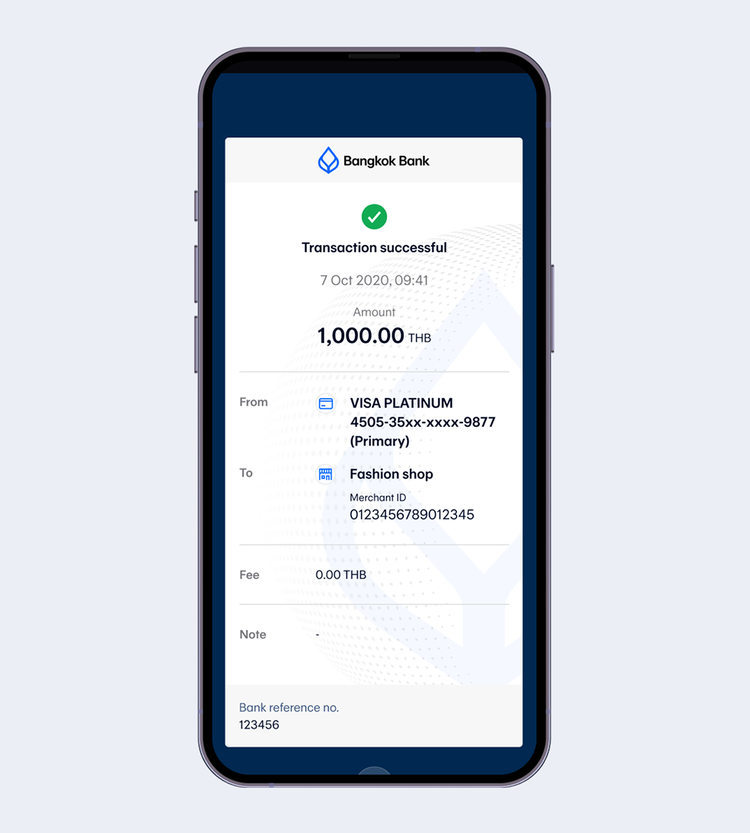
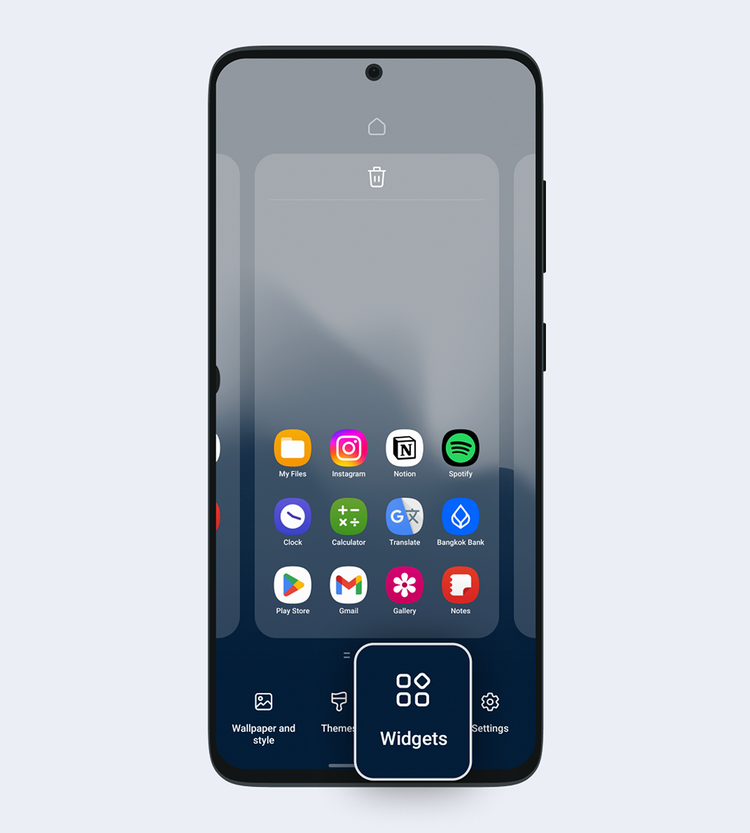
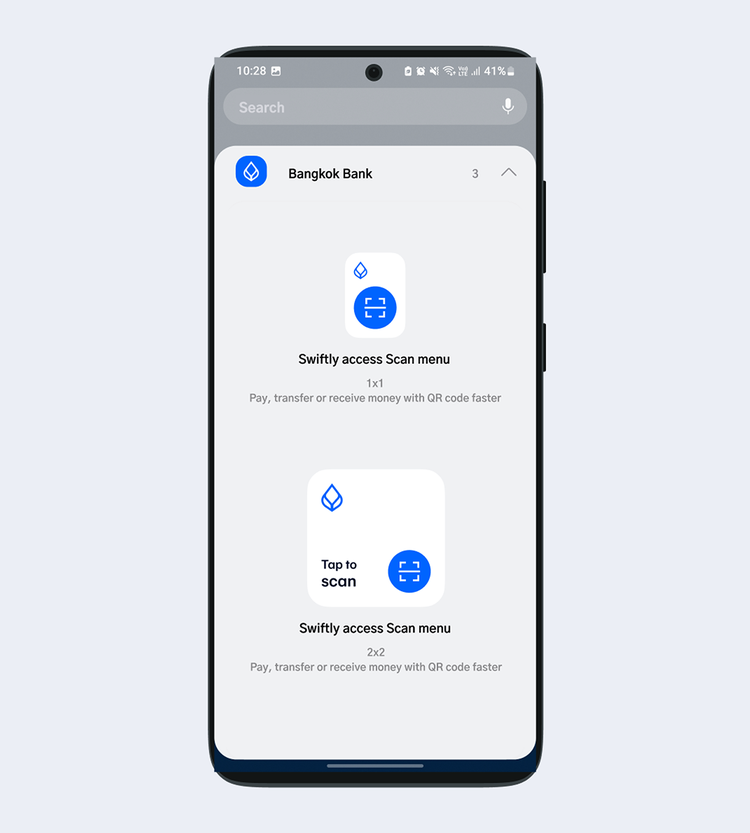
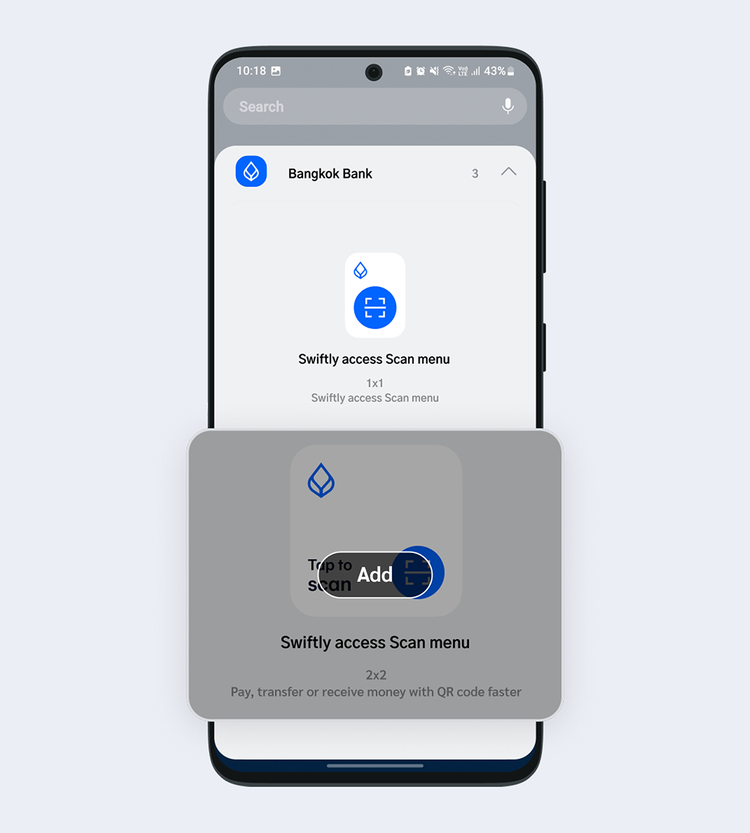
How to add Widget on a device
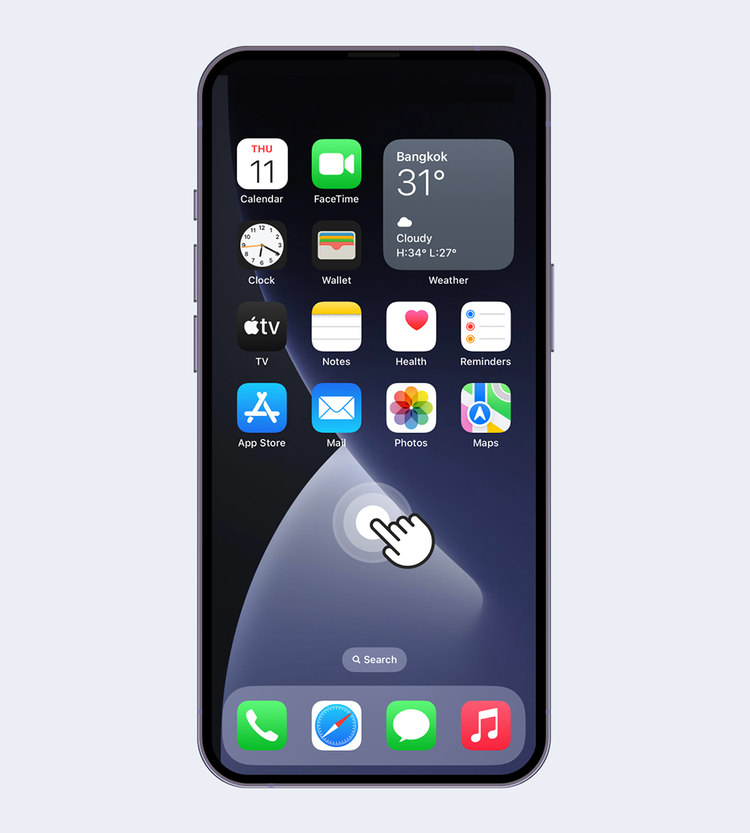
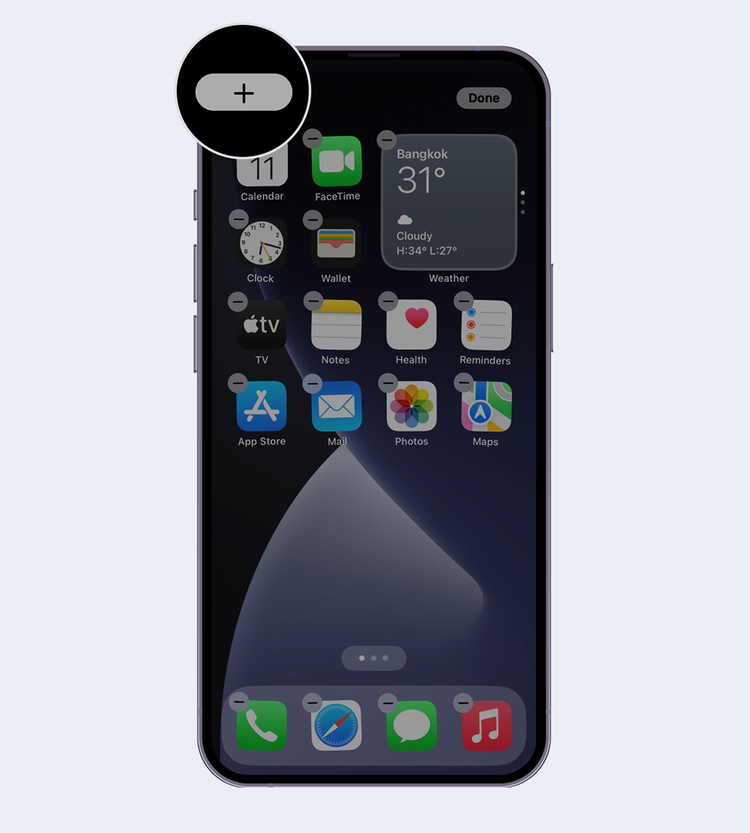
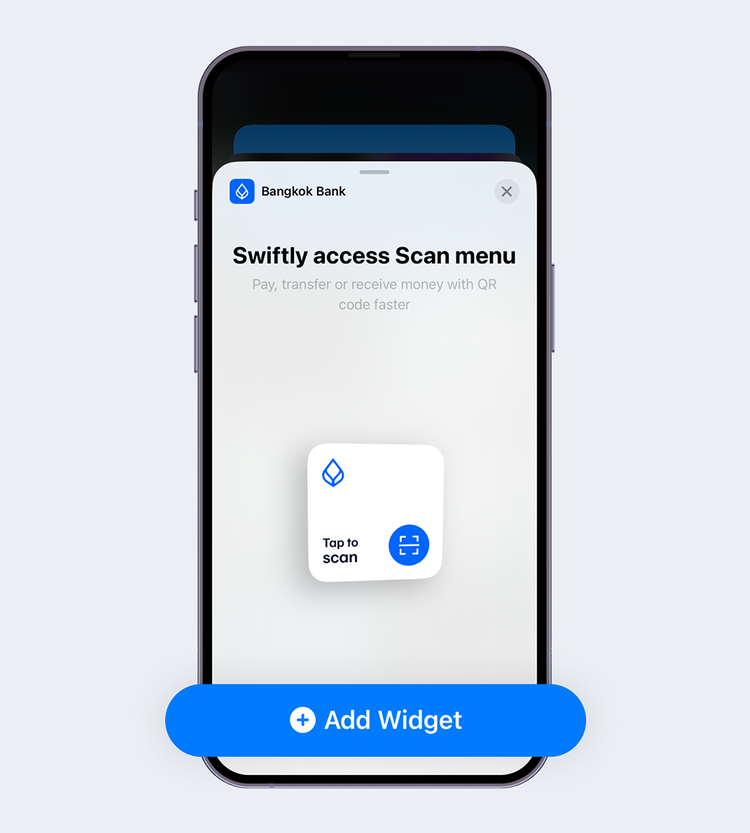
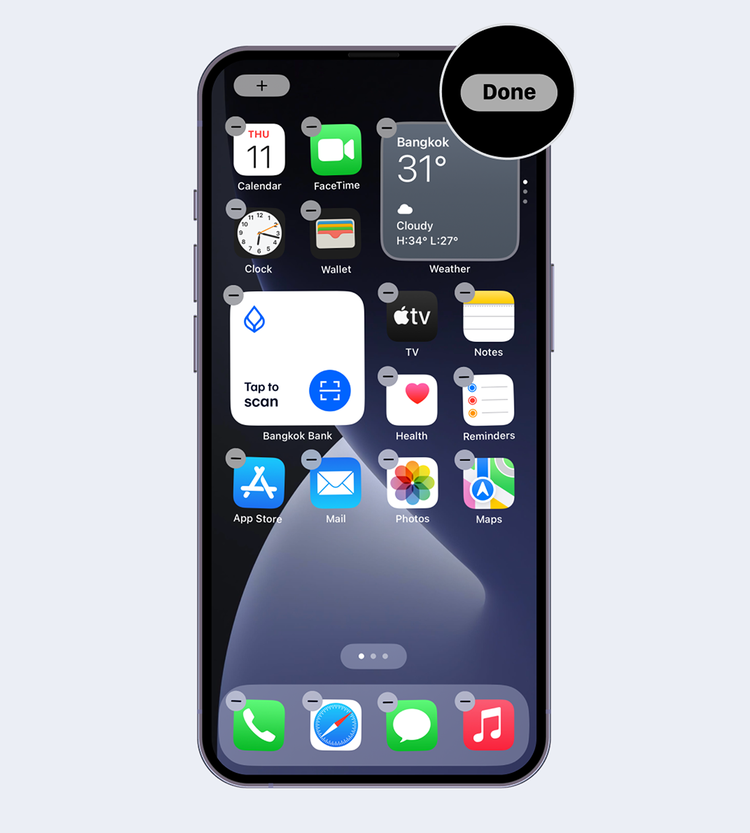
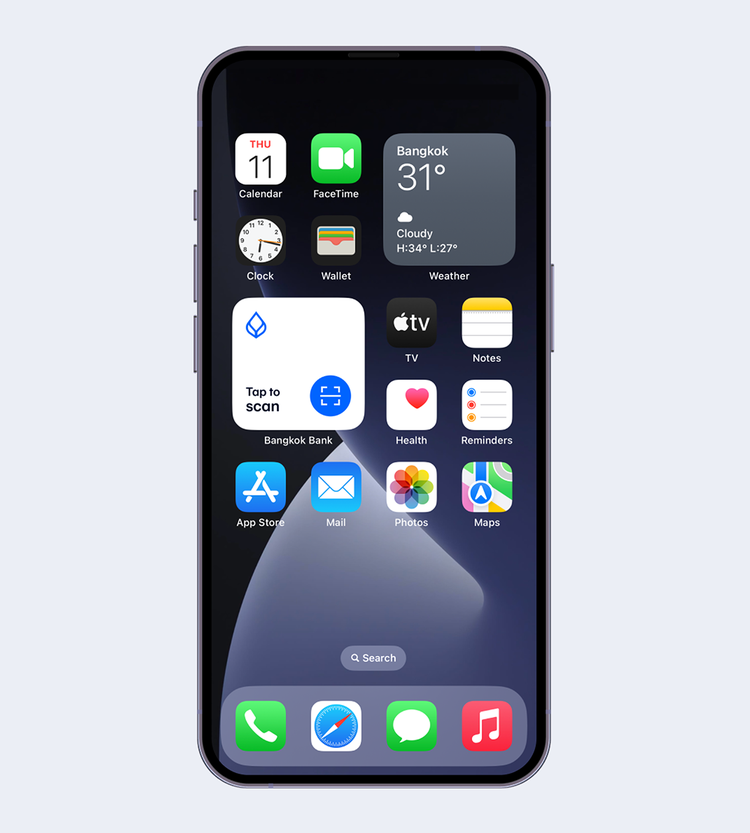
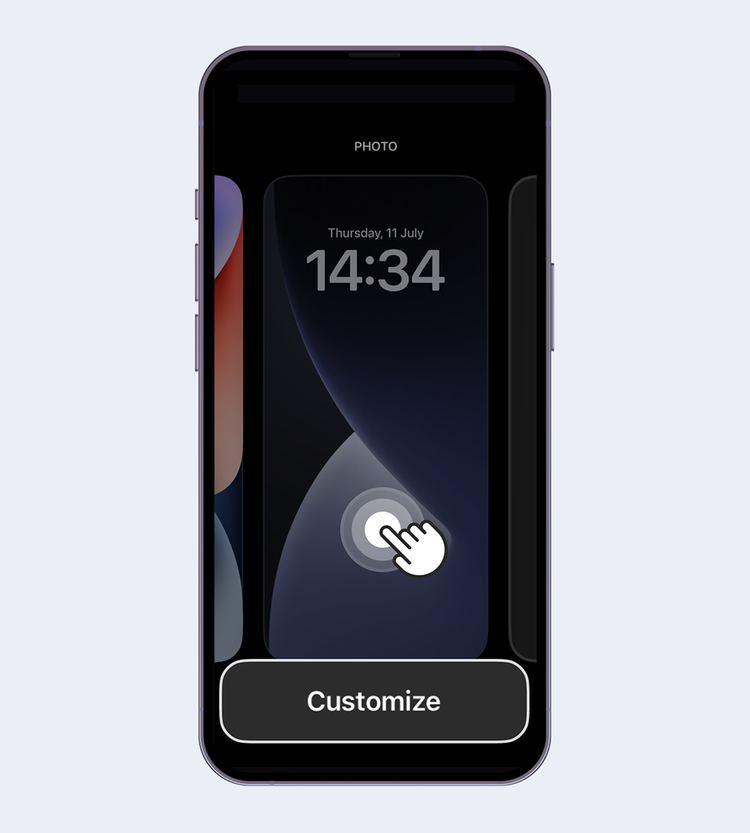
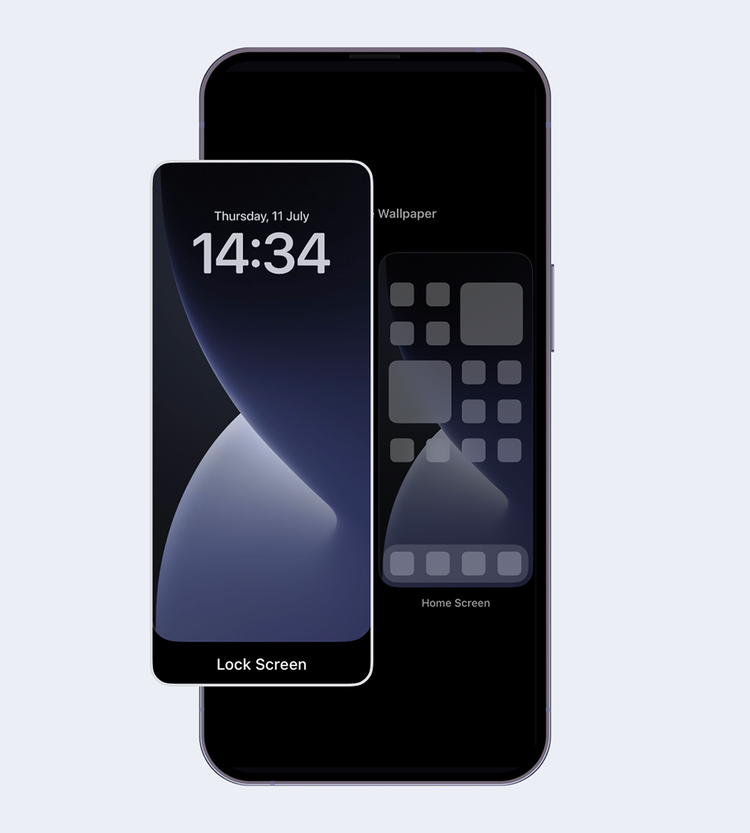
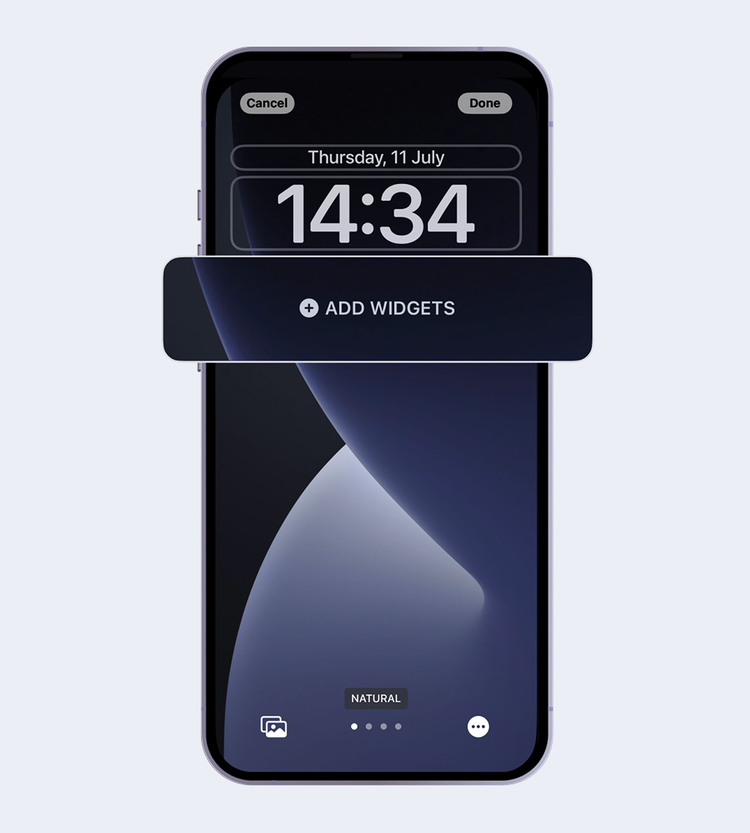
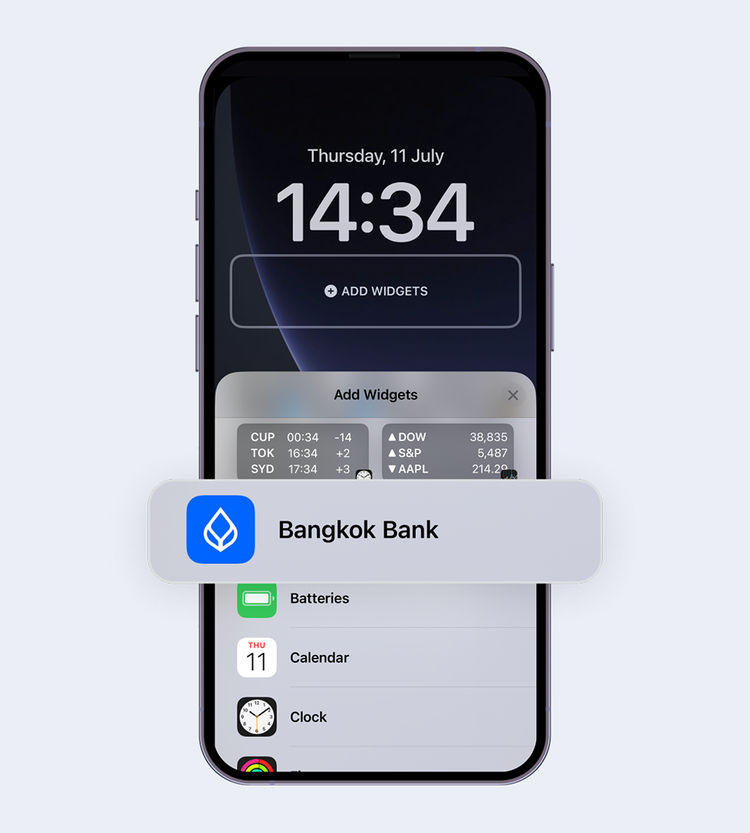
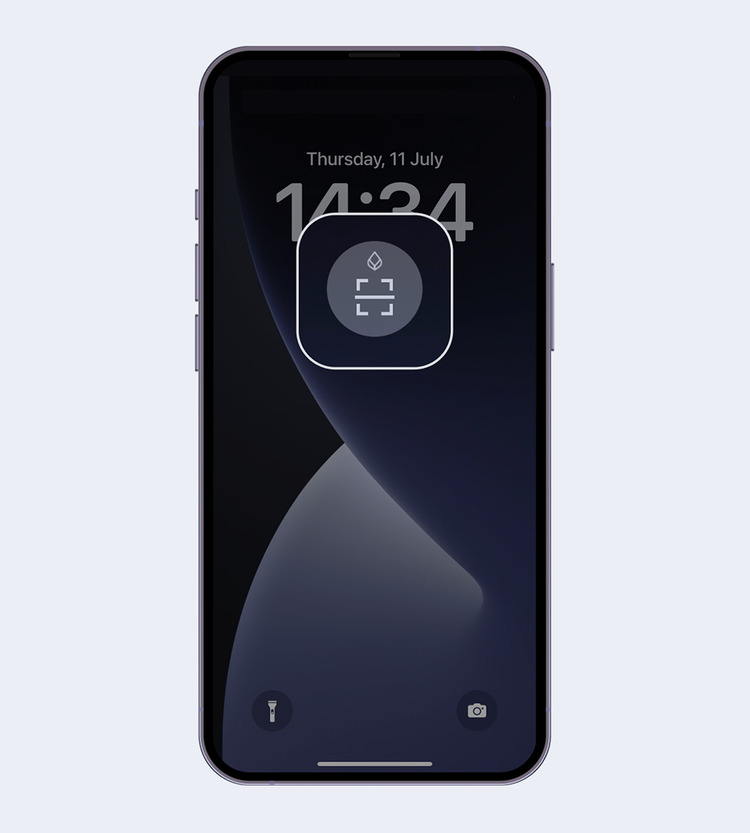
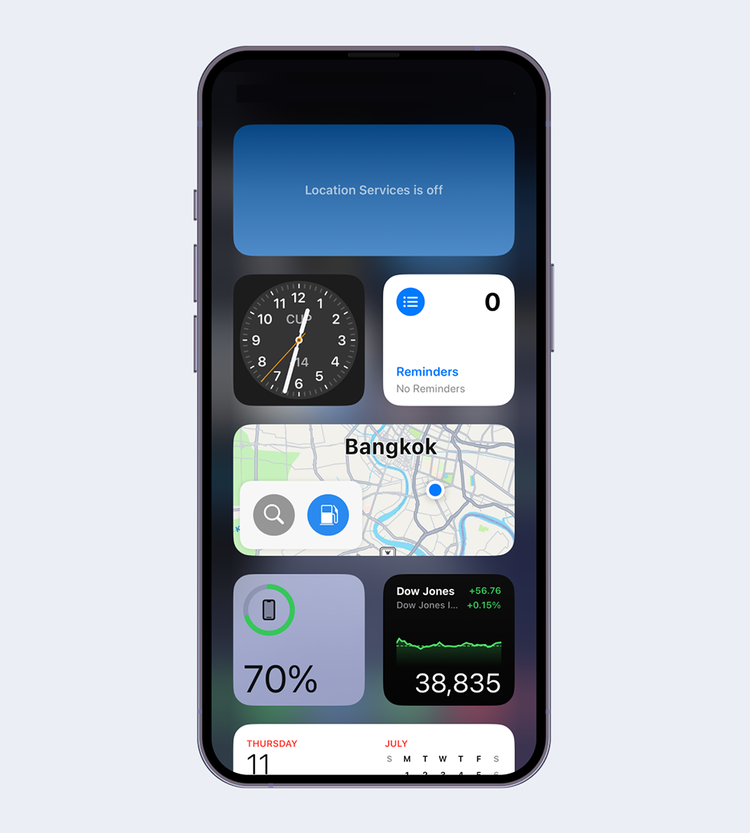
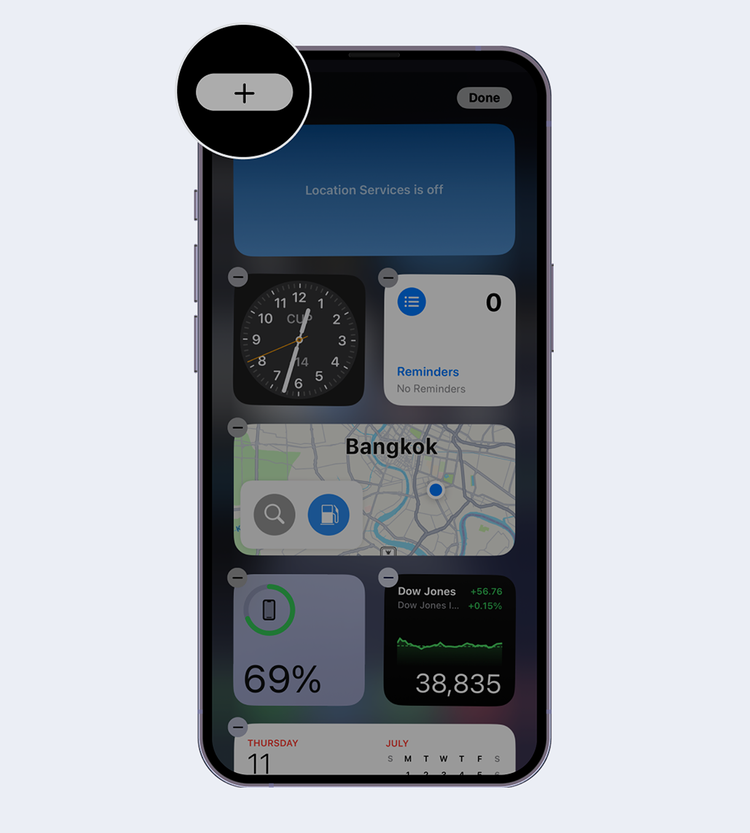
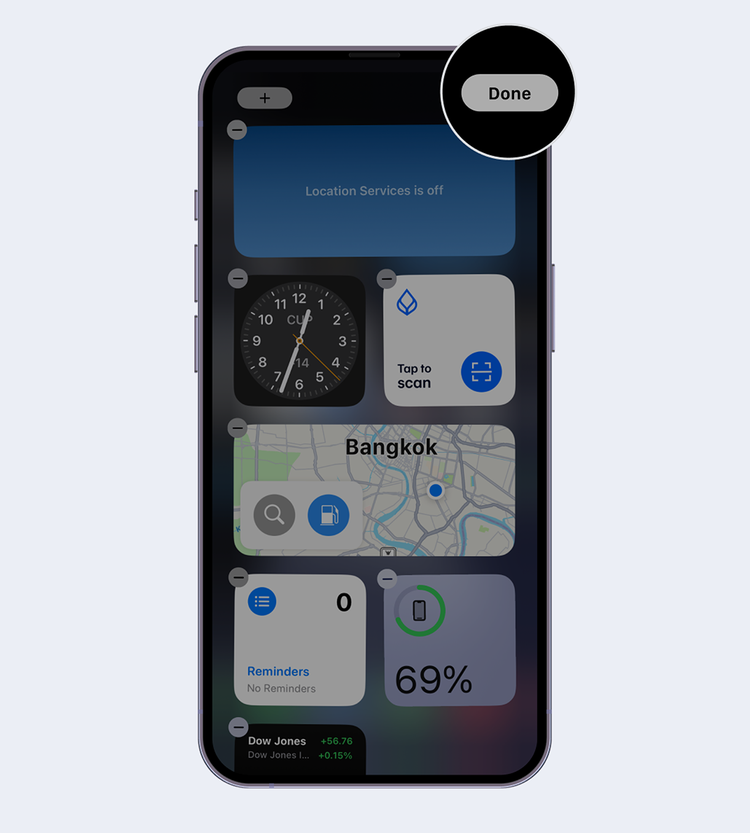
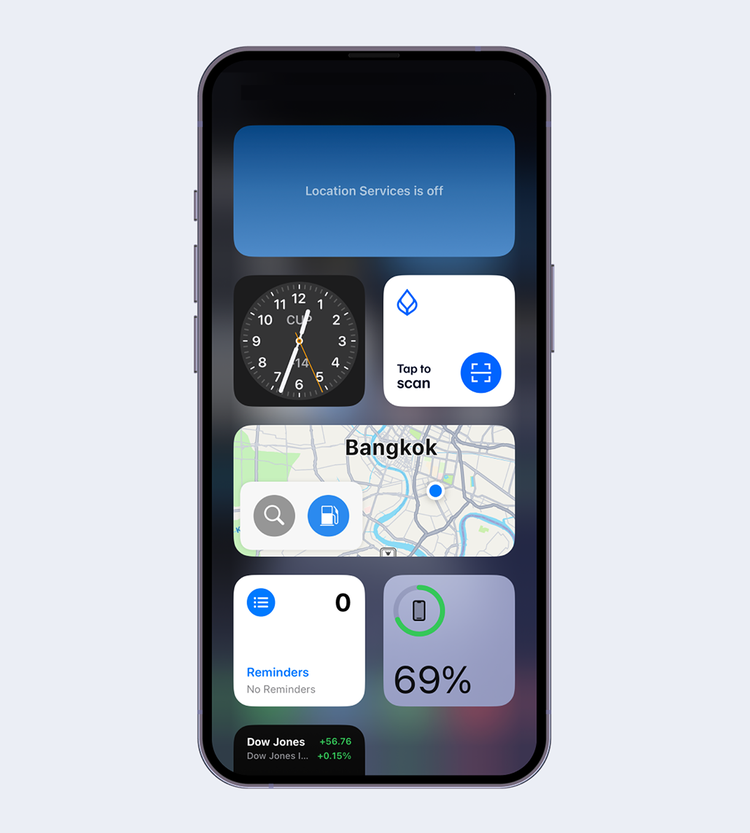
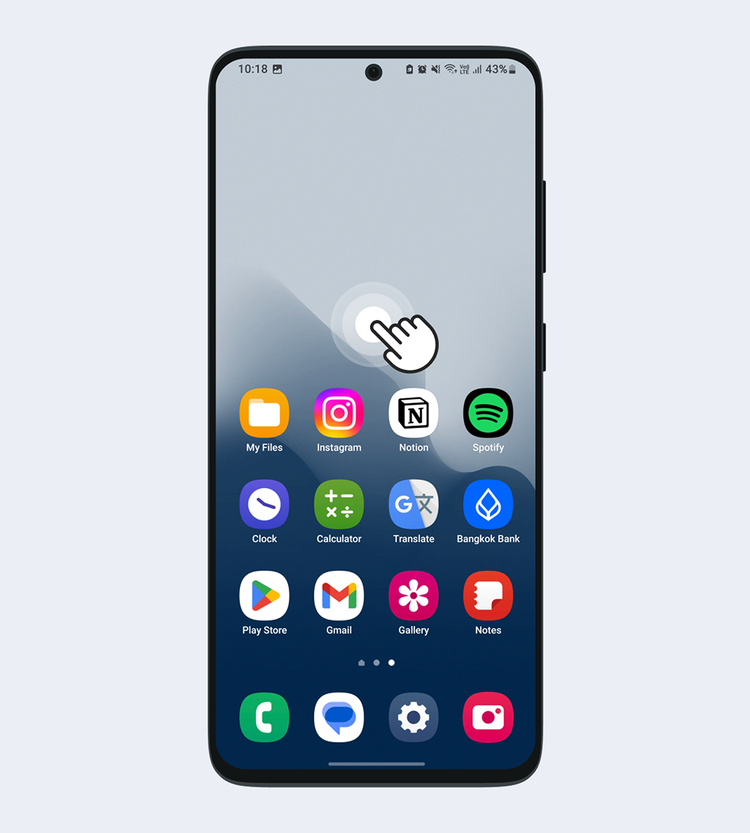
On the Home Screen, touch and hold an empty area.
Note: The Widget installation on mobile devices with Android may vary depending on device brand and models.
Recommended Features
Enhance your online banking experience with Bangkok Bank Mobile Banking