simple
images
false


dStatement Service
A convenient service to request and send digital statements across banks
false
Key Benefits
scrollable

Convenient
Send bank statements to other banks for loan applications

Fast
No branch visit required, the statement is sent instantly via mobile banking application

Secure
Service is provided via the National Digital ID platform (NDID), with a highly secured connection and data transfer
Service Conditions
Sending Bank Statements
- Available via Bangkok Bank Mobile Banking version 3.14.0 and above
- Supports only savings and current accounts linked with mobile banking
- A maximum of 5 accounts per one request
- Service fee is 75 baht per account
- Available 24 hours
Requesting Bank Statements
The dStatement can now be used for loan applications at Bangkok Bank branches only. Please contact our officers at branch for the service.
How to send a Bank Statement
false
3000
false
showArrowsDots
withDefaultImage
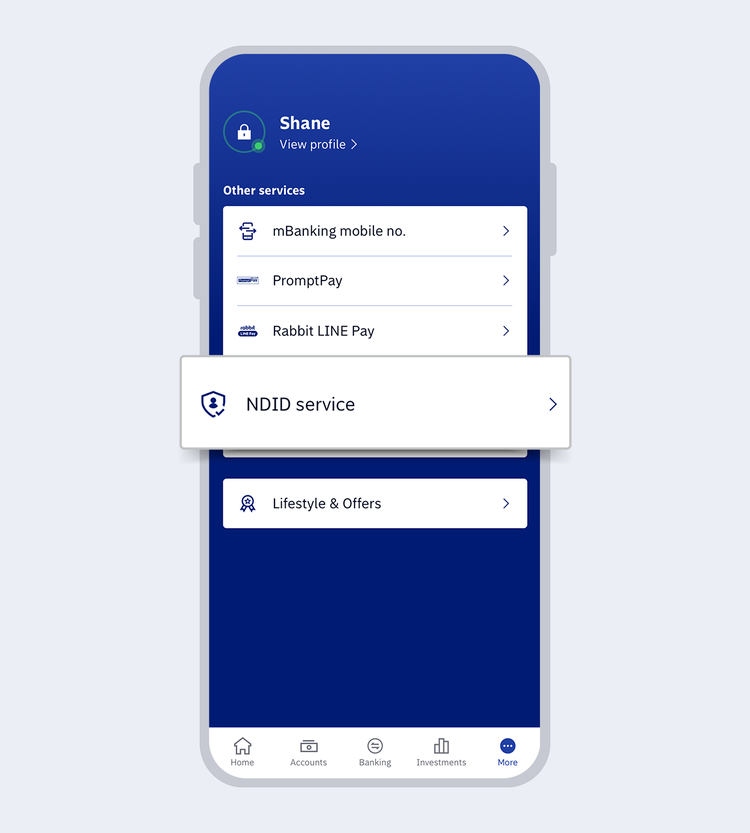
1.
Go to “More” and select “NDID service”
2.
Enter your 6-digit Mobile PIN or use Touch ID / Face ID / Fingerprint
showArrowsDots
withDefaultImage
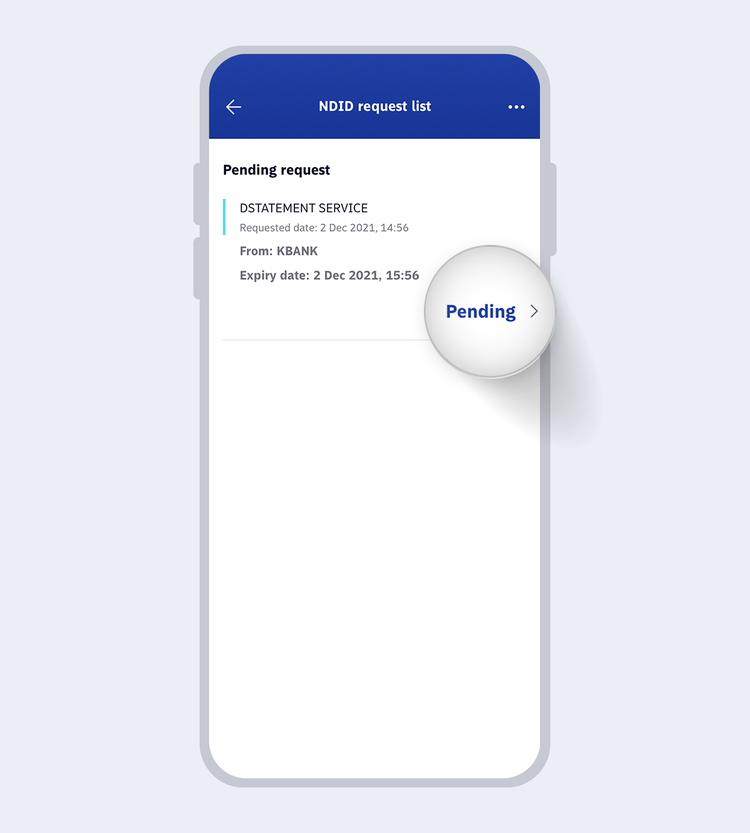
3.
The system will display the pending request for dStatement service then select “Pending” to view details
showArrowsDots
withDefaultImage
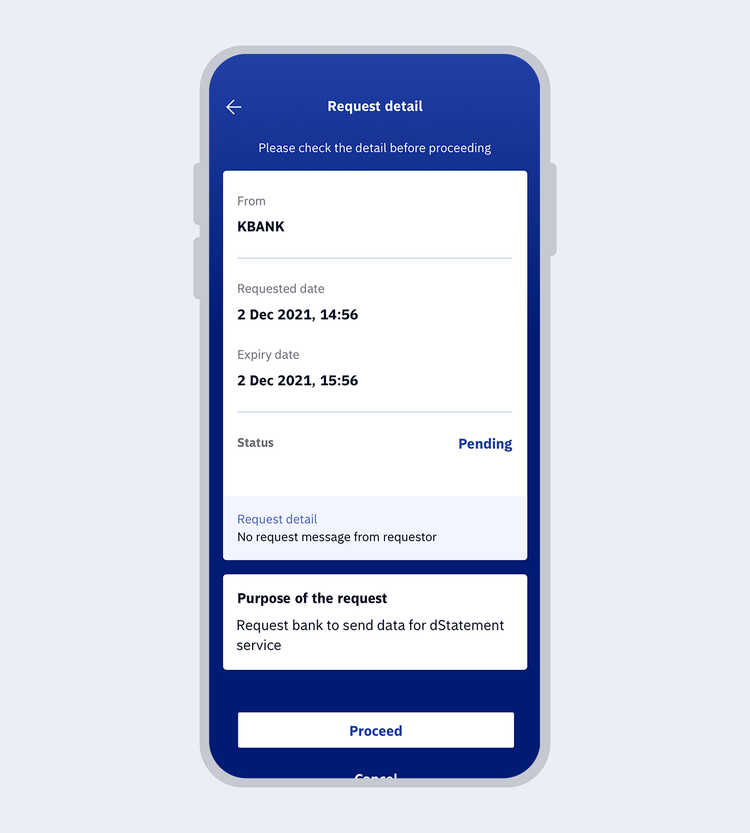
4.
Review the request details then select “Proceed”
showArrowsDots
withDefaultImage
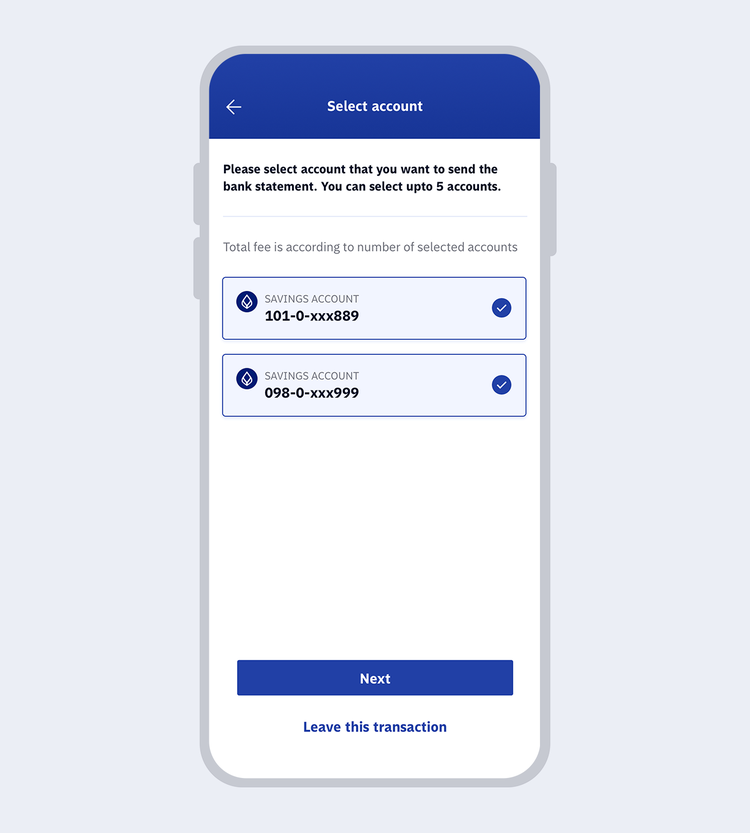
5.
Select accounts for which you want a bank statement (Maximum 5 accounts per one request) then click “Next”
showArrowsDots
withDefaultImage
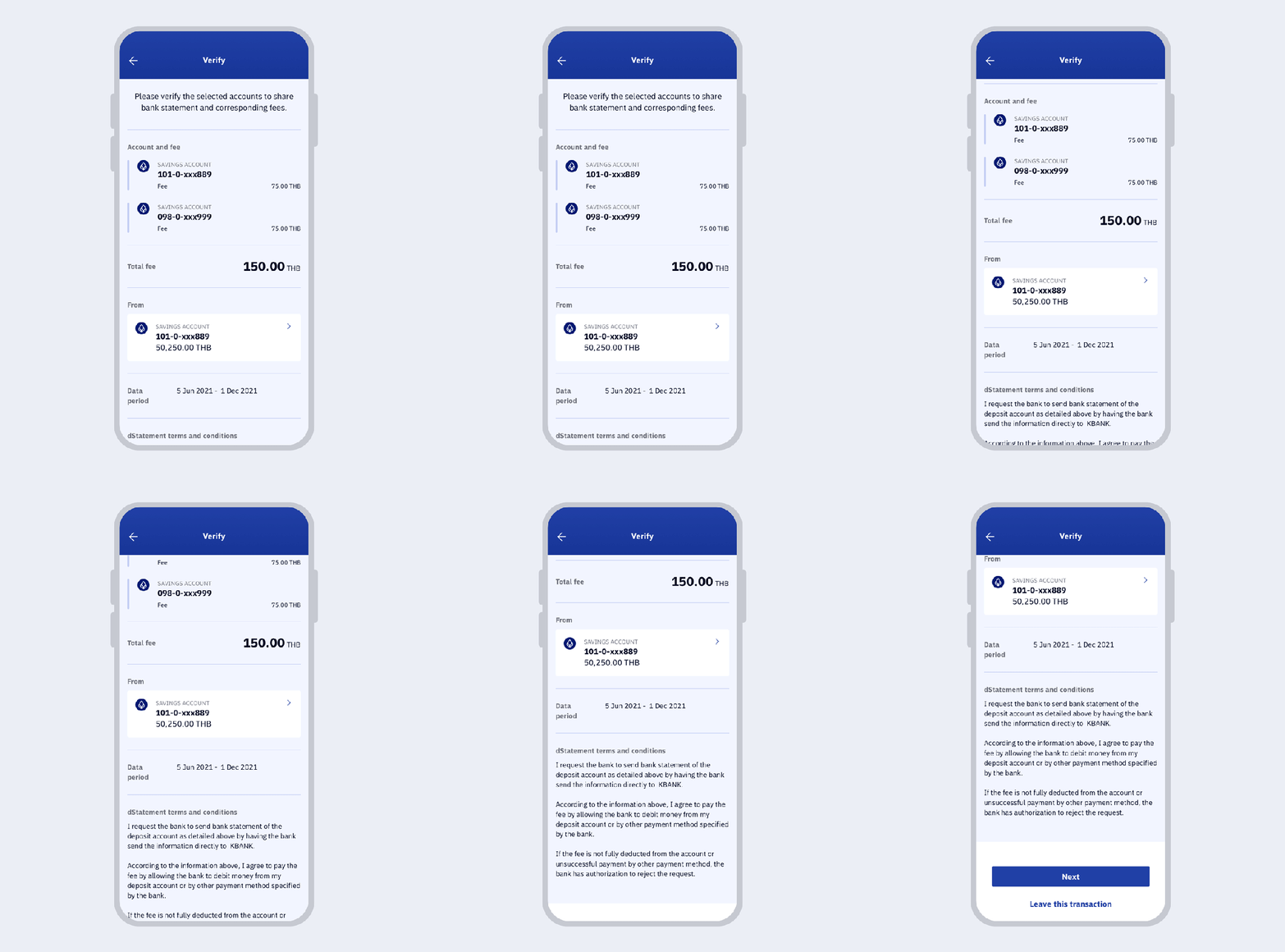
6.
Review the information then select your account for fee payment and click “Next”
showArrowsDots
withDefaultImage
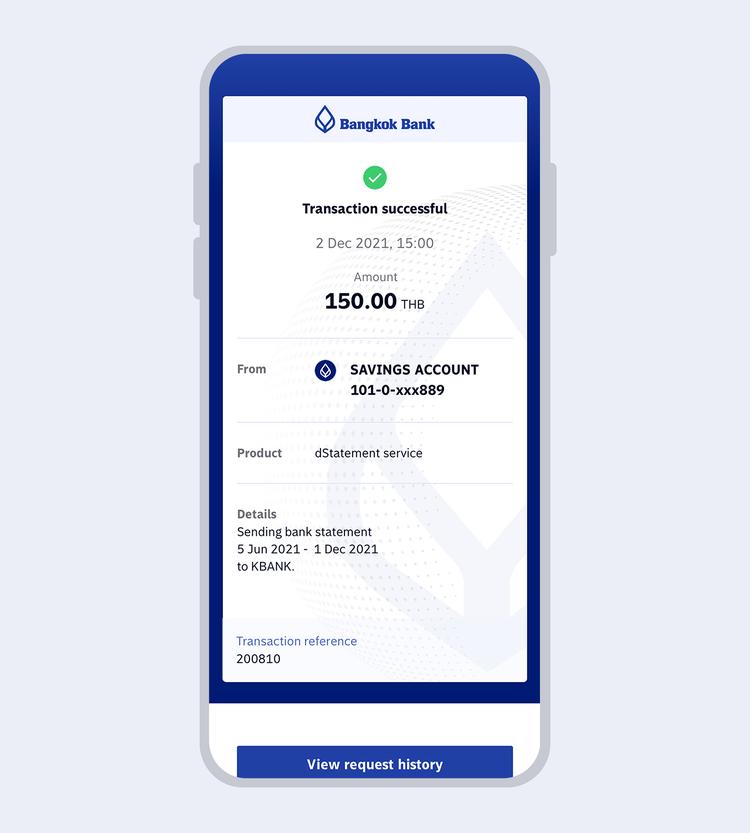
7.
Once the transaction is completed, you will receive the transaction e-slip and the system will send the bank statement directly to the requesting bank.
Frequently Asked Questions

TOOLS & ASSISTANCE


