Bangkok Bank PromptPay Transfer
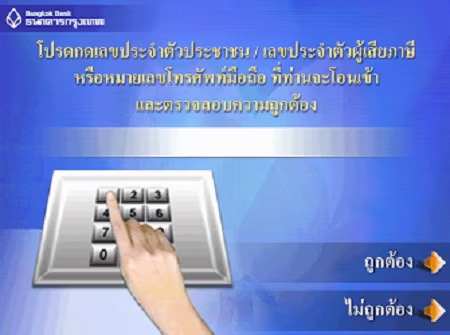
Even if you haven’t registered you can instantly transfer money using PromptPay to the recipient’s mobile phone number or Citizen ID, or the Tax ID of the company/vendor previously registered with PromptPay, via any of our three electronic channels, depending on which best suits your digital lifestyle.

Bualuang mBanking

Bualuang iBanking

Bualuang ATM
Easy steps to transfer money using Bangkok Bank PromptPay
Simply select your preferred channel to make a transfer and enter the recipient’s mobile phone number, Citizen ID or the Tax ID of the company/vendor instead of a bank account number. Check that the recipient’s details are correct before you confirm the transaction.
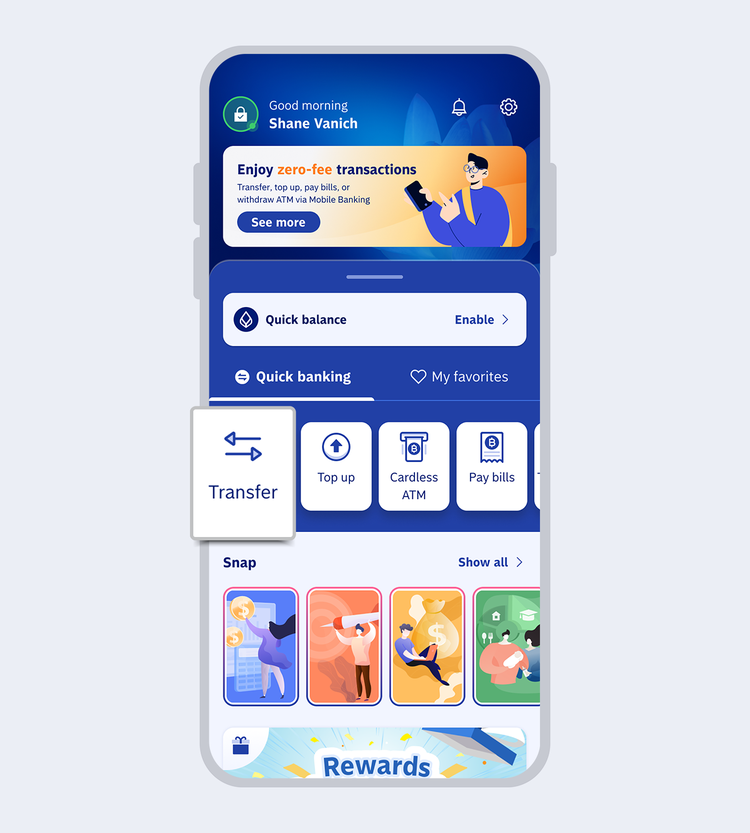
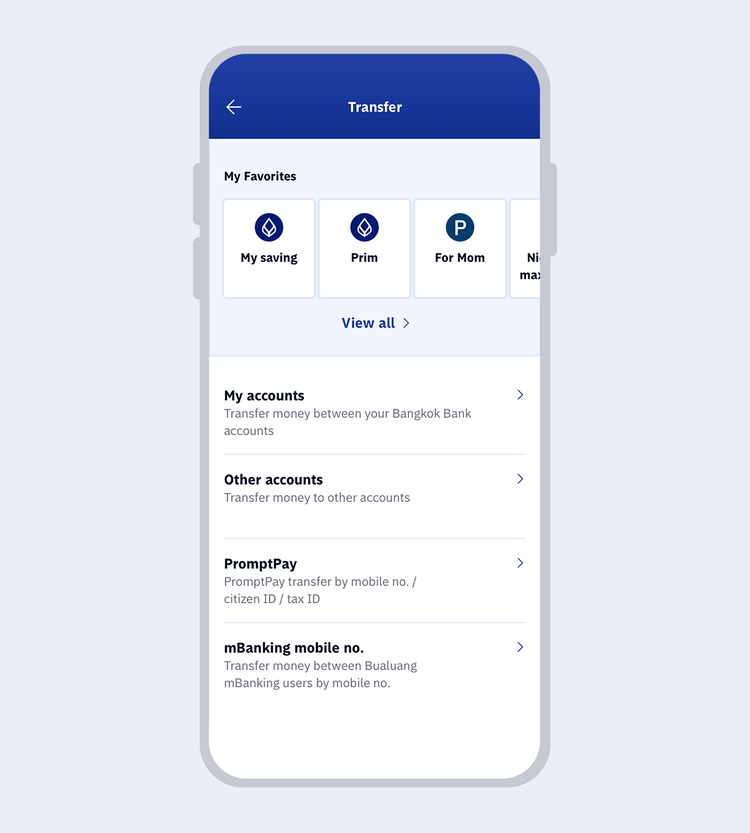
Select the type of transfer and enter the details accordingly:
- My accounts: Select your Bangkok Bank account that has been added to the application
- Other accounts: Select bank and enter account number
- Promptpay: Enter PromptPay no. (mobile no./citizen ID/tax ID)
- Bangkok Bank Mobile Banking user: Enter Mobile phone no. of another Bangkok Bank Mobile Banking user
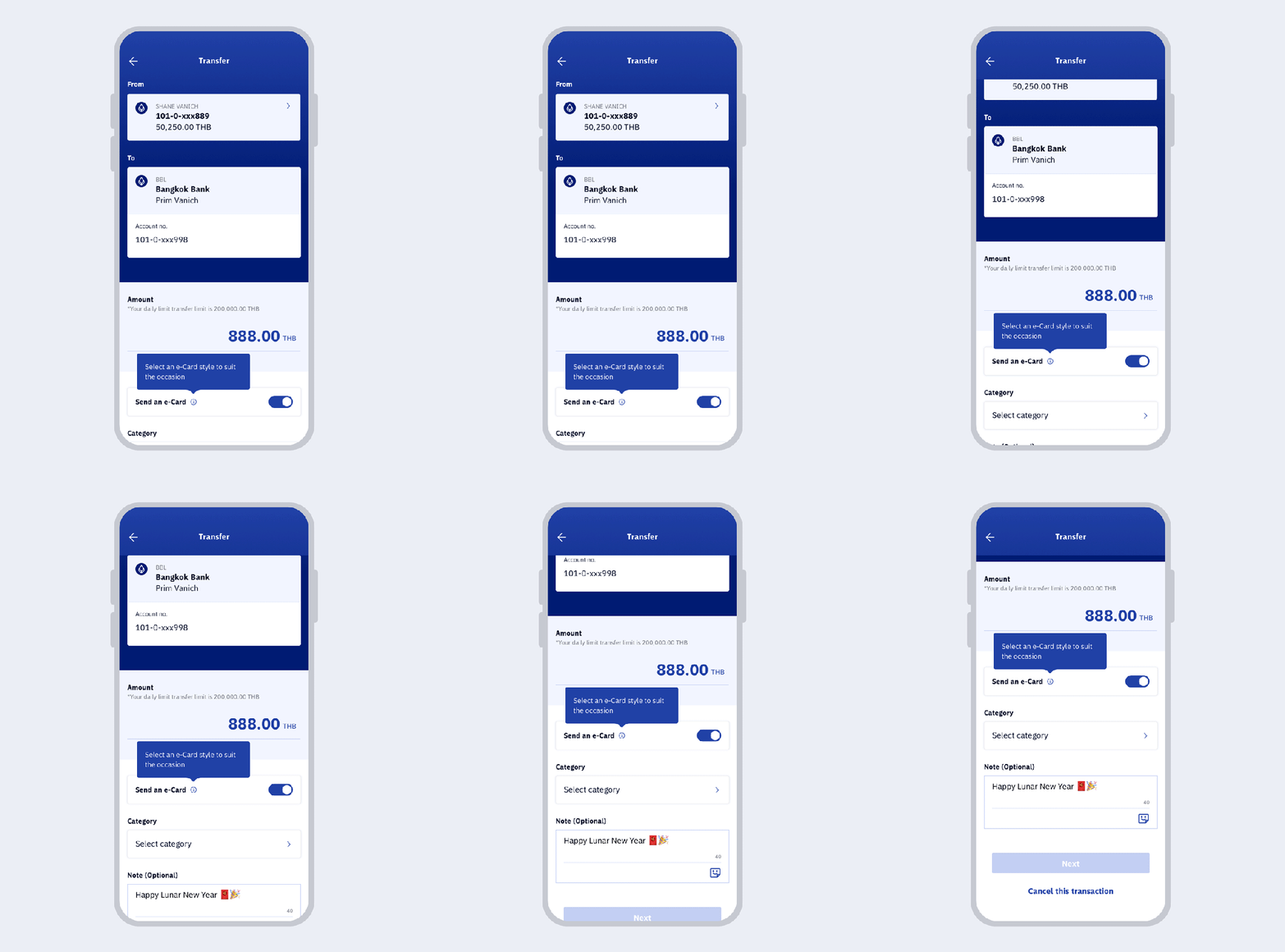
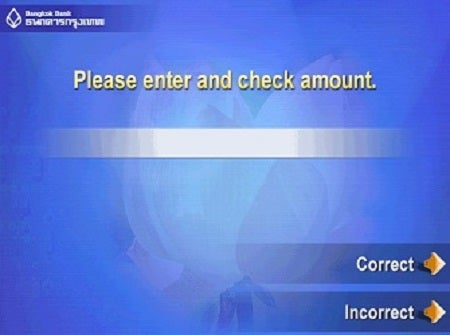
Enter details depending on transfer types. Then, enter the amount.
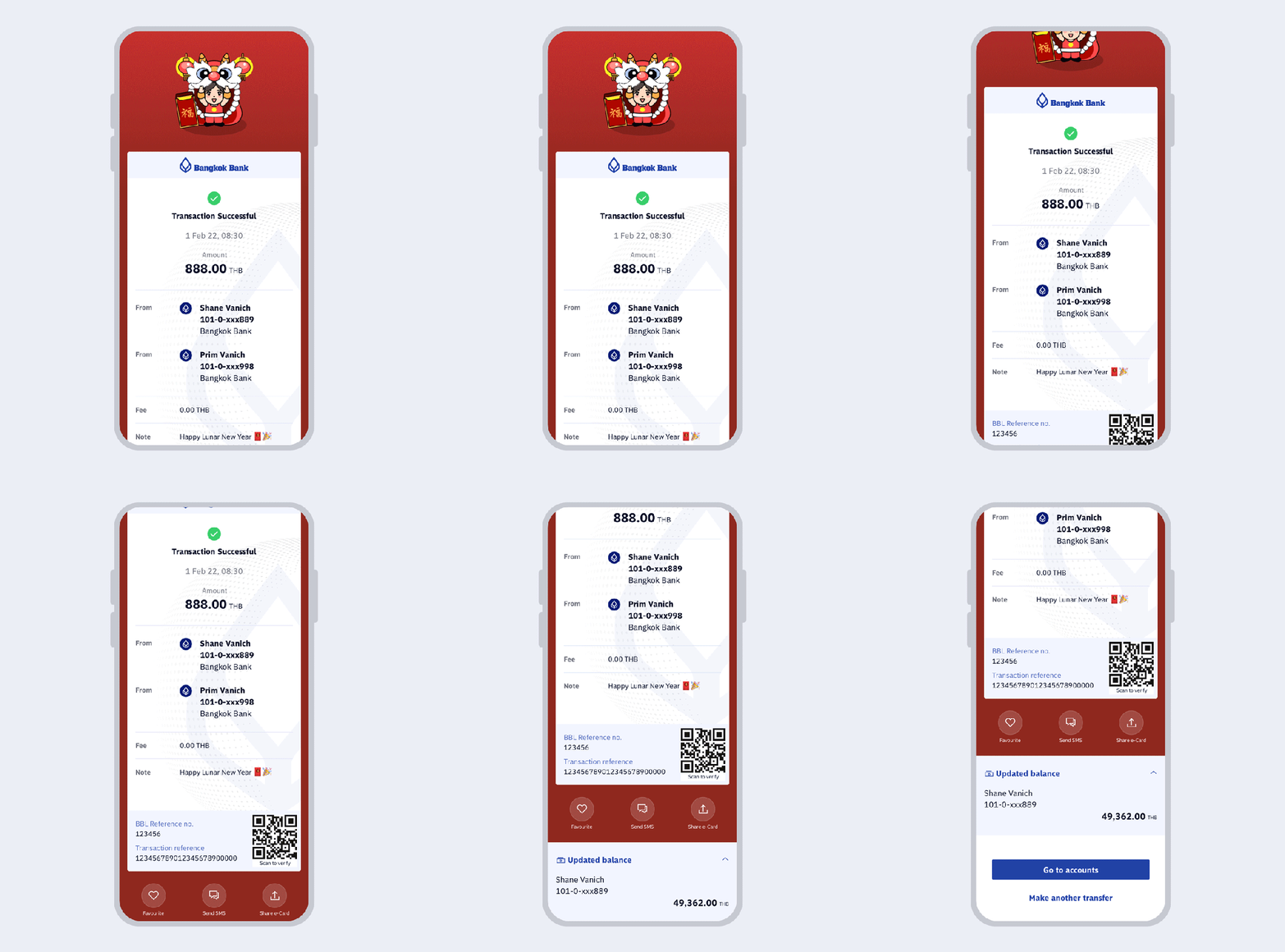
To add an e-Card to your eSlip, select "Send an e-Card". You can enter your message in note and select "Next".
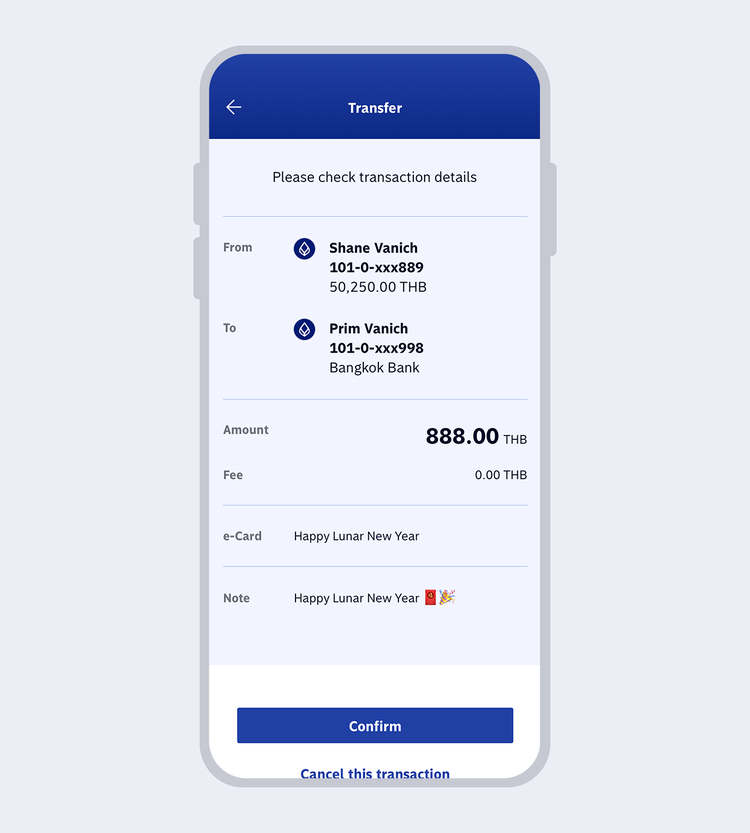
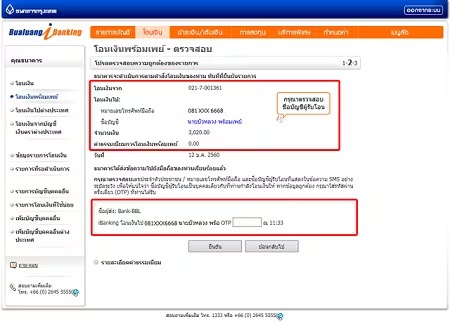
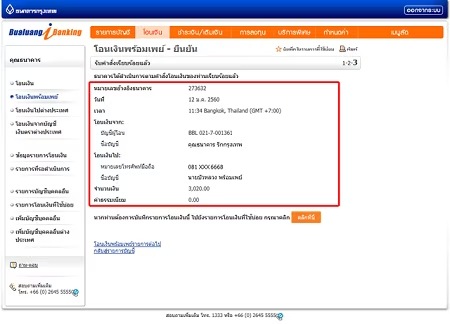
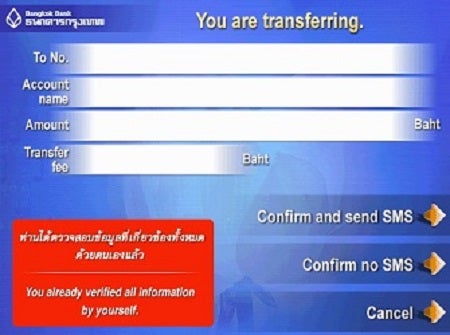
Review the recipient's name and transaction details.
Select "Confirm".
Verification with facial recognition is required for:
- A transaction of 50,000 baht
- A transaction which pushes the daily accumulated transfer amount to reach 200,000 baht. This applies for each instance that the total accumulated transfer amount passes 200,000 baht.

Verify your identity with facial recognition if your transaction is:
- A transaction of 50,000 baht
- A transaction which pushes the daily accumulated transfer amount to reach 200,000 baht. This applies for each instance that the total accumulated transfer amount passes 200,000 baht.
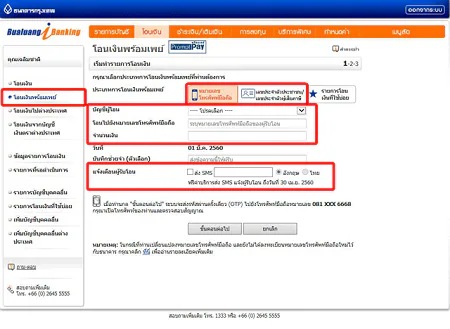
Go to "New PromptPay Transfer" and select Mobile Phone Number or Citizen ID/Tax ID Number
- Transfer using Mobile Phone Number: Select account to be debited, enter the recipient's mobile phone number, and enter the amount of money.
- Transfer using Citizen ID/Tax ID Number: Select account to be debited, enter the recipient's Citizen ID, or Tax ID of a company/vendor, and enter the amount of money.
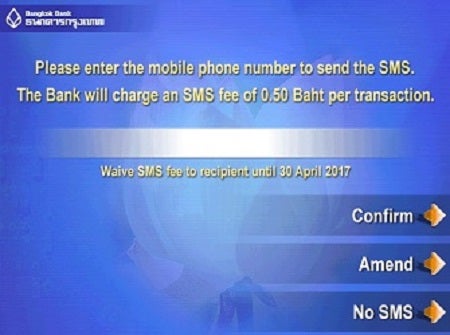
You can choose to send an SMS to notify the recipient. The system will show the mobile phone number which is used for the PromptPay transfer.
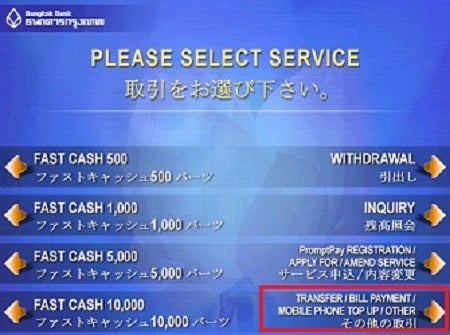
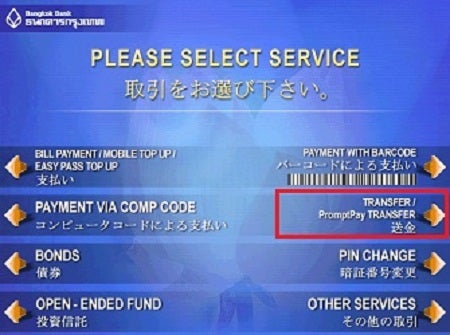
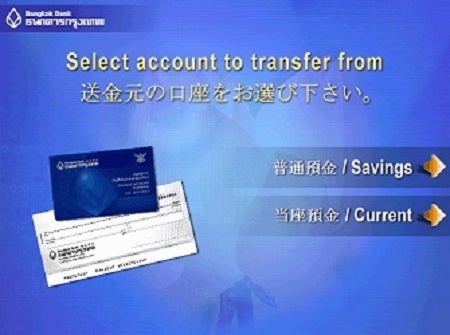
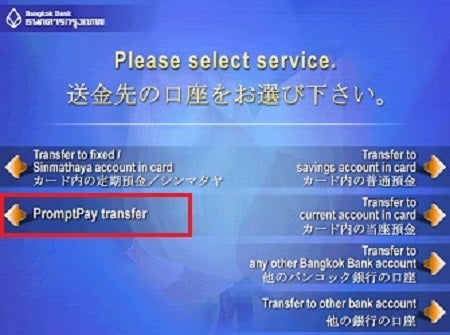

Fees
| Transfer Channels | Transaction Value (baht/transaction) |
Fees (baht/transaction) |
| Bualuang mBanking and Bualuang iBanking |
FREE for all transactions | |
| Bualuang ATM | Not exceeding 5,000 baht | FREE for all transactions |
| > 5,000-30,000 baht | 2 baht | |
| > 30,000-100,000 baht | 5 baht | |
| > 100,000-200,000 baht | 10 baht | |