Easy Registration for Bangkok Bank PromptPay
If you have a Bangkok Bank account, you can instantly register for PromptPay. Simply provide your mobile phone number or ID number and register this with your preferred account via any of our channels. View the steps below to register for Bangkok Bank PromptPay
Steps to Register for Bangkok Bank PromptPay via Bualuang ATM
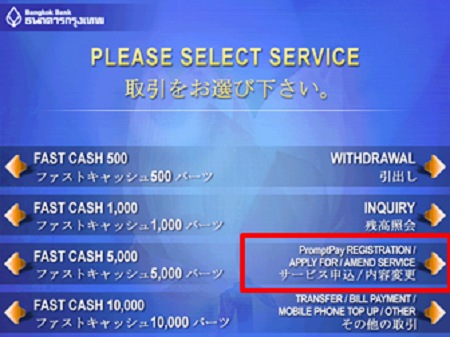
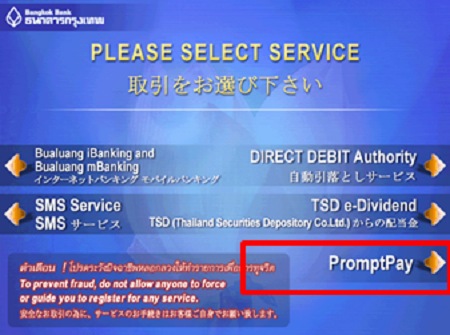
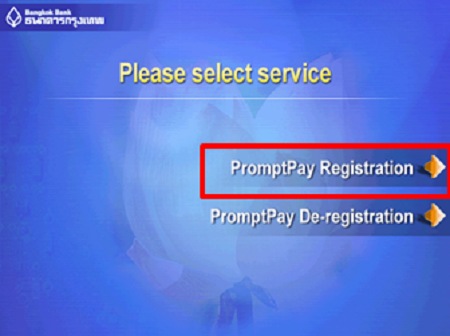
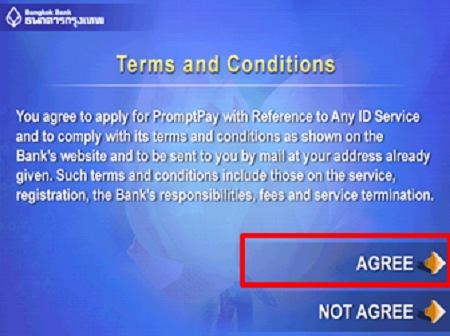
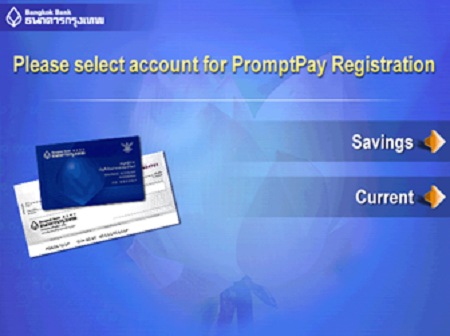
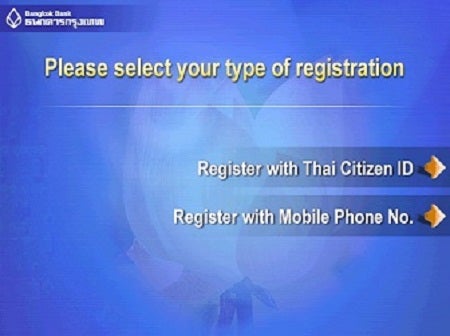
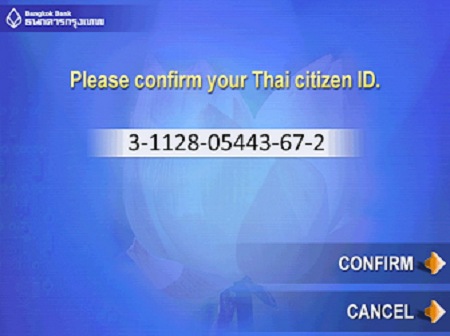
Confirm your ID Card Number shown on the screen and select "Confirm"
Remark: The bank will connect the accounts you have registered to your ATM or Be1st Debit card. Select your preferred account if you have more than one.
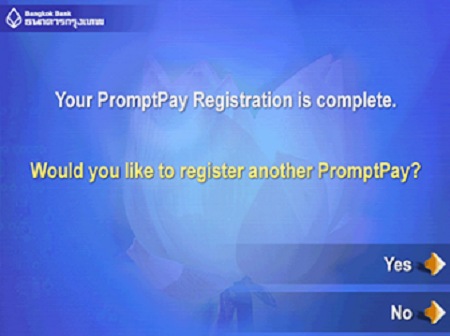
A PromptPay Registration result screen will be shown.
Select "Yes" if you would like to register another PromptPay or "No" to complete your registration.
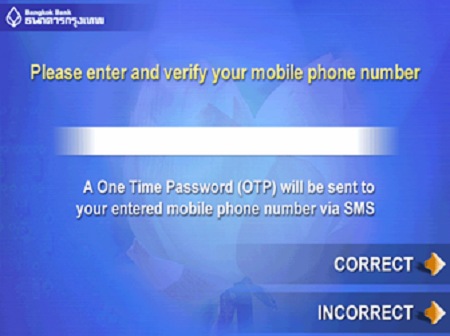
Enter and verify your Mobile Phone Number and select "Correct"
Remark: The bank will connect the accounts you have registered to your ATM or Be1st Debit card. Select your preferred account if you have more than one.
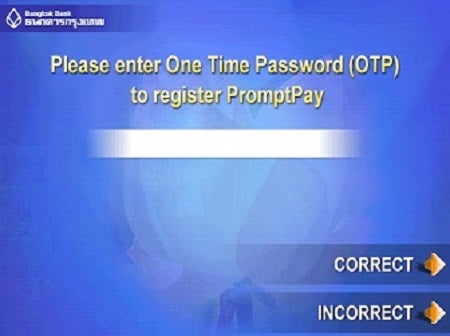
A PromptPay Registration result screen will be shown.
Select "Yes" if you would like to register another PromptPay or "No" to complete your registration.
Steps to Register for Bangkok Bank PromptPay via Bualuang mBanking
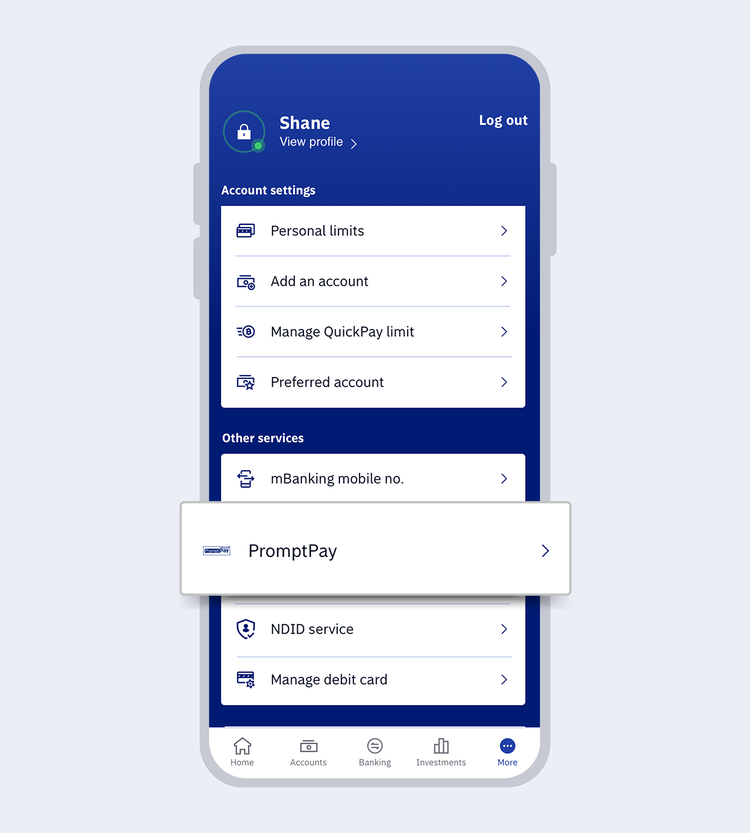
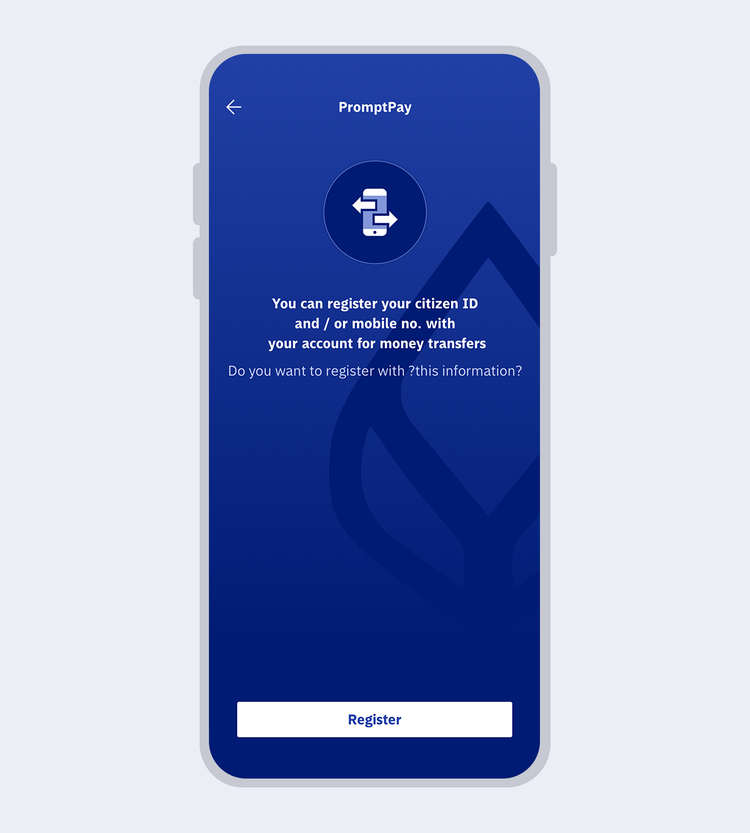
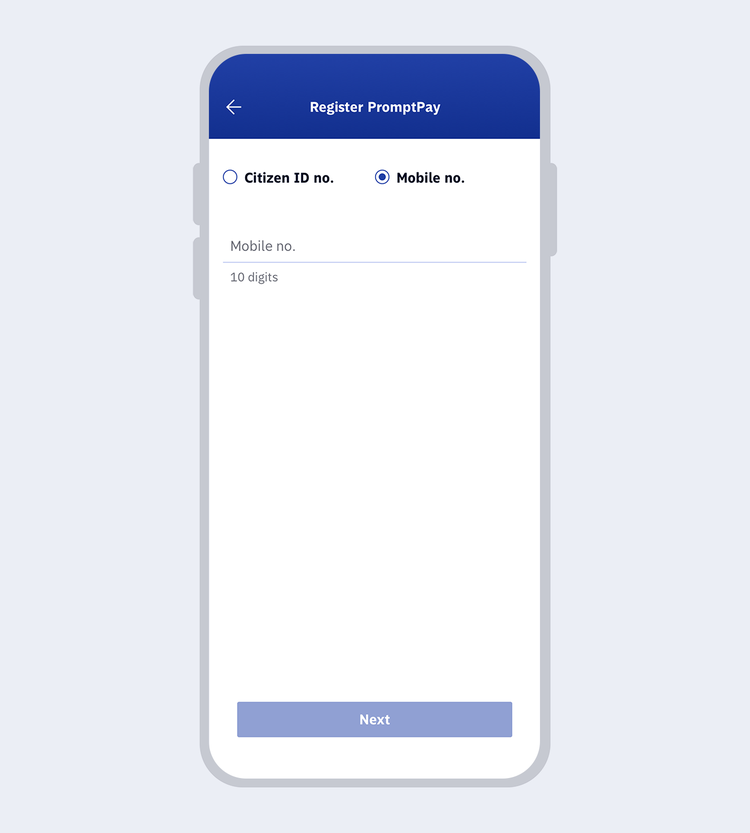
Select the information you wish to register
- Register with your Citizen ID no. or
- Register with your mobile phone no.
Then, select “Next”
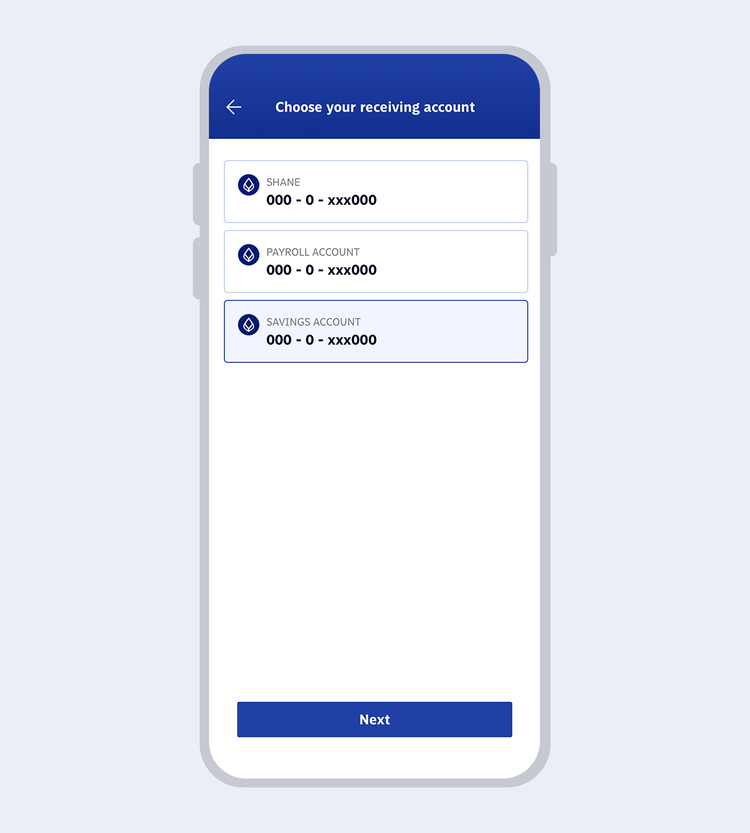
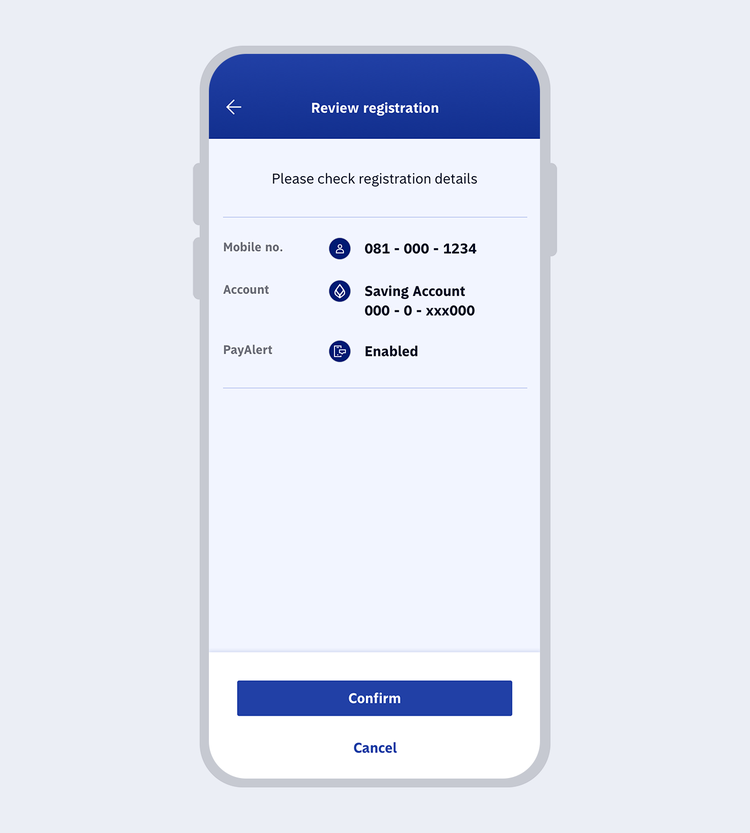
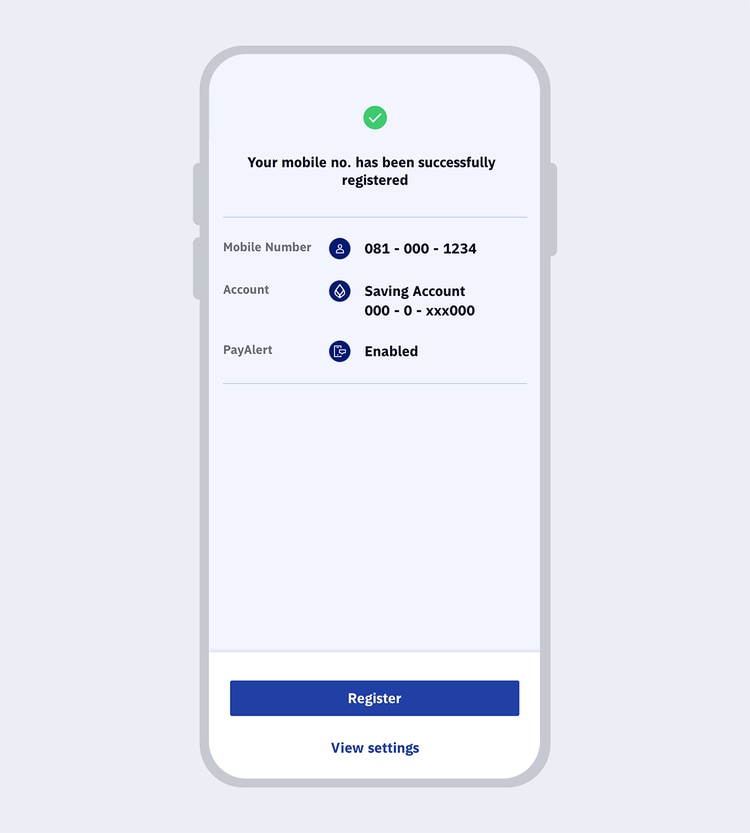
Steps to Register for Bangkok Bank PromptPay via Bualuang iBanking
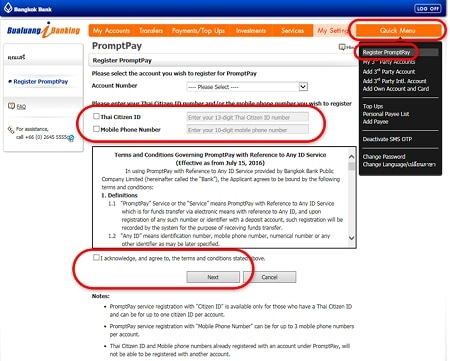
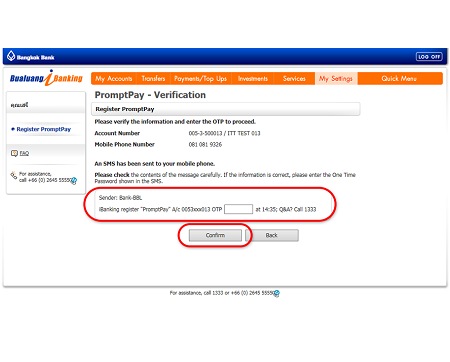
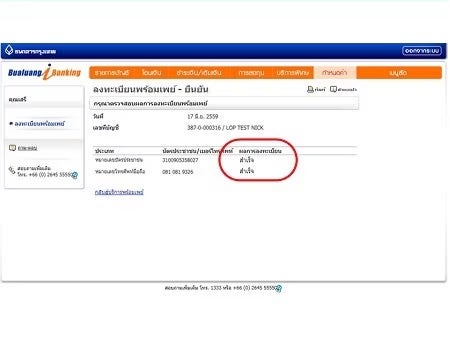
Steps to Register for Bangkok Bank PromptPay via Bangkok Bank Branch
You can register for PromptPay to connect your bank account to your Citizen ID or mobile phone number at any Bangkok Bank branch. Simply bring the following documents to any bank branch. If you don’t have a Bangkok Bank account, you can open one immediately at the branch.
Connect your bank account to your Citizen ID
- Savings account passbookor current account chequebook
- ID card
Connect your bank account to your mobile phone number
- Savings account passbookor current account chequebook
- ID card or passport(Foreign customers)
- Mobile phone number
Other Useful Information