The Bank sincerely appreciates your trust in our services and apologizes for any inconvenience caused. For further inquiries, please contact Bangkok Bank Call Center 1333 or 0 2645 5555
Mobile ID
A form of digital identity for authentication using the mobile number together with atta by Bangkok Bank application to access services of public and private organizations
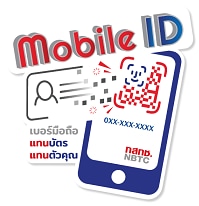

Convenient

Fast

No documents required

Secure
Registration
Register for Mobile ID at your mobile operators’ service points participating as an identity provider of the Mobile ID platform
*Check your mobile operator’s announcements for the list of Mobile ID registration service points




How to register

1. Present your Citizen ID card

2. Take a photo

3. Download mobile operator application

4. Download atta by Bangkok Bank application
*e-Savings account opening service currently supports Mobile ID from AIS, dtac and TrueMove H (NT will be available soon)
Mobile ID Authentication Process
For e-Savings account opening via atta by Bangkok Bank application
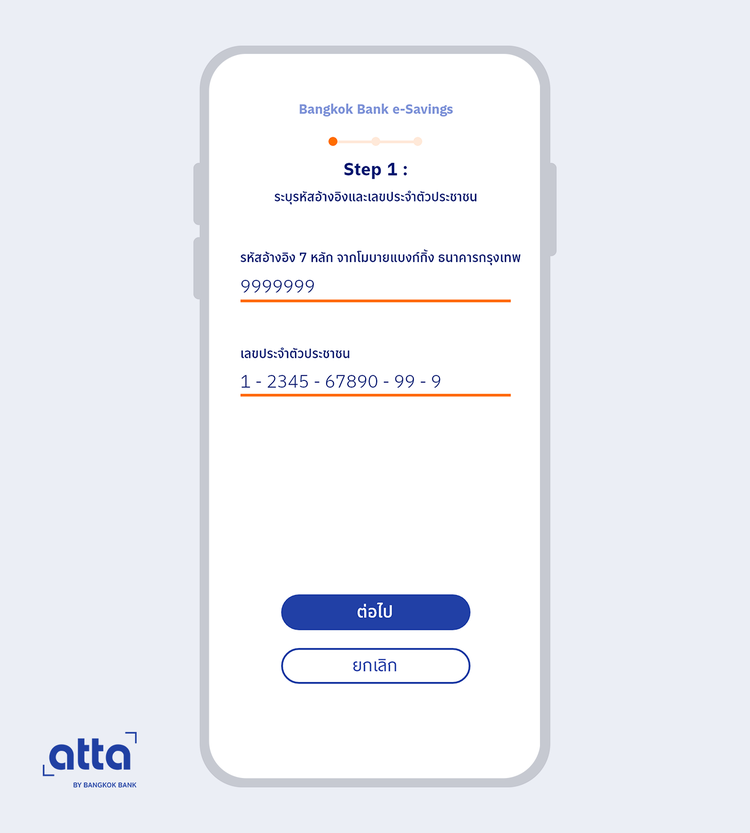
Enter the 7-digit reference code received from Mobile Banking app and your Citizen ID number
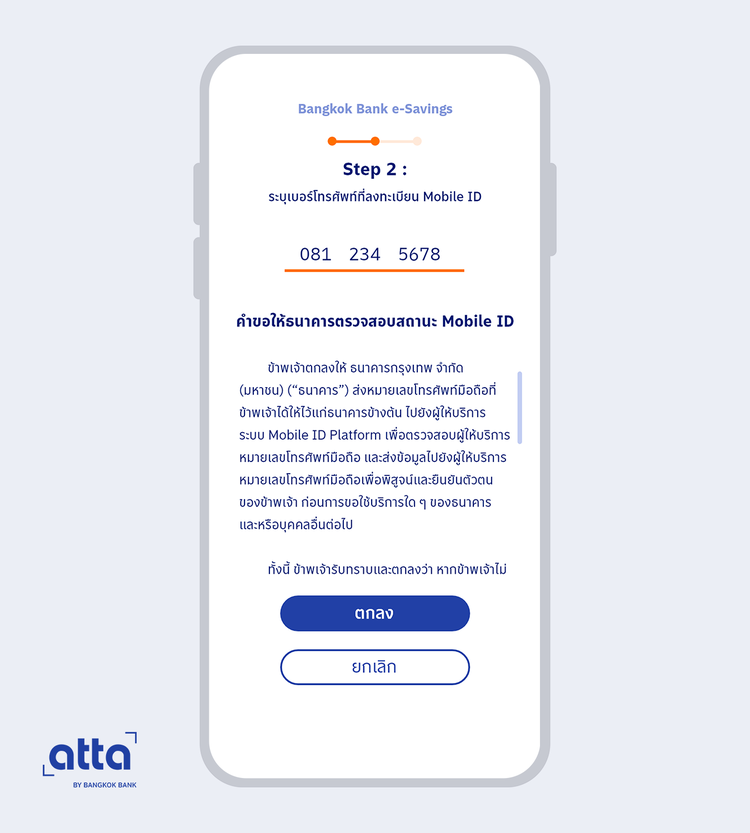
Authenticated with the mobile operator app
- Enter your registered mobile number
- Follow the instructions for authentication on the mobile operator app
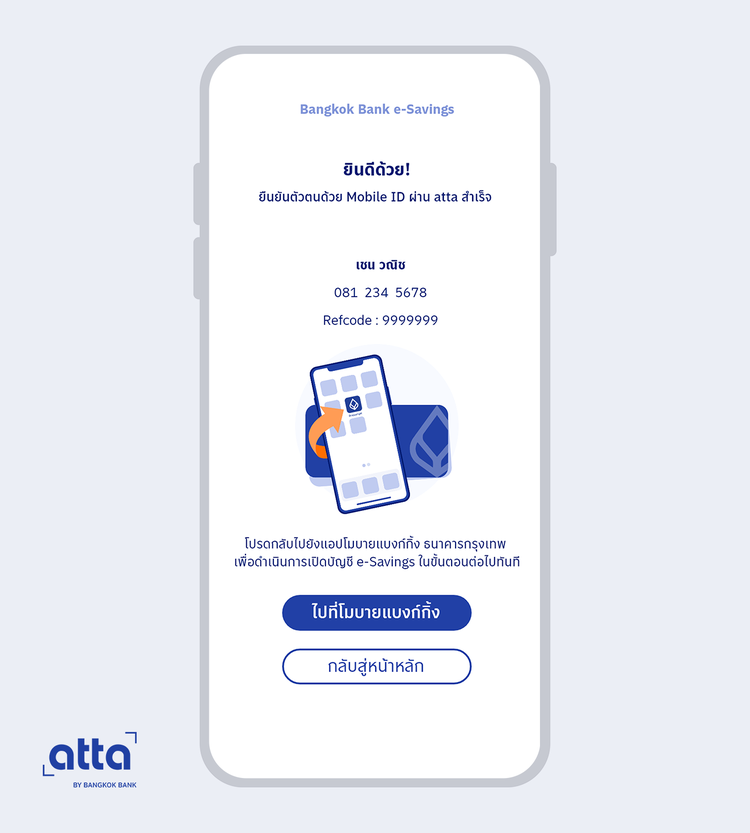
- Return to Mobile Banking app to proceed with the next step of account opening
Frequently Asked Questions