Create QR Codes for Easy Payment and Receipt via Bangkok Bank Mobile Banking
Create QR codes to receive payments instantly without needing to share your mobile or account number. You can generate both standard QR codes and QR codes with specific amounts. You can also generate QR codes to pay merchants conveniently without having to specify the amount yourself, all through Bangkok Bank Mobile Banking
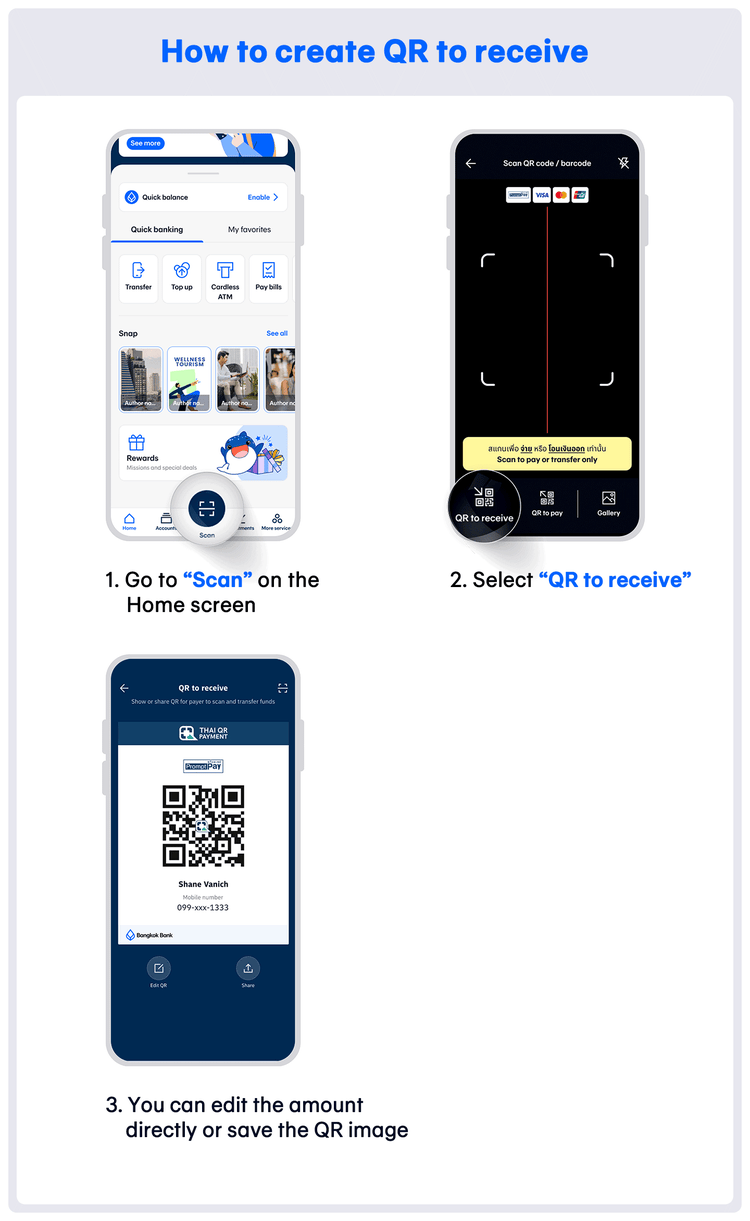
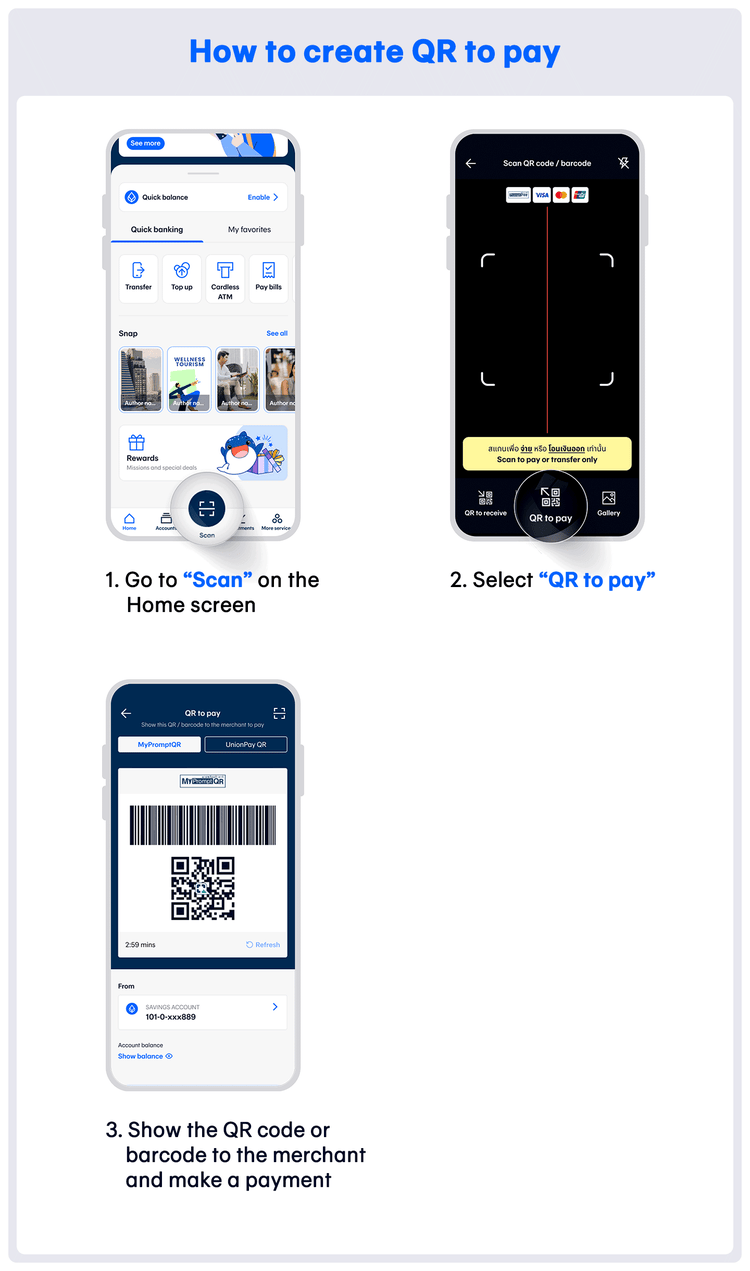
How to create QR to receive and QR to pay
What is a QR to Receive code?
A QR to Receive code is a Quick Response (QR) code for receiving payments from other people into your account. Only accounts linked with PromptPay can generate QR to Receive codes. Learn “How to link your Bangkok Bank account with PromptPay.”
Advantages of Generating QR to Receive codes via Bangkok Bank Mobile Banking
Save time and reduce errors as the sender does not need to enter the recipient's account number.
- Protect personal information from leaking, such as mobile, account, and citizen ID numbers which are linked with PromptPay.
- Save the “QR to receive” image at any time without needing to generate a new one.
- The recipient can specify the amount to be transferred and the amount can be adjusted at any time. The sender does not need to enter the amount.
- Whether receiving money from friends or others, it is convenient and secure. Just open the “QR to receive” for scanning and wait to receive the money.
What is a QR to Pay code?
QR to Pay is a QR code created to pay merchants directly. Users can pay by showing the QR to Pay code to a merchant for scanning. QR to Pay comes in two formats: barcode and QR code. It can be chosen from two providers: PromptPay and UnionPay QR. QR to Pay can be created from any savings account.
Recommended Features
Enhance your online banking experience with Bangkok Bank Mobile Banking