
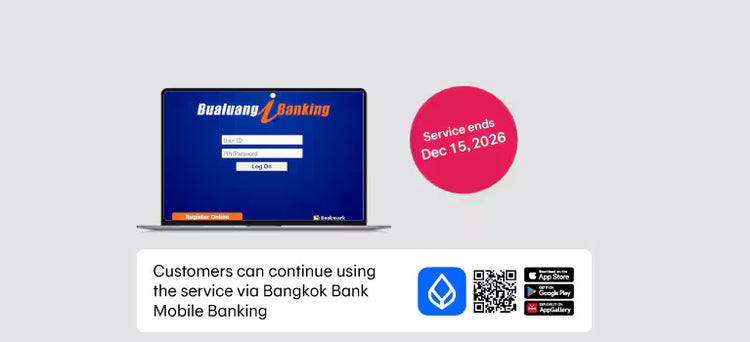

Bangkok Bank Announcement: Termination of Bualuang iBanking Service
Bangkok Bank would like to inform you that the Bualuang iBanking serviceor Internet Banking Bangkok Bank will be discontinued from December 15, 2026.
Bualuang iBanking customers can continue accessing banking services through the following channels:
| Service on Bualuang iBanking | Alternative Channels |
| Transfers, top-ups, and pay | Bangkok Bank Mobile Banking |
| View account summaries and transaction history | |
| Pay for goods and services, including Bangkok Bank credit card bills (both primary and supplementary cards) | |
| Schedule fund transfers or bill payments | |
| Direct debit service for payments of goods and services | |
| International money transfer service | |
| Foreign currency deposit account service (FCD account) | |
| Mutual fund services: place buy, redemption, and switching orders, or check remaining investment units | |
| Suspend card and request replacement | |
| Check status of returned cheques | Bank branches and automated voice prompts |
| Order cheque books | |
| Change mailing address for credit card statements | Bank branches |
| Register for dividend payment service | |
| Suspends issued cheques | Call Center |
| Investigate suspicious transactions | |
| Check abnormal account balance | |
| Investigate suspicious credit card transactions | |
| Check abnormal credit card balance | |
| Submit a request to redeem credit card points for rewards | Bank branches and Call Center |
| Suspend lost passbook | |
| Request PIN for credit card | Type the word PIN, followed by a space, then the last 4 digits of your card number, and send to 4711333 |
| Top Up - Student Prepaid Card | Please use a Bangkok Bank ATM |
For Bualuang iBanking customers who have used the Bangkok Bank Mobile Banking app before, you can reactivate your access with one of these steps:
If you remember your Bangkok Bank Mobile Banking PIN
- You can enter your existing Mobile PIN to access Bangkok Bank Mobile Banking.
If you forgot your Mobile PIN
- Use your debit card number and debit card PIN to log in, or
- Visit a bank branch or an ATM to request a temporary PIN (Re-issue Temp PIN) to reactivate Bangkok Bank Mobile Banking again.
In case the information is not up-to-date
Please bring your ID card (for Thai citizens) or passport (for foreigners) to a bank branch to verify your identity before using the service.
For Bualuang iBanking customers who have never used the Bangkok Bank Mobile Banking app, you can register for the service with one of these steps:
- If you have Bangkok Bank debit card or Bangkok Bank credit card, use your debit card number and debit card PIN to log in, or
- Visit a bank branch or an ATM to request a temporary PIN (Re-issue Temp PIN) to access Bangkok Bank Mobile Banking.
In case the information is not up-to-date
Please bring your Citizen ID card (for Thai citizens) or passport (for foreigners) to a bank branch to verify your identity before using the service.
Important Notes:
Bualuang iBanking service will no longer be available from December 15, 2026 onwards. You will still be able to do your transactions on Bangkok Bank Mobile Banking application as well as other helpful features, such as QR Code payments, cardless ATM withdrawals, scheduled transfers and the ability to lock/unlock accounts.
The scheduled transactions service on Bualuang iBanking will be discontinued from November 1, 2026. Any scheduled transactions set to take effect from December 15, 2026 onwards will be automatically canceled. To prevent scheduled transfers or payments from being missed we recommend that you prepare in advance by scheduling them on Bangkok Bank Mobile Banking.
We apologize for any inconvenience and thank you for your continued trust in Bangkok Bank.
If you have any questions or need assistance, please visit your nearest branch or call the Bangkok Bank Call Center 1333.
Download Bangkok Bank Mobile Banking


Download Bangkok Bank Mobile Banking application at



To enhance transaction security and application efficiency as well as support new features, upcoming Bangkok Bank Mobile Banking versions will only be supported on iOS version 15.0 & above and Android version 10.0 & above from January 20, 2026 onwards
Frequently Asked Questions